SlidesClock

For independent shopkeepers, café owners, boutique clinics, and growing local businesses, every dollar of monthly overhead counts. Yet tracking hourly employee attendance remains one of the most frustrating operational headaches of running a company. While hundreds of software vendors market a "free attendance app for small business," most conceal aggressive commercial traps: forced 14-day trials, mandatory credit cards, hidden per-user fees, and locked exports that hold your payroll records hostage. In 2026, small businesses do not need expensive enterprise HR suites or deceptive trialware. This comprehensive evaluation guide explains what a genuinely useful free attendance app must deliver, how to spot software gimmicks before onboarding your team, and how to track employee work hours reliably at zero cost.
Quick Answer
A genuinely free attendance app for small business provides permanent, subscription-free shift tracking on employee smartphones without requiring credit cards or forcing trial expirations. Useful free plans include mobile clock-in/out, shift history logs, manager dashboard visibility, and basic workplace verification (such as GPS or Wi-Fi). Transparent providers cap their free tiers by employee count (e.g., up to 5 employees) rather than restricting essential features or holding timesheet data hostage behind upgrade paywalls.
1. The Real Attendance Challenges Small Businesses Face Every Week
When an entrepreneur opens a new storefront, studio, or service business, attendance tracking often starts on a casual basis. With two or three trusted employees, managers frequently rely on informal verbal agreements or an open paper clipboard by the register. However, as soon as the team grows to five, eight, or twelve staff members across shifting rosters, informal tracking collapses into operational chaos.
Small business operators face unique attendance pressures that large corporations rarely experience. Unlike enterprises with dedicated human resources departments, the small business owner wears every hat: manager, marketer, buyer, and payroll clerk. Attendance friction directly robs owners of the time required to serve customers and grow revenue.
The Financial Leak of 'Honor System' Time Rounding
When employees manually record their own hours on paper or via messaging apps, human nature naturally bends toward optimistic rounding. A shift scheduled to begin at 8:00 AM where the worker unlocks the door at 8:14 AM is consistently written down as "8:00 AM."
While fifteen minutes of unworked time may appear harmless on a single Tuesday morning, the mathematics across a small team are punishing. Across five employees, fifteen minutes of daily time leakage per worker accumulates to 32.5 lost labor hours per month. For a business paying $16 per hour, that represents over $500 in unearned monthly payroll expense—enough to wipe out the net margin on dozens of customer sales.
Friction, Lost Records, and Sunday Night Payroll Anxiety
For small business owners, the end of the pay cycle frequently turns Sunday night into an administrative nightmare. Paper timesheets are smudged with coffee spills, entries are illegible, and handwritten dates conflict with the original rota. Reconstructing who actually worked which shift requires hours of cross-referencing text messages, phone calls, and register receipts.
Adopting a dedicated free employee attendance app eliminates this guesswork at the source by capturing shift start and stop events in real time with tamper-resistant timestamps.
2. Why Spreadsheets and Paper Attendance Fail Growing Teams
Before seeking dedicated software, almost every small business experiments with paper sign-in binders or shared Google Sheets. While spreadsheets cost nothing upfront, they quickly become an operational liability as business complexity increases.
Formula Drift, Accidental Deletions, and File Corruption
A spreadsheet is an open canvas designed for calculations, not an immutable audit ledger. In shared Google Sheets or Excel files, multiple employees have editing access. A staff member attempting to input their clock-out time can accidentally overwrite complex SUM formulas, delete another employee's row, or break cell formatting.
Fixing corrupted spreadsheet formulas requires tedious manual reconstruction. Furthermore, spreadsheets lack revision immutability: there is no effortless way to verify whether an entry was keyed in at 5:00 PM on Friday or backfilled retroactively on Monday morning.
Zero Physical Verification and the Absence of Real-Time Visibility
Neither paper clipboards nor digital spreadsheets provide verification of presence. An employee can open a shared spreadsheet on their phone while lying in bed at 7:55 AM and type their shift start into the cell.
Crucially, spreadsheets fail to answer the single most urgent question a business owner asks each morning: "Who is currently on-site and working right now?" Without real-time status visibility, managers cannot respond quickly to sudden absences or peak customer rushes. For an in-depth breakdown of moving away from manual files, read our guide on how to track employee attendance without spreadsheets.
3. The Free Software Trap: Free Trials vs. Genuinely Permanent Free Tiers
Searching online for a free attendance tracker for employees yields dozens of flashy advertisements promising "100% Free Attendance Software." However, business owners must exercise extreme caution: the modern SaaS market is saturated with misleading marketing tactics designed to convert unsuspecting business owners into paying subscribers.
The 14-Day Trial Cliff and Hostage Timesheets
The most prevalent trap is the disguised "Free Trial." A provider markets their app as free, encourages you to spend hours creating employee profiles, entering shift schedules, and training your frontline team. Exactly 14 days later—just as your payroll cycle closes—a giant banner locks the dashboard, demanding a $50 to $90 monthly subscription or an annual contract.
Because the business owner cannot afford to halt payroll operations or lose their historical attendance data, they feel coerced into providing a credit card. Legitimate software companies are transparent: if an offering is a trial, they label it as a trial; if it is a Free plan, it remains free permanently without an artificial expiration date.
How to Audit a Free Software Claim Before Onboarding Staff
Before introducing any attendance app to your staff, conduct a quick three-point audit:
1. Does the signup process require a credit card or payment billing details? If a card is required, it is a trial that will auto-bill your account.
2. Does the documentation clearly define permanent plan caps (such as employee headcount or workplace count), or does it say "Free during promotional beta"?
3. Are export capabilities locked behind a paywall? If an app allows staff to clock in for free but charges $29 to download a CSV timesheet at the end of the month, the software is not genuinely free.
4. What a Genuinely Useful Free Attendance App Must Include
A free attendance software for small business does not need enterprise-level features like predictive AI labor forecasting or complex multi-entity union compliance. However, to be genuinely viable in day-to-day operations, a free tool must provide six non-negotiable core capabilities:
1. Frictionless Mobile Clock-In on Employee Handsets
Staff should be able to clock in and out from the smartphones they already carry in their pockets (both iOS and Android). Requiring proprietary tablets, RFID key fobs, or physical badges destroys the cost advantages of free software.
2. Transparent Personal Shift History for Employees
Disputes happen when employees cannot see what hours were recorded. A well-designed free staff attendance app gives every team member direct visibility into their logged shifts, break durations, and approved hours, eliminating misunderstandings before payroll is calculated.
3. Work Schedules, Grace Periods, and Shift Clarity
Tracking attendance is meaningless without knowing what shift was scheduled. The free tool should allow managers to define shift start times, shift end times, and tardiness grace periods (e.g. 5 to 10 minutes) so punctuality is objectively measured rather than emotionally argued.
4. Basic Workplace Verification (GPS or Wi-Fi)
A free employee clock in app that does not verify location is no better than a paper sheet. The app must ensure staff are physically on the premises when clocking in—either via GPS point-in-time geofencing or designated workplace Wi-Fi network checks.
5. Self-Service Leave and Absence Requests
Small businesses waste hours managing vacation requests across WhatsApp, SMS, and sticky notes. A useful free tool includes a built-in leave request flow where employees submit dates and managers approve or decline them with one tap.
6. Real-Time Manager Dashboard and Clean Timesheet Exports
Business owners need an immediate web or mobile dashboard showing who is clocked in right now. At the end of the pay period, exporting complete shift summaries to standard CSV or Excel files must be standard, unrestricted, and instantaneous.
5. Comparing Small Business Attendance Options in 2026
Small businesses have several distinct options for managing attendance, ranging from traditional manual tools to enterprise subscriptions and honest free mobile platforms. The matrix below compares the total operational reality of each approach.
| Attendance Method | Direct Cost | Setup Time | Location Verification | Payroll Prep Friction |
|---|---|---|---|---|
| Paper Clipboard Sign-In | $0 / month ($5 clipboard) | 5 minutes | Zero verification (Vulnerable to buddy punching and manual rounding) | Very High (4–6 hours manually deciphering handwriting) |
| Shared Google Spreadsheet | $0 / month | 1 hour (template creation) | Zero verification (Staff can edit cells remotely from home) | High (3–5 hours auditing formulas and correcting accidental edits) |
| Biometric Fingerprint Terminal | $250–$600 upfront + repairs | 2–3 weeks (Mounting & cabling) | Physical presence verified at doorway (Fails field staff and multi-site) | Moderate (Requires downloading logs via USB flash drive) |
| 14-Day Free Trial Enterprise SaaS | $50–$120 / month after trial | 1–2 days (Complex setup) | Advanced GPS & geofencing (Continuous background tracking risks) | Low (Automated, but requires ongoing expensive software subscription) |
| Honest Permanent Free Mobile App | $0 forever for small teams | Under 10 minutes | Point-in-time GPS geofencing & Wi-Fi checks on employee smartphones | Very Low (Instant CSV export; zero subscription overhead) |
6. Understanding Practical Limits: Where Honest Free Software Stops
No sustainable software company can offer unlimited infrastructure, unlimited server storage, and continuous customer support for hundreds of employees completely free of charge. When a vendor claims "100% free with unlimited employees and zero limits forever," they are either harvesting your employee data, planning a sudden pivot to aggressive monetization, or operating on unstable venture subsidies.
An honest free time clock for small business establishes clear, sustainable boundaries that allow small teams to operate indefinitely without charge, while providing logical upgrade paths as the business prospers.
Why Headcount and Location Caps Make Sense
The standard sustainable model for modern SaaS is a generous team-size threshold. For example, offering the complete core attendance experience free forever for teams up to 5 employees and 1 location.
For an independent bakery with four baristas, a boutique barber shop with three chairs, or an architectural consultancy with four designers, a 5-employee cap represents 100% of their operational needs. They can use the platform year after year without paying a single cent.
The Tipping Point: When Small Businesses Should Upgrade
A business should consider upgrading to paid tiers only when growth creates genuine complexity that warrants paid infrastructure:
- Headcount Expansion: Hiring your sixth, tenth, or fifteenth employee.
- Multi-Location Operations: Opening a second storefront or regional branch office.
- Automated Digital Payroll: Requiring integrated tax deductions, wage calculations, and digital payslip delivery.
When that milestone arrives, pricing should remain transparent and affordable (e.g. $12 to $30 per month) rather than leaping to enterprise price tags of hundreds of dollars.
7. SlidesClock's Permanent Free Plan: What's Included and Verified
SlidesClock was created with a clear mission: to provide small and growing businesses around the world with modern, dependable attendance tracking without expensive hardware or predatory subscriptions.
SlidesClock delivers an honest, permanent Free plan that is free forever—not a 14-day trial, not a limited demo, and completely free of credit card requirements.
Verified Free Plan Capabilities
Every small business on SlidesClock's Free tier receives full access to the following core capabilities:
- Up to 5 employees and 1 administrator.
- 1 authorized workplace location.
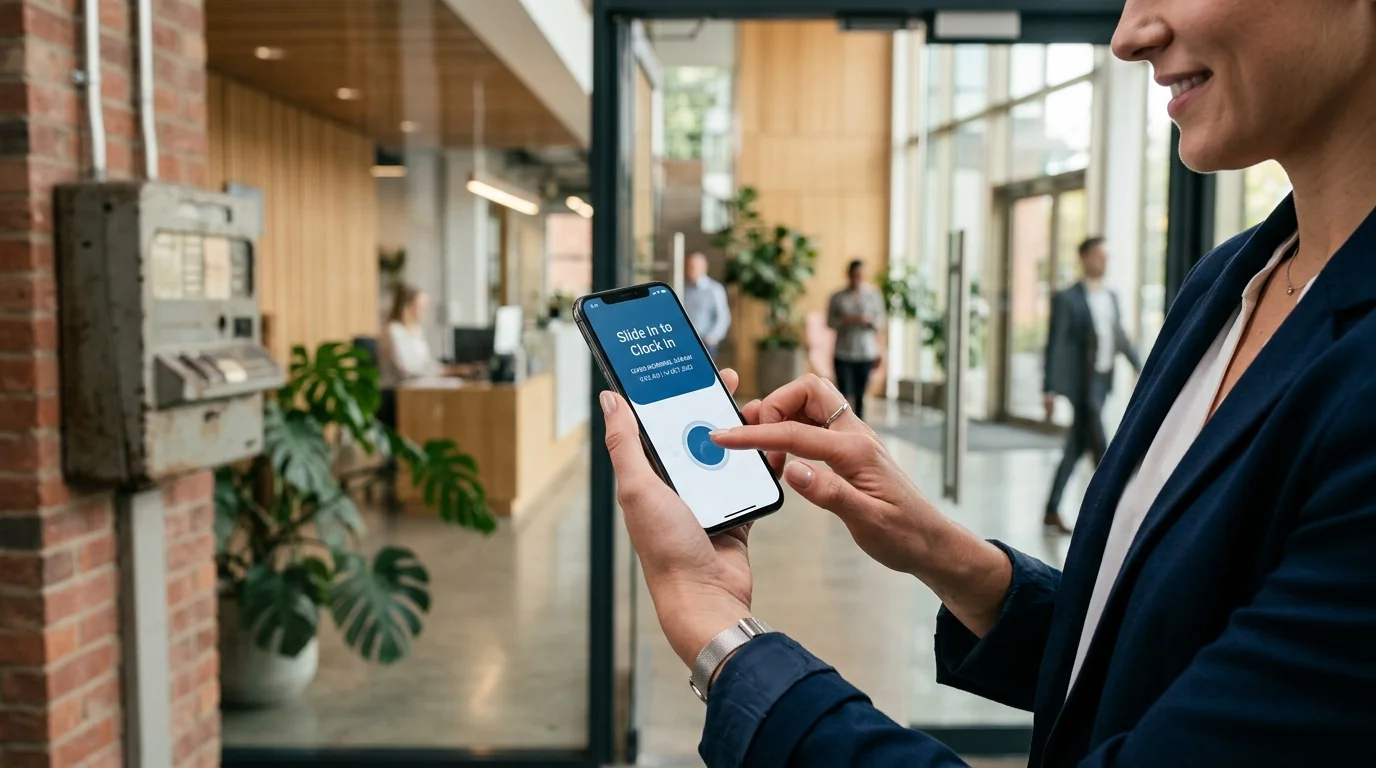
- Mobile self-service clock-in via the signature Slide In and Slide Out interaction.
- Point-in-time GPS geofence verification and workplace Wi-Fi checks.
- Employee personal shift history and rota schedule viewing.
- Shift scheduling, grace periods, and rest day management.
- Self-service leave requests and manager approvals.
- Comprehensive manager web dashboard at app.slidesclock.com with instant attendance reporting.
Transparent Scaling Paths as Your Business Expands
When your business outgrows five employees, SlidesClock offers straightforward, transparent tiers billed predictably through the Apple App Store:
- Standard Plan: $12.99 / month (or $129 / year) for up to 20 employees and 3 workplace locations, adding advanced reports and exports.
- Premium Plan: $29.99 / month (or $300 / year) for up to 40 employees and 10 workplace locations, adding attendance corrections and optional integrated payroll.
For deeper insights into rolling out attendance software across small teams, explore our companion pillar guide on the best free attendance app for small business.
8. Quick-Start Guide: Setting Up Free Attendance in Under 10 Minutes
Getting your small business up and running on SlidesClock takes less time than making a pot of coffee. Follow these three simple setup steps:
- Step 1: Create Your Company and Workplace. Download SlidesClock from the App Store on your iPhone. Sign up, enter your company name, and add your primary workplace. Select whether you wish to verify attendance using a GPS radius (e.g. 100 meters) or your workplace Wi-Fi network.
- Step 2: Invite Your Team Members. Add up to 5 employees by entering their name and sending an invite code. Staff members download the free mobile app on their handsets and join your company workspace in seconds.
- Step 3: Slide In to Verify Your First Shift. When staff arrive for their scheduled shift, they open the app and Slide In. The system checks their location against your workplace boundary and records the authoritative server timestamp. You can instantly monitor attendance live from your mobile handset or the web dashboard.
Frequently Asked Questions
Is a free attendance app really free, or will I be charged later?
SlidesClock's Free plan is permanently free, not an expiring trial. It requires no credit card, no billing details, and has no hidden expiration date. It remains free forever for teams of up to 5 employees, 1 workplace, and 1 admin.
Do small businesses need to purchase special hardware for free attendance apps?
No. SlidesClock runs entirely on the smartphones employees already carry in their pockets. There is zero hardware to purchase, mount, cable, or maintain.
What happens when my business grows beyond 5 employees?
When your team expands beyond 5 members, you can upgrade easily to the Standard plan ($12.99/month for up to 20 employees and 3 locations) or Premium plan ($29.99/month for up to 40 employees and 10 locations) billed conveniently through the App Store.
Can employees clock in from home if they are scheduled at the store?
No. If you configure a GPS geofence or workplace Wi-Fi verification rule for your workplace, the app verifies that the employee's handset is physically located on-site before allowing a Slide In.
Does SlidesClock require employees to share their location all day?
Never. SlidesClock uses point-in-time verification, meaning location is checked solely for a brief moment when an employee slides to clock in or out. SlidesClock never runs continuous background location tracking or monitors staff off the clock.
Can I export attendance records to Excel or CSV on the free plan?
Yes. Attendance records, shift hours, and summaries can be reviewed and exported directly, ensuring you can process payroll without friction.
What mobile devices do employees need to use the free attendance app?
SlidesClock is available on iPhone via the official Apple App Store. Android is currently in active testing with an APK available upon request, and managers can access the full administrative dashboard from any modern web browser at app.slidesclock.com.
How does SlidesClock compare to complex enterprise tools like Deputy or Homebase?
Enterprise tools are heavily layered with complex enterprise modules, shift bidding, and steep per-user monthly costs that overwhelm small teams. SlidesClock focuses on clean, fast, reliable clock-in verification and scheduling that small business teams can master in under five minutes.