SlidesClock

For decades, business owners relied on wall-mounted mechanical punch clocks, magnetic swipe badges, or biometric wall terminals to confirm that staff showed up for their shifts. But in modern commerce—where teams operate across boutique retail shops, lively dining rooms, field service routes, and client sites—fixed hardware creates queues, high capital costs, and administrative friction. In 2026, managers are switching to a modern time clock app with GPS. By turning employee smartphones into self-service time clocks, businesses can verify on-site attendance instantly. Crucially, modern GPS attendance does not require intrusive 24/7 background surveillance: it confirms location only at the exact moment of clock-in and clock-out, protecting employee privacy while keeping payroll completely accurate.
Quick Answer
A time clock app with GPS is a mobile attendance system that verifies an employee's physical presence at the exact moment of clock-in and clock-out using satellite and cellular positioning. Unlike intrusive background tracking apps, a point-in-time GPS time clock app checks coordinates only when an employee records their shift, preserving personal privacy and battery life while preventing off-site time theft.
1. What Is a Time Clock App With GPS (and How Does It Work)?
A time clock app with GPS is a mobile software application that allows employees to record their work hours directly from their personal or company smartphones, while automatically verifying that they are physically located at an authorized workplace when the shift begins and ends.
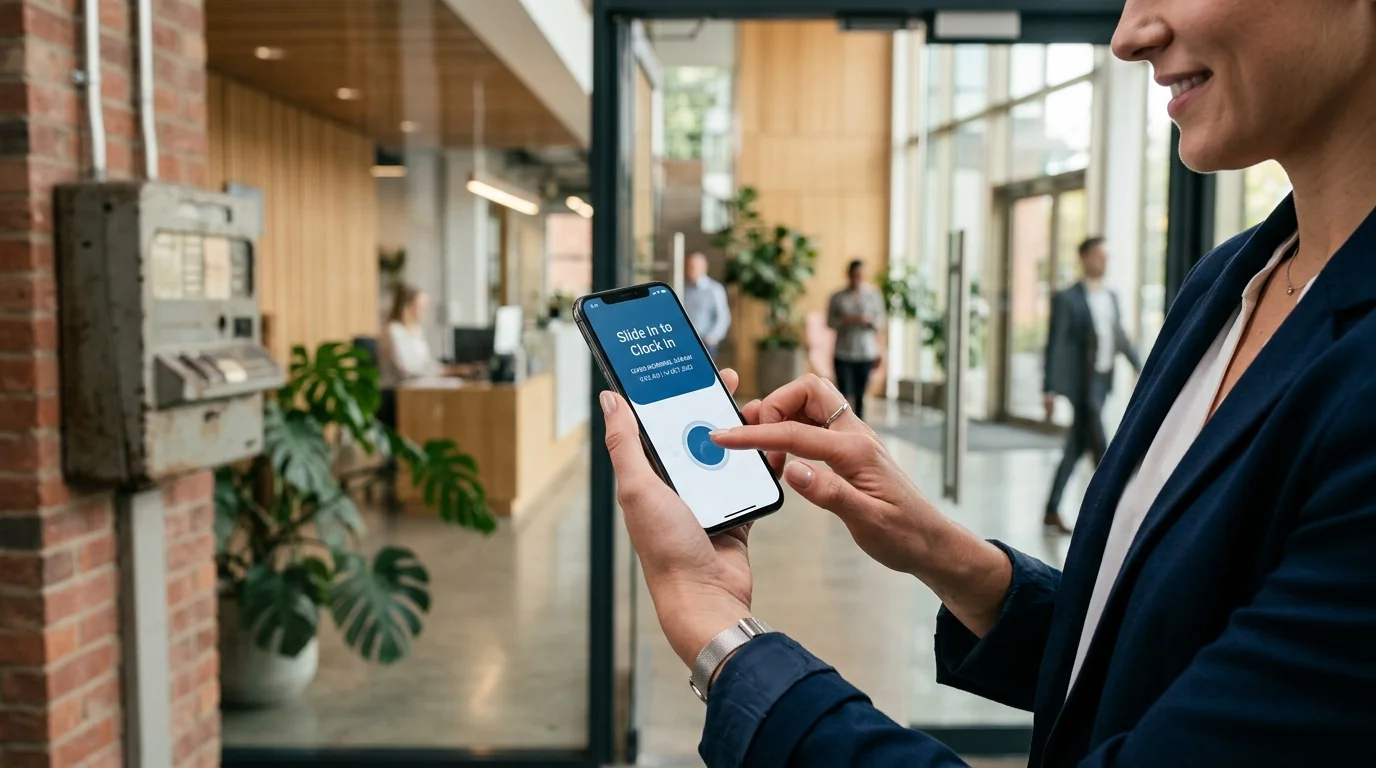
Historically, keeping timesheets honest meant forcing every worker through a physical choke point: a mechanical punch card box or a wall-mounted fingerprint terminal bolted to the wall beside the front door. While this proved an employee had walked past that specific door, it created bottlenecks at shift changes, required physical maintenance, and proved completely useless for field staff or businesses with multiple job sites.
A modern GPS clock in app replaces physical door hardware with software-defined workplace boundaries. When a worker opens the mobile app and triggers their clock-in gesture, the handset’s native location hardware computes its geographic coordinates and transmits them alongside the attendance request to secure cloud servers for instant validation.
Point-of-Action Verification Explained
The core design philosophy of modern attendance technology is point-of-action verification. Rather than tracking an employee's location continuously throughout their 8-hour shift, the system queries the device location exclusively when the employee executes an attendance event.
When an employee initiates a Slide In, the app asks the operating system for its current coordinates. If those coordinates fall within the authorized workplace geofence radius, the server accepts the timestamp and logs the shift as verified. Once that event completes, the location query terminates immediately.
The Technical Mechanism: From Phone Radios to Cloud Timesheets
Modern mobile devices determine location using a fusion of Global Navigation Satellite Systems (such as GPS, GLONASS, and Galileo), nearby Wi-Fi network signals, and cellular tower tri-angulation. This combination allows a handset to calculate its position down to an accuracy radius of 5 to 15 meters within seconds.
When the employee clocks in, the mobile time clock with GPS packages the latitude, longitude, and estimated horizontal accuracy radius into an encrypted payload. The server compares these values against the workplace latitude and longitude configured by the employer. If the distance is less than the workplace radius (taking sensor accuracy into account), the shift is stamped.
2. The Critical Distinction: Point-in-Time Verification vs. 24/7 Continuous Tracking
One of the most widespread misunderstandings surrounding GPS attendance tracking is the fear that downloading an attendance app turns an employee's phone into a 24/7 tracking beacon. For hourly employees and privacy-conscious workers, continuous tracking is invasive, demoralizing, and frequently unlawful.
Businesses must understand the stark operational and ethical divide between point-in-time attendance verification and continuous background breadcrumbing. Legitimate employee clock in app with GPS tools operate exclusively at the threshold of the shift.
Preserving Battery Life and Device Health on Employee Handsets
Continuous background GPS tracking requires a smartphone to keep its high-power satellite baseband chip active all day, querying satellites every few seconds. This continuous processing drains 25% to 40% of a modern smartphone battery over a single shift, generates noticeable device heat, and burns through monthly cellular data allowances.
In contrast, point-in-time verification activates location services for approximately two seconds during clock-in and two seconds during clock-out. The cumulative battery consumption is under 0.1% of the daily charge, leaving personal devices cool, responsive, and fully charged for personal use after work hours.
Respecting Employee Privacy and Data Regulations
Tracking employee movements during lunch breaks, personal errands, or transit creates severe legal liabilities under regional privacy frameworks like GDPR, California CCPA, and statutory labor protections. Employers have no legal or operational need to know where an employee spends their unpaid break or which pharmacy they visit on their way home.
By adopting a point-in-time GPS attendance app, companies maintain a clean, defensible boundary: the employer verifies presence at the job site only when payroll dollars are actively beginning to accrue. When the shift ends, the app ceases all location queries. This builds genuine workplace trust and eliminates employee resistance during rollout.
3. GPS Time Clocks vs. Traditional Physical Punch Clocks
For decades, physical time clocks were considered the only reliable way to prevent buddy punching (employees clocking in for friends who are running late). However, physical hardware carries enormous hidden costs, administrative friction, and single-point-of-failure vulnerabilities that modern businesses can no longer afford.
The table below summarizes the key operational differences between physical hardware terminals and a software-based mobile time clock with GPS.
| Evaluation Factor | Traditional Punch / Biometric Machine | Modern GPS Time Clock App |
|---|---|---|
| Upfront Hardware Cost | $250 to $800 per physical device + wiring | $0 (Employees use existing iOS or Android smartphones) |
| Multi-Site Deployment | Requires buying and mounting hardware per site | Instant (Add unlimited geofenced sites via web dashboard) |
| Morning Shift Bottlenecks | Severe queues (1 person every 10–15 seconds at door) | Zero bottlenecks (All employees clock in simultaneously on arrival) |
| Field & Off-Site Support | Impossible (Workers must report to headquarters first) | Native (Staff clock in directly at assigned client locations) |
| Ongoing Maintenance | Optical sensor wear, Ethernet dropouts, paper jams | Zero hardware maintenance; automatic cloud software updates |
| Buddy Punching Protection | Good on-site only; optical glass degrades over time | Hardware device locking + point-in-time GPS geofencing |
| Time Tampering Vulnerability | Local clock drifts or manual battery overrides | Server-synchronized NTP timestamps immune to handset edits |
| Rollout Timeline | 2 to 4 weeks (Ordering, shipping, mounting, cabling) | Under 10 minutes (Download app, set radius, invite team) |
4. Understanding Geofencing: How Virtual Boundaries Protect Timesheet Integrity
At the heart of any effective GPS attendance tracking system is the concept of a geofence. A geofence is a virtual perimeter established around a physical geographic location, defined by a center point (latitude and longitude) and a radius measured in meters.
When an employer sets up a workplace in their manager dashboard, they specify the street address or pin the map. The software establishes a virtual boundary—for example, a 100-meter circle encompassing the storefront, parking apron, and delivery dock. When staff slide to clock in, the app verifies that their handset sits securely inside that circle.
Setting the Right Geofence Radius for Your Workplace
A common mistake among first-time administrators is making the geofence radius unrealistically small. Setting a tight 15-meter radius around an office desk frequently results in false rejections. Satellite signals naturally fluctuate due to atmospheric conditions, cloud cover, and structural barriers.
For most standalone retail stores, restaurants, or suburban offices, a radius of 80 to 120 meters provides the ideal balance: it comfortably encloses the premises and staff entrance while preventing workers from clocking in from their apartment three blocks away.
Handling Urban Canyons and Multi-Story Buildings
In dense downtown centers with high-rise towers, satellite signals bounce off concrete and glass facades—a phenomenon known as multipath reflection or urban canyon interference. This can cause a phone's calculated GPS position to drift by 20 to 40 meters even while standing still inside a lobby.
Modern GPS attendance app platforms address this by factoring in the horizontal accuracy metric reported by the mobile operating system. If satellite reception is degraded, the app leverages assisted GPS (A-GPS) and nearby Wi-Fi beacons. For corporate offices inside massive indoor complexes, employers can also combine GPS with workplace Wi-Fi verification for seamless indoor check-ins.
5. Practical Small Business Scenarios for GPS Attendance
A time clock app with GPS for employees provides immediate operational clarity across industries that have traditionally struggled with timesheet discrepancies, tardiness, and remote site accountability.
Retail Stores, Bakeries, and Independent Cafés
In retail and hospitality, the morning opening procedure is critical. If a barista or retail associate arrives 15 minutes late, the store opens late, customers walk away, and morning sales plummet. Paper sign-in sheets often hide this reality because employees write "8:00 AM" regardless of when they unlocked the door.
With a geofence time clock app, the manager sees exact shift start timestamps recorded against the store geofence. If staff attempt to clock in while stuck in traffic at 7:58 AM, the app politely informs them that they are outside the workplace boundary and prompts them to slide in upon arrival.
Field Services, Commercial Cleaning, and Mobile Maintenance
Mobile service companies—such as HVAC contractors, plumbing services, landscaping crews, and cleaning agencies—frequently dispatch employees directly to customer job sites. Requiring technicians to drive to a central headquarters simply to punch a physical time clock wastes paid hours and fuel.
By configuring designated client sites as distinct workplaces in a GPS clock in app, field staff drive straight to the job, slide in on arrival, and slide out when the task finishes. Managers gain full visibility into on-site service hours without burdening employees with unnecessary travel.
Construction Sites and Trade Subcontractors
Construction jobsites are dynamic, dusty, and lack permanent electrical infrastructure. Bolting an optical fingerprint reader to a temporary plywood wall is expensive, vulnerable to weather, and prone to sensor failure from dust and grit.
A rugged mobile time clock with GPS allows general contractors and trade subcontractors to set a geofence covering the active lot. Workers clock in from their personal handsets as they arrive on the perimeter, creating an audit-ready digital log of trade hours without requiring on-site IT hardware.
6. Common GPS Attendance Pitfalls (and How Modern Systems Overcome Them)
While GPS attendance offers tremendous operational advantages, early generations of location software suffered from technical vulnerabilities. Modern systems employ sophisticated safeguards to ensure timesheets remain trustworthy.
Location Spoofing and Mock GPS Tools
A common concern among managers is whether employees can download third-party "fake GPS" or mock location applications from app stores to simulate their position at work while staying in bed.
Modern mobile operating systems (iOS and Android) provide security flags that notify applications whenever mock location providers are active or developer spoofing modes are engaged. Legitimate attendance applications identify simulated locations, reject the check-in attempt, and flag the event for manager review.
Handset Clock Manipulation
On unverified paper systems or basic mobile apps, an employee running 20 minutes late might alter the manual time settings on their phone (changing 8:20 AM to 8:00 AM) before clocking in. A secure GPS time clock app ignores the handset's internal clock entirely.
All official attendance timestamps are generated and signed by cloud servers using Network Time Protocol (NTP) synchronized against atomic clocks. Even if an employee changes their phone's system time to last year, the server writes the true, immutable current time to the shift record.
Network Connectivity and Rural Edge Sites
Workplace sites occasionally suffer from intermittent cellular reception. Well-engineered attendance platforms handle brief connectivity dips gracefully, capturing the cryptographically signed GPS coordinate event locally and syncing it securely as soon as data connectivity resumes, ensuring zero lost work hours.
7. How SlidesClock Handles Location-Based Attendance
SlidesClock was built from the ground up to provide businesses with dependable, friction-free employee attendance tracking without expensive hardware or invasive employee surveillance.
Instead of tedious pin codes, clumsy facial scans, or battery-sapping background trackers, SlidesClock uses an intuitive, deliberate interaction: employees simply Slide In to start work and Slide Out to finish.
The Slide In Experience and Privacy-First Verification
When an employee arrives at work, they open SlidesClock and execute the Slide In gesture. In that single moment, SlidesClock checks the phone's GPS position against the workplace radius configured by the business owner. If within bounds, the server records the shift start with an authoritative server timestamp.
Crucially, SlidesClock never tracks employee location in the background. Once the slide action completes, location services disengage. Employees can inspect their personal history directly within the app, fostering mutual transparency and trust.
Multi-Workplace Flexibility: GPS, Wi-Fi, and Device Registration
SlidesClock allows administrators to tailor verification rules to each individual workplace. A retail store or warehouse can enforce GPS geofencing, while a corporate office in a high-rise can enforce Wi-Fi network verification by matching the office router's public IP.
To prevent buddy punching, SlidesClock supports device registration: an employee's account binds securely to their specific smartphone hardware, preventing peers from passing around login credentials to clock in for absent coworkers.
Predictable, Small-Business-Friendly Pricing
Unlike enterprise HR platforms that demand mandatory annual contracts and steep per-user minimums, SlidesClock provides an honest, permanent Free plan for up to 5 employees and 1 workplace location with zero credit card required.
Growing teams can scale affordably to Standard ($12.99/month for up to 20 employees and 3 workplaces) or Premium ($29.99/month for up to 40 employees and 10 workplaces, including optional payroll calculation). All plans include shift scheduling, grace periods, leave tracking, and real-time manager reporting.
8. Step-by-Step Guide: Implementing a GPS Time Clock App in 4 Steps
Transitioning your team from paper sign-in sheets or an aging punch clock to a modern GPS time clock app takes less than ten minutes. Follow this proven four-step rollout process:
- Step 1: Define Realistic Workplace Coordinates. Pin your business location on the map in your admin dashboard. Set an initial geofence radius of 100 meters to ensure reliable coverage across entrances, parking areas, and indoor rooms.
- Step 2: Publish an Employee Transparency Policy. Clearly communicate to your team that location is checked only at the moment of Slide In and Slide Out. Assure them that their personal phone will not be tracked throughout the day or off the clock.
- Step 3: Run a Five-Day Parallel Shift Trial. Invite 2 to 3 trusted employees to download the app and test sliding in alongside your existing sign-in procedure to confirm that indoor signal reception is stable.
- Step 4: Retire Old Hardware and Automate Timesheet Reviews. Decommission paper clipboards and hardware terminals. Managers can now review verified hours, track tardiness grace periods, and export clean attendance summaries directly from the web dashboard.
Frequently Asked Questions
Does a time clock app with GPS track employees all day?
No. Legitimate attendance platforms like SlidesClock use point-in-time verification. The app reads the device's GPS coordinates only for the brief second when an employee slides to clock in or clock out. There is no continuous background tracking, no route recording, and zero location monitoring outside of work hours.
What happens if an employee has weak GPS reception indoors?
Modern smartphones combine satellite GPS with Wi-Fi positioning and cellular tower signals to establish indoor location. Furthermore, administrators should set a sensible workplace geofence radius (typically 80 to 120 meters) rather than a rigid 15-meter zone. For indoor spaces where GPS signals cannot penetrate, SlidesClock also supports Wi-Fi network verification.
Can employees fake their GPS location to clock in from home?
Modern mobile operating systems feature built-in security flags that detect mock locations and third-party GPS spoofing tools. Secure attendance apps inspect these system signals and reject spoofed coordinates. Furthermore, pairing GPS with device registration prevents employees from sharing credentials.
What if an employee changes the time on their smartphone to avoid being marked late?
Changing the clock on a handset has zero effect on attendance records. All shift timestamps are calculated and recorded directly by cloud servers using Network Time Protocol (NTP) synchronized against atomic clocks, completely ignoring the local device clock.
How large should a workplace geofence radius be?
For most urban and suburban businesses, a radius of 80 to 120 meters is recommended. This covers the building footprint, parking lot, and employee entrances while accounting for normal satellite signal drift, preventing frustrating false rejections.
Do employees need company-issued phones to use a GPS time clock app?
No. Because point-in-time verification consumes virtually zero battery (less than 0.1% per day) and respects employee privacy outside of work hours, businesses can safely adopt a Bring Your Own Device (BYOD) policy on existing iOS and Android handsets.
Is using a GPS time clock app legal for hourly workers?
Yes, provided the business complies with regional labor and data privacy regulations. Point-in-time verification is widely recognized as legally sound because it records location solely to verify work presence during compensable working hours, without monitoring personal employee movements.
How much does a GPS time clock app cost for a small business?
SlidesClock offers a permanent Free plan for teams of up to 5 employees with 1 workplace and 1 admin, requiring no credit card. For larger teams, paid tiers start at just $12.99 per month for up to 20 employees across 3 workplaces, making it far cheaper than physical attendance hardware.