SlidesClock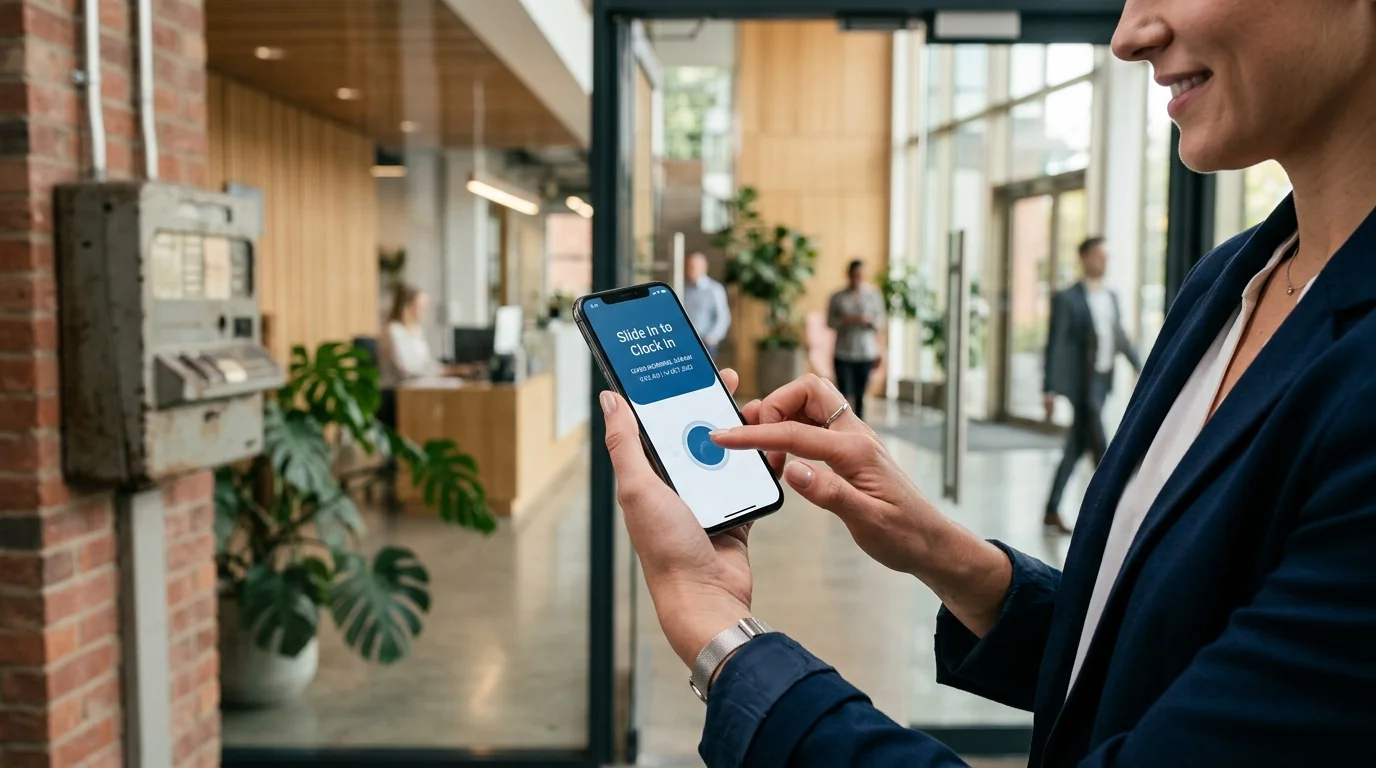

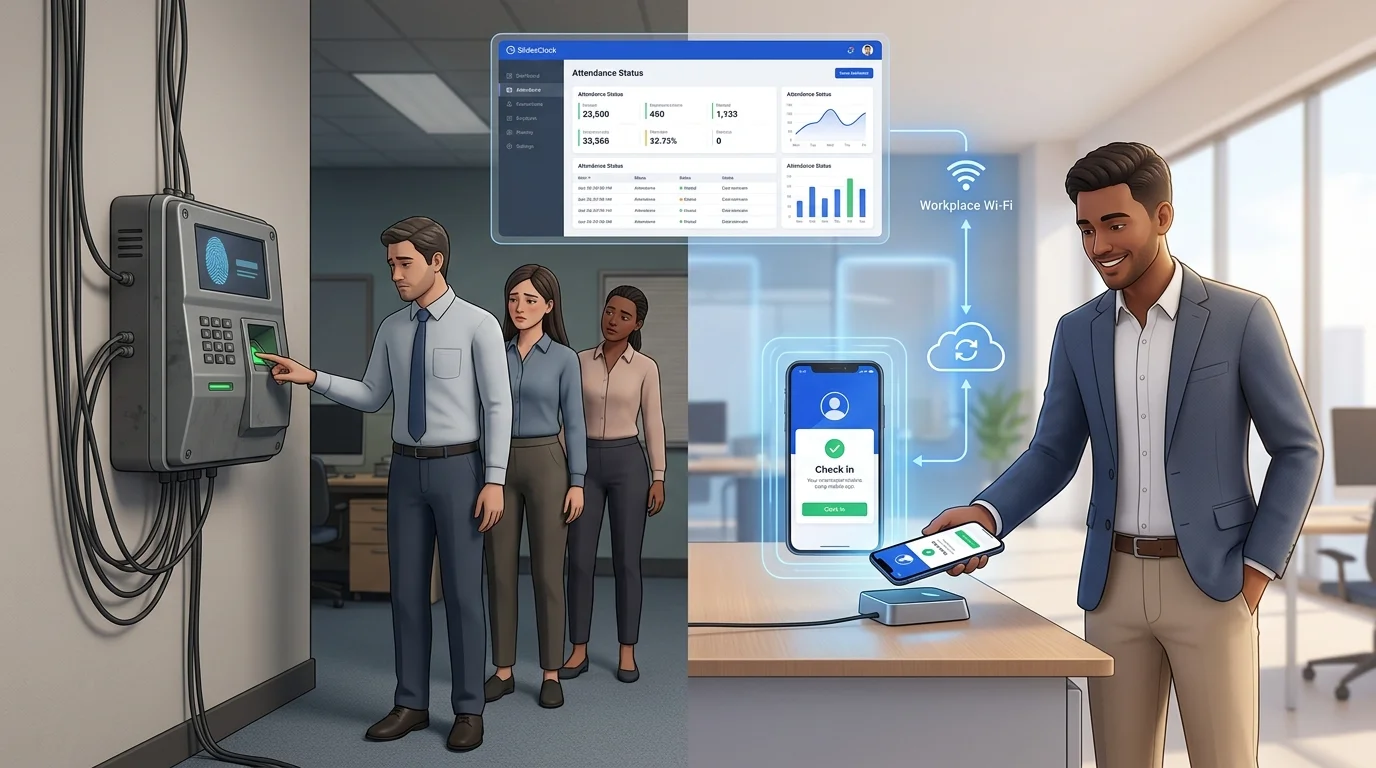
For over two decades, mounting a biometric fingerprint scanner or facial recognition machine near the front door was considered the gold standard for tracking employee work hours. Yet for modern business owners, operations managers, and HR leads, physical attendance hardware has become a persistent source of mounting costs, device breakdowns, morning queues, and multi-branch friction. In 2026, forward-thinking businesses are rapidly adopting an attendance app without biometric machine—turning employee smartphones into secure, self-service time clocks verified by GPS geofencing, workplace networks, and cloud timestamps. This guide explains why physical biometric terminals are being phased out, how no-hardware mobile systems work, and how your business can switch seamlessly.
Quick Answer
An attendance app without biometric machine is a mobile software platform that records employee shift times directly on their own smartphones, eliminating wall-mounted fingerprint scanners, facial terminals, and punch clocks. Instead of physical hardware, the system uses point-in-time verification—such as workplace GPS geofencing or designated office Wi-Fi networks—paired with tamper-resistant server timestamps. This removes hardware purchase costs, wiring installation, physical maintenance, and doorway queues while enabling instant attendance tracking across multiple branches.
1. The Decline of Physical Biometric Machines in Modern Workplaces
In the 2000s, biometric fingerprint terminals emerged to solve an urgent problem: buddy punching. When businesses relied on paper timesheets, coworkers frequently clocked in for absent peers. Biometric wall clocks offered a physical anchor—an employee had to press their finger onto an optical prism to verify presence.
While suitable for single-room offices with fixed schedules, that hardware-first model fails modern operations. Today's workforces are agile, decentralized, and spread across retail branches, customer sites, or rotating shifts. Forcing dozens of staff through a physical doorway bottleneck at 9:00 AM creates friction rather than efficiency.
Crucially, smartphones carry high-precision GPS, biometric device locks, and secure data radios. Replicating those capabilities with a wall-mounted plastic box is an unnecessary capital expense that creates more points of failure than it resolves.
The Shift Change Bottleneck
In retail, clinics, and restaurants, entire shifts arrive within the same ten-minute window. Because an optical reader processes only one person at a time—often taking five to fifteen seconds per employee—frustrating queues form.
Employees arriving at 8:52 AM can find themselves marked late at 9:02 AM simply because coworkers ahead struggled with unread fingerprints, creating morning resentment and timesheet disputes.
Hygiene, Wear, and Sensor Degradation
Biometric scanners require clean, direct physical contact on delicate optical prisms. In hands-on industries, this requirement repeatedly fails: kitchen staff have damp hands, warehouse staff develop calloused fingertips, and retail workers transfer packaging dust to the glass.
Over time, the glass scratches and clouds, causing frequent false rejections. Furthermore, touching a shared surface used by dozens of coworkers remains a persistent employee hygiene complaint.
3. How an Attendance App Without Biometric Machine Works
An **attendance app without biometric machine** re-architects time tracking around a mobile-first framework. Rather than bringing employees to a static piece of wall hardware, the software brings the time clock to the employee's existing smartphone via a secure mobile application.
Instead of relying on fragile optical glass, a no-hardware platform leverages multi-layered digital verification at the point of action, achieving higher data integrity than physical terminals without requiring tools or wiring.
Point-of-Action Verification (GPS Geofencing and Workplace Wi-Fi)
To confirm employees are genuinely on-site, the app uses point-of-action boundary checks:
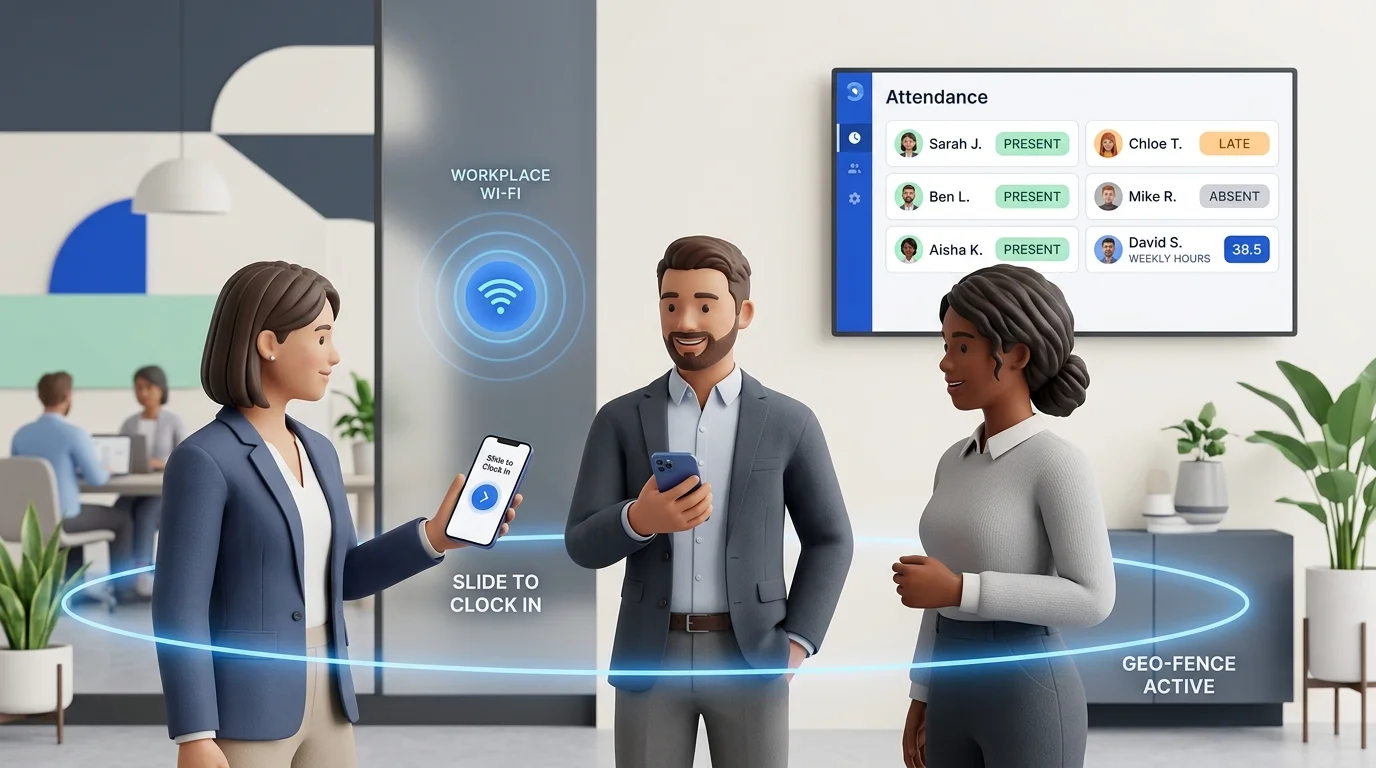
GPS attendance app geofencing: Administrators set workplace coordinates and an allowed radius (e.g., 50 to 100 meters) in the management dashboard. When an employee clocks in, the app verifies their coordinates against the site perimeter, factoring in device accuracy.
Workplace Wi-Fi verification: For indoor offices or basements where satellite signals are weak, the system confirms connection to the authorized workplace Wi-Fi router (matching its router BSSID), preventing clock-ins from outside.
Server-Synchronized Timestamps (NTP Cloud Security)
A professional employee attendance app never trusts local handset clocks. In SlidesClock, completing the signature Slide In action sends a cryptographic request to cloud servers, which record the punch using Network Time Protocol (NTP) atomic clocks in the company timezone. Altering phone clock settings or timezones has zero effect on the official record.
Device Registration to Eliminate Buddy Punching
Modern mobile attendance systems prevent buddy punching through device verification. When an employee installs the app, their user account is bound to their unique smartphone hardware ID. Because workers protect personal smartphones with passcodes and rely on them all day, they do not hand their phones to colleagues, stopping buddy punching without collecting sensitive biometric data.
4. Detailed Comparison: Biometric Machine vs. Mobile Attendance App
To clearly evaluate physical biometric terminals versus a zero-hardware mobile system, consider the following direct comparison across key operational metrics:
| Operational Metric | Biometric Hardware (Fingerprint / Face) | Mobile Attendance App (SlidesClock) |
|---|---|---|
| Upfront Hardware Cost | $200 to $800+ per terminal, plus electrical and mounting equipment. | $0 upfront; uses smartphones staff already carry. |
| Installation & Cabling | Requires drilling walls, power outlets, and CAT6 network drops. | Instant zero-install rollout via iOS App Store and Android. |
| Shift Change Throughput | Sequential bottleneck: 1 person at a time (5–15 sec each). Doorway lines. | Parallel self-service: All employees Slide In simultaneously in 2 seconds. |
| Environmental Reliability | Frequent misreads from dirty, wet, calloused, or oily fingers. | 100% reliable on personal phone touchscreens regardless of dust/moisture. |
| Multi-Branch Support | Must purchase, cable, and maintain separate terminals at each site. | Unlimited locations added in seconds via cloud dashboard. |
| Field & Mobile Workers | Impossible; cannot mount physical hardware at temporary job sites. | Native support: verified via dynamic workplace GPS geofencing. |
| Data Access & Sync | Manual USB flash drive export or fragile local network syncing. | Instant real-time cloud sync to web and mobile manager dashboards. |
| Biometric Privacy Risk | High compliance liability under BIPA, GDPR, and regional privacy acts. | Zero biometric data collected or stored; clean point-in-time check only. |
| Buddy Punching Defense | Fingerprint matching (often bypassed by supervisors entering override PINs). | Device hardware binding + strict GPS perimeter verification. |
| Shift Schedules & Leave | Unconnected: requires separate software for schedules and time-off. | Fully integrated work schedules, grace periods, and leave approvals. |
| 3-Year Total Cost (20 Staff) | $1,200 to $3,500+ (Terminals + wiring + repairs + IT labor). | Transparent subscription (Standard plan: $12.99/mo or $129/yr). |
5. Multi-Location and Field Operations: Where Hardware Fails
The primary flaw of physical biometric machines is geographical inflexibility. A wall-mounted terminal belongs to one wall and one room. In an era where businesses expand by opening satellite branches, pop-up stores, or regional offices, hardware-bound attendance breaks down rapidly.
The Multi-Branch Hardware Multiplier
Consider a business expanding to four branches. With biometric machines, the company must buy four units, pay four installation bills, and maintain four local networks. If one terminal fails, corporate HR faces a multi-week data blackout.
In contrast, with a multi-location business attendance app, creating a new workplace takes sixty seconds in the web dashboard. The manager pins the address on a satellite map, defines the GPS radius, and assigns staff. Employees begin clocking in immediately on opening day without a technician visit.
Field Crews, Traveling Technicians, and Client Sites
Contractors, cleaners, catering crews, mobile nurses, delivery drivers, and construction workers report directly to client locations where mounting a physical wall clock is impossible.
A mobile attendance app solves this effortlessly: managers configure temporary geofences for each project site, allowing field staff to Slide In as soon as their work vehicle enters the customer's property, creating verified proof of attendance for billing.
6. Privacy and Trust: Point-in-Time Verification vs. Biometric Surveillance
When business leaders consider replacing fingerprint machines with a mobile app, two common employee concerns arise: biometric privacy risks on one hand, and fears of invasive phone surveillance on the other. An ethical technology approach resolves both.
Biometric Data Liabilities and Legal Risks
Collecting and storing biometric identifiers carries severe legal exposure under regulations like Illinois' BIPA and the EU's GDPR. Unlike a password, compromised biometric data cannot be reset. A no-hardware attendance app eliminates this liability entirely: SlidesClock does not collect, scan, or store any biometric data.
Point-in-Time Verification: Accountability Without Surveillance
Employees often worry about invasive 24/7 location tracking that drains batteries and invades personal privacy.
SlidesClock uses strict **point-in-time verification**. The app requests device location exclusively at the exact second of Slide In or Slide Out to verify workplace presence, immediately terminating GPS access afterward. The app never tracks employees during the workday, does not monitor breaks, and cannot see where workers go after their shift finishes.
7. Step-by-Step Transition Plan: Retiring Your Biometric Machine
Transitioning from a physical biometric terminal to a mobile attendance system is straightforward when approached systematically. Follow this four-step roadmap to retire legacy hardware without payroll disruption:
Step 1: Map Shift Schedules, Grace Periods, and Rules
Document existing attendance policies: note shift start/end times, lunch break durations, rest days, and tardiness grace periods. Configuring standardized work schedules ensures automated rules evaluate every employee consistently.
Step 2: Configure Workplaces and Verification Geofences
Sign up on the web dashboard at [app.slidesclock.com](https://app.slidesclock.com) or download the app. Add physical branches, pin locations on the map, set verification radii (typically 50 to 100 meters), add Wi-Fi networks for indoor verification, and invite supervisors with review permissions.
Step 3: Run a Five-Day Parallel Pilot
Select one branch or department to conduct a five-day pilot run. Pilot employees download SlidesClock and complete the Slide In and Slide Out gesture upon arriving and leaving, while the old biometric machine remains plugged in as backup to build team confidence.
Step 4: Decommission Hardware and Automate Timesheets
Roll out invitations company-wide at the start of a fresh payroll cycle. Power down the biometric wall clock, unplug its cabling, and remove it from the wall. Shift changes are now line-free, and managers can generate comprehensive attendance reports with a single click.
8. How SlidesClock Delivers Seamless Attendance Without Hardware
SlidesClock was designed from the ground up as a clean, honest, zero-hardware attendance solution for businesses worldwide. Centered around its signature Slide In and Slide Out interaction, SlidesClock provides everything your business needs without maintaining physical hardware:
- Tactile Slide In & Slide Out: Fast, deliberate gesture that eliminates accidental clock-ins while taking less than two seconds.
- Point-of-Action Verification: Accurate GPS geofencing and workplace Wi-Fi checks ensure employees are physically on-site without background tracking.
- Cryptographic Device Binding: Restricts each worker account to their registered smartphone hardware, preventing buddy punching.
- Authoritative Cloud Server Time: NTP-synchronized timestamps prevent handset clock adjustments, timezone trickery, or timesheet tampering.
- Comprehensive Shift & Schedule Management: Assign fixed, flexible, or overnight shifts, enforce rest days, and automate grace periods across all teams.
- Integrated Leave & Overtime Approvals: Staff submit leave requests and overtime directly inside the app, with clear supervisor approval workflows and immutable audit trails.
- Real-Time Manager Dashboard: View who is on-site, late, or absent right now from any computer at app.slidesclock.com or directly on your phone.
- Transparent, Permanent Free Tier: Up to 5 employees, 1 workplace, and 1 admin free forever with no credit card required and no expiring trial.
Predictable, Scalable Pricing for Growing Teams
SlidesClock offers straightforward plans that scale with your business: Free ($0 forever for up to 5 employees and 1 location); Standard ($12.99/mo or $129/yr for up to 20 employees, 3 locations, and CSV/Excel exports); Premium ($29.99/mo or $300/yr for up to 40 employees, 10 locations, attendance corrections, and optional payroll calculation); and Empire for custom headcounts.
To replace your outdated biometric machine today, start free with SlidesClock, compare all feature tiers on our pricing page, or explore our guide to mobile attendance vs attendance machines.
Frequently Asked Questions
What is an attendance app without a biometric machine?
It is a smartphone-based software platform that allows employees to clock in and out using their own phones. Instead of mounting a physical fingerprint reader or facial scanner, the app verifies employee presence via GPS geofencing, workplace Wi-Fi, and registered device IDs, recording punches with tamper-proof server timestamps.
How does a mobile attendance app prevent buddy punching without fingerprints?
Mobile attendance apps bind each worker's account to their specific smartphone hardware identifier (device verification). Because workers protect personal smartphones with passcodes and rely on them all day, they do not hand phones to coworkers. Point-of-action GPS geofencing further ensures punches occur strictly inside workplace boundaries.
Can employees manipulate their hours by changing phone time settings?
No. Professional systems like SlidesClock record punches on cloud servers using Network Time Protocol (NTP) atomic timestamps in the company's designated timezone. Adjusting handset clock settings, changing timezones, or altering phone configurations has zero effect on the recorded punch time.
Does a mobile attendance app track employee locations all day?
No. Ethical apps like SlidesClock use point-in-time verification. Location coordinates are requested exclusively at the exact second of Slide In or Slide Out to verify workplace presence, immediately terminating GPS access afterward. SlidesClock never runs continuous background location tracking.
What happens if an employee has poor cellular reception at the workplace?
In basements or locations with poor cellular and GPS reception, administrators can configure workplace Wi-Fi verification. The app confirms the phone is connected to the authorized workplace router (matching its BSSID), allowing reliable indoor check-ins without satellite signals.
Is an attendance app without hardware cheaper than a fingerprint machine?
Yes. Biometric fingerprint machines require $200 to $800+ in hardware, wiring, installation, replacement sensors, and ongoing maintenance. A mobile attendance app requires zero hardware expenditure. SlidesClock is free forever for up to 5 employees, and paid plans start at $12.99 per month for up to 20 employees.
How long does it take to switch from a fingerprint machine to SlidesClock?
Most businesses complete setup in under fifteen minutes. An administrator registers the company, sets workplace GPS coordinates on a digital map, configures shifts, and sends invite links. Staff download the app from the App Store or install Android, register their device, and begin clocking in immediately.
Can an attendance app without hardware manage multiple branches?
Yes. Managing multiple branches is a primary strength of mobile attendance. Administrators configure distinct workplaces with independent geofences and shift schedules in the web dashboard, viewing real-time attendance across all sites simultaneously without buying duplicate hardware.