SlidesClock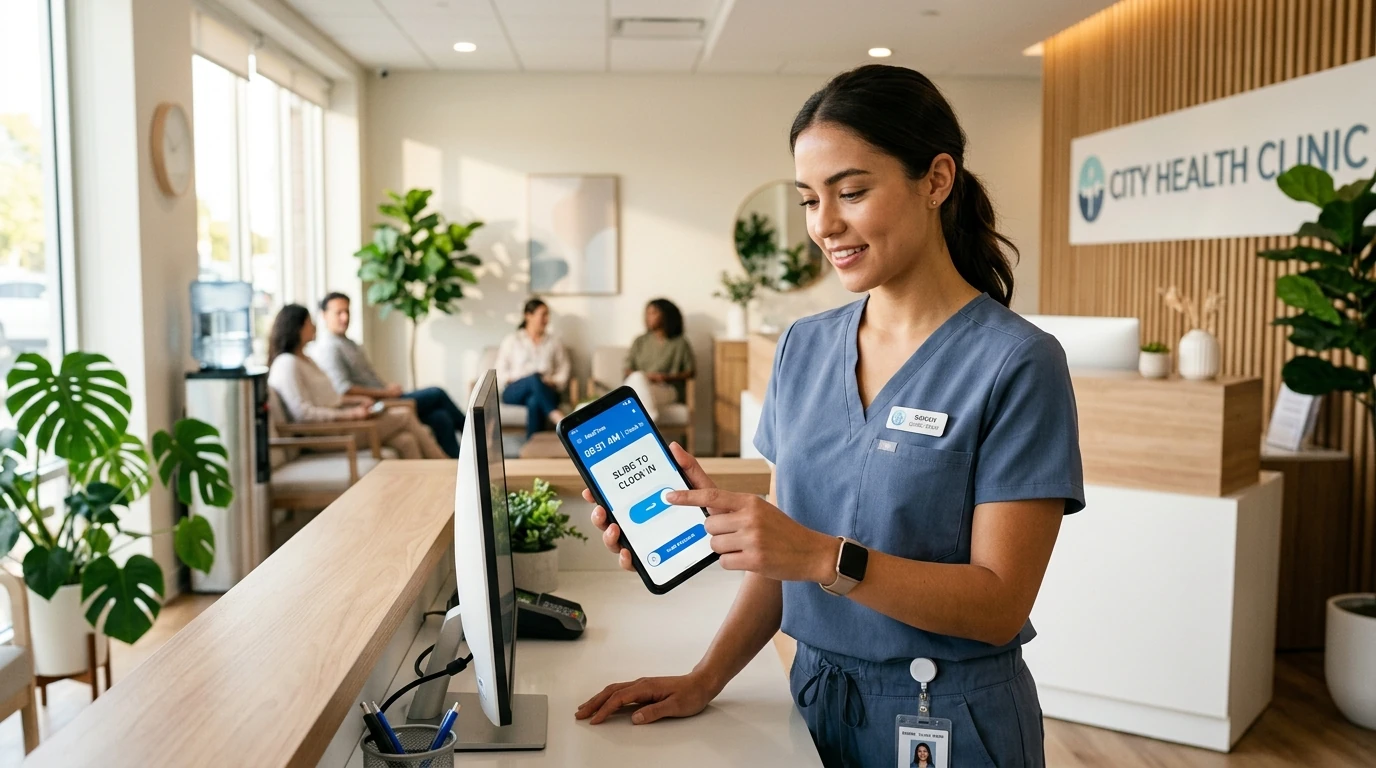

In outpatient medical practices, dental offices, diagnostic laboratories, and neighborhood specialty clinics, punctual attendance is not merely a payroll matter—it directly dictates patient care quality, wait times, and clinic licensing compliance. When a morning receptionist arrives 15 minutes late, front doors stay locked while anxious patients queue in the hallway, intake charts stall, and physician appointment schedules collapse for the rest of the day. Yet many outpatient practices still rely on antiquated, high-friction attendance systems: messy paper binders signed on the honor system, desktop spreadsheet trackers prone to accidental overwrites, or communal wall-mounted biometric fingerprint terminals that present severe infection-control hazards in sterile medical environments. A dedicated mobile [attendance app for clinics](/free-attendance-app) transforms how healthcare practices operate by enabling doctors, nurses, medical assistants, and front-desk staff to verify their shifts using tamper-proof smartphone check-ins. Practice managers gain real-time visibility across consultation rooms and satellite locations, eliminate buddy punching through hardware device binding, and export audited payroll records in seconds without invasive employee surveillance. This comprehensive operational guide examines how modern clinics manage staff punctuality, structure multi-role shift coverage, enforce break compliance, and streamline attendance across single and multi-location medical practices.
Quick Answer
Clinic employee attendance is the practice of tracking shift hours, break times, and on-call coverage for healthcare professionals—including nurses, medical assistants, receptionists, and technicians—across outpatient clinics and medical practices. Modern healthcare facilities replace unhygienic shared fingerprint hardware with verified mobile attendance apps using workplace GPS or Wi-Fi geofencing, ensuring punctual patient care handovers while maintaining clean digital records for wage compliance.
1. Why Clinic Attendance Tracking Directly Impacts Patient Care and Revenue
In a private medical clinic, pediatric practice, or dental surgery, operations run on tightly choreographed appointment blocks. Unlike corporate office environments where a 15-minute delayed start simply shifts an email reply, clinic delays trigger an immediate, compounding domino effect throughout the entire working day.
Consider the clinical workflow: before an attending physician or dentist can examine a patient, clinical intake must occur. The front-desk receptionist must verify insurance coverage and register arrival in the patient management system, after which a registered nurse or certified medical assistant must escort the patient to an exam room, record vital signs, document allergy histories, and prepare diagnostic instruments.
When an intake receptionist or triage assistant arrives 15 minutes tardy, the entire appointment pipeline instantly backs up. The 08:00 AM patient is seen at 08:25 AM, the 08:30 AM appointment slips past 09:00 AM, waiting room seating fills to capacity, and physicians are forced to rush through consultations or work through scheduled lunch hours. The downstream consequences are severe:
- Degraded Patient Satisfaction: Extended waiting room times are the leading driver of negative clinic patient reviews and churn to competing healthcare networks.
- Provider Burnout: Physicians and dentists operating behind schedule experience acute workplace stress, compressing diagnostic evaluation time and delaying chart sign-offs.
- Operational Overtime: Delayed morning appointments push afternoon patient queues past closing time, generating unbudgeted overtime wages for nursing, sterilization, and front-desk staff.
The Infection Control Dilemma: Why Biometric Fingerprint Clocks Fail in Clinics
For years, medical office administrators installed communal biometric fingerprint scanners or shared digital PIN touchscreens near employee breakrooms to deter time theft. In healthcare settings, however, physical biometric hardware introduces critical operational and hygienic liabilities.
According to healthcare hygiene protocols established by the World Health Organization (WHO) and the Centers for Disease Control and Prevention (CDC), high-touch communal surfaces represent frequent transmission vectors for nosocomial pathogens. Forcing healthcare personnel—who meticulously wash hands and apply antiseptic sanitizers throughout the day—to touch a communal plastic scanner surface when arriving and departing undermines clinical infection-control standards.
Furthermore, optical prism fingerprint sensors perform notoriously poorly in clinical settings. Frequent application of alcohol-based hand rub, chlorhexidine hand soaps, moisturizing barrier lotions, and powdery residue from latex or nitrile examination gloves leaves oily smears on the scanner glass. Optical readers frequently fail to recognize staff fingertips, resulting in frustrating error loops, manual paper override notes, and long physical queues at 07:55 AM shift changeovers.
Paper Timesheets and the Phantom Fifteen Minutes
Many independent practices still maintain a paper sign-in clipboard stationed at the nurses' station or reception counter. While paper requires no software training, it relies entirely on the honor system and invites chronic 'generous rounding'.
Staff members who step through the clinic door at 08:12 AM routinely write down '08:00 AM' in the sign-in column. In an outpatient practice with eight non-exempt employees (four medical assistants, two receptionists, and two lab technicians), a 12-minute daily discrepancy per employee accumulates to 8 hours of unworked, compensated labor every single week. At an average loaded wage of $22 per hour, unverified paper timesheets quietly siphon more than $9,000 annually from clinic operating income.
2. Essential Attendance Capabilities Required by Medical and Dental Practices
Healthcare practices have distinct staffing requirements that generic corporate punch clocks cannot satisfy. From protecting patient privacy to verifying attendance across shielded rooms, a modern clinical time tracking solution must meet five core operational criteria:
- 1. Touchless Mobile Shift Verification: Healthcare staff Slide to Clock In directly on their personal iOS or Android smartphones, entirely eliminating shared physical contact points and communal infection risks.
- 2. Hardware Device Binding Against Buddy Punching: Each employee's SlidesClock profile is bound to their personal phone hardware identifier. A coworker cannot sign in on behalf of a delayed colleague on their own handset, completely eliminating timesheet fraud without invasive biometrics.
- 3. Local Wi-Fi and Geofence Boundary Validation: Clock-in authorization is granted only when the smartphone is detected within the clinic's physical perimeter or connected to the secure clinic Wi-Fi network.
- 4. Server-Authoritative Timestamps: Shift start and end records are stamped directly by secure cloud servers rather than the mobile device clock, preventing employees from altering phone settings to mask tardiness.
- 5. Point-of-Action Privacy Protection: Location verification executes solely during the brief two-second Slide In and Slide Out gesture. The app does not track employee movements between shifts, during lunch, or outside clinic working hours, respecting medical staff privacy.
Navigating Architectural Shielding: Why Wi-Fi Verification Beats Satellite GPS Indoors
A frequent challenge in healthcare facilities is indoor satellite signal degradation. Outpatient clinics are commonly housed within multi-story medical office towers, sub-ground suites, or facilities reinforced with lead-lined drywall for radiology, fluoroscopy, and dental X-ray equipment.
In these environments, traditional satellite GPS signals experience severe drift or complete blockage, leading to erroneous 'out of bounds' alerts when staff attempt to clock in from exam rooms or back offices. SlidesClock solves this architectural hurdle by supporting workplace Wi-Fi attendance verification. Practice managers link verification directly to the clinic's secure internal network gateway or router BSSID, ensuring 100% reliable check-in verification without depending on unobstructed satellite lines of sight.
3. Managing Clinical Shift Rotations, Meal Breaks, and Emergency Coverage
Unlike standard office teams working synchronized schedules, clinics operate on staggered, role-specific shift rotations designed to ensure uninterrupted coverage across morning prep, daytime patient consultations, and evening sanitization cycles.
Staggered Staff Rotations and Grace Periods
A well-structured outpatient clinic typically operates three overlapping shift tiers:
- Opening Intake Shift (07:30 AM – 04:00 PM): Receptionists and head nurses unlock premises, power on diagnostic terminals, review the daily patient schedule, and verify sterile instrument availability.
- Standard Patient Care Shift (08:00 AM – 05:00 PM): Primary medical assistants, phlebotomists, and clinic nurses assist doctors during active consultation hours.
- Closing & Sanitization Shift (09:00 AM – 06:00 PM): Afternoon intake, specimen courier packaging, exam room terminal cleaning, and autoclave sterilization cycles.
Practice managers can configure automated work schedules and grace periods for each role. Setting an arrival grace period of 3 to 5 minutes accommodates elevator delays in large medical buildings while clearly flagging habitual morning tardiness before it impacts the opening appointment schedule.
FLSA Meal Break Compliance and Stat Clinical Interruptions
Under labor regulations, non-exempt healthcare personnel must receive duty-free, uninterrupted meal breaks (typically 30 to 60 minutes). In real-world clinics, however, medical emergencies happen: an incoming stat lab result, an unstable walk-in triage, or an urgent physician assistance call frequently pulls a medical assistant away from their lunch break.
When meal breaks are tracked on paper or through crude bulk deductions, clinics risk wage-and-hour compliance penalties if employees perform unrecorded work during break periods. SlidesClock enables staff to record exact break departures and returns with a single slide gesture, providing a transparent, auditable log that proves meal periods were provided or accurately compensated when interrupted.
Managing Last-Minute Call-Outs and Emergency Fill-Ins
When a dental hygienist or pediatric nurse contracts a viral illness, they cannot report to the clinic. Practice managers must urgently find replacement coverage from part-time or on-call staff to avoid canceling dozens of scheduled procedures.
With SlidesClock's live management dashboard, administrators can immediately check who is currently on duty, verify past weekly hours worked, and confirm whether an emergency coverage shift will trigger unbudgeted weekly overtime rates before approving the call-in.
4. Multi-Location Practice Management: Unifying Satellite Clinics
As independent medical practices expand, they frequently establish branch locations—such as opening a pediatric satellite clinic across town, a physical therapy rehabilitation studio, or a dental specialty annex. Managing staff across geographically dispersed clinics presents serious coordination friction when attendance records remain siloed in local binders or separate machines.
Per-Workplace Verification with Centralized Group Administration
With SlidesClock's multi-location workforce architecture, practice administrators establish dedicated geofences and Wi-Fi networks for each satellite clinic. Clinical staff assigned to Downtown Pediatrics cannot clock in unless physically present at that specific facility, preventing cross-branch check-in confusion.
Simultaneously, the practice executive or lead physician can inspect real-time staffing levels across all branches from a single unified view on their smartphone or web dashboard, reviewing daily punch summaries and exporting comprehensive payroll files without needing to physically travel between clinic offices.
5. Comparison: Attendance Systems for Medical and Dental Clinics
Selecting the right time-tracking method for a healthcare practice requires evaluating hygiene, hardware dependability, staff privacy, and administrative overhead. Here is how modern mobile time tracking compares against traditional clinic methods:
| Feature / Metric | Paper Sign-In Log | Biometric Wall Terminal | SlidesClock Mobile App |
|---|---|---|---|
| Upfront Hardware Cost | $0 (clipboards & paper) | $800 – $2,500 per unit | $0 (uses existing smartphones) |
| Hygiene & Infection Risk | High (shared pen & binder) | High (shared fingerprint glass) | Zero (hygienic personal handset) |
| Buddy Punching Deterrence | None (honor system) | High (fingerprint required) | High (hardware device binding) |
| Hand Sanitizer / Glove Wear | Smudged ink & messy sheets | High scan failure rate | Unaffected (smooth screen slide) |
| Indoor Building Reliability | Manual written entry | Fixed to wall power outlet | 100% reliable (secure Wi-Fi / GPS) |
| Server-Authoritative Time | No (staff write own time) | Yes (internal hardware clock) | Yes (tamper-proof cloud time) |
| Satellite Branch Support | Separate paper binders | Requires purchasing new unit | Instant multi-workplace rollout |
| Payroll Export Efficiency | Hours of manual tallying | Complex USB / proprietary export | One-click CSV / spreadsheet export |
6. Step-by-Step: Setting Up SlidesClock for Your Clinic in 5 Minutes
Transitioning your medical or dental practice to a reliable digital time clock requires zero hardware installation, zero network cabling, and no disruptive staff training sessions. Follow these five straightforward steps to launch verified attendance today:
- 1. Create Your Practice Workplace: Sign in to SlidesClock and establish your clinic workspace (e.g., 'Metropolitan Family Medical'). Enter your clinic address and set an appropriate GPS geofence radius (typically 50 to 100 meters) or link your clinic's secure internal Wi-Fi network for instant indoor verification.
- 2. Configure Shifts and Punctuality Grace Periods: Define your clinic's core shift hours (e.g., Intake 07:30 AM – 04:00 PM; Clinical 08:00 AM – 05:00 PM) and set a reasonable grace period (such as 3 minutes) so staff are not unfairly flagged for minor building entrance delays.
- 3. Invite Your Healthcare Team: Generate a secure workspace invite link or QR code from the manager dashboard. Staff receive an invitation and download the lightweight SlidesClock app from the Apple App Store or Google Play Store.
- 4. First Shift Slide In: Upon arriving at the clinic, employees open the app and complete an intuitive 2-second Slide In gesture. SlidesClock instantly verifies physical presence and stamps the record with tamper-proof server time.
- 5. Streamline Bi-Weekly Payroll: At the end of the pay cycle, review automated timesheet summaries, approve any documented overtime or leave requests, and export clean, audit-ready payroll reports with a single tap.
Free Forever for Independent Medical and Dental Practices
Solo physicians, independent dentists, and small specialty practices can get started without financial commitment. SlidesClock provides a permanent free attendance plan supporting up to 5 employees at one clinic location with full shift scheduling and leave tracking. As your practice expands to multiple consultation suites or satellite locations, scalable pricing tiers accommodate growing teams seamlessly.
Frequently Asked Questions
Can clinic employees clock in before arriving at the medical office?
No. SlidesClock requires physical on-site presence verified through GPS geofencing or clinic Wi-Fi network detection. If an employee attempts to clock in while commuting or from home, the application immediately rejects the entry with an out-of-bounds notification.
Does SlidesClock collect or access patient medical records?
No. SlidesClock is strictly an internal workforce management platform for tracking employee shift hours, meal breaks, and punctuality. It has no access to electronic health record (EHR) software, patient databases, or diagnostic records, ensuring full patient confidentiality and compliance.
Why is a mobile attendance app more hygienic than a biometric wall scanner?
Communal biometric scanners and PIN keypads are high-touch surfaces that harbor bacteria and viruses in healthcare facilities. In addition, hand sanitizers and glove residues degrade optical fingerprint sensors. Mobile attendance moves check-ins to the staff member's personal device, eliminating shared physical touchpoints.
How does SlidesClock prevent buddy punching without fingerprint scanners?
SlidesClock utilizes hardware device binding. Each staff member's account is tied to their specific smartphone hardware ID. An employee cannot log into a colleague's account on their phone to clock them in, completely preventing buddy punching without requiring invasive biometric scanning.
What happens if our clinic internet or Wi-Fi temporarily goes down?
SlidesClock includes resilient offline attendance support. Staff can still Slide In and record their arrival time on-site even during local network dropouts. The encrypted record is cached securely on the device and synchronizes automatically with the cloud once network connectivity is restored.
Can we manage multiple satellite clinics under one management account?
Yes. With SlidesClock Standard (up to 3 locations) or Premium (up to 10 locations), practice managers can establish distinct geofences and shift policies for each clinic branch while viewing centralized attendance logs and payroll summaries from one dashboard.