SlidesClock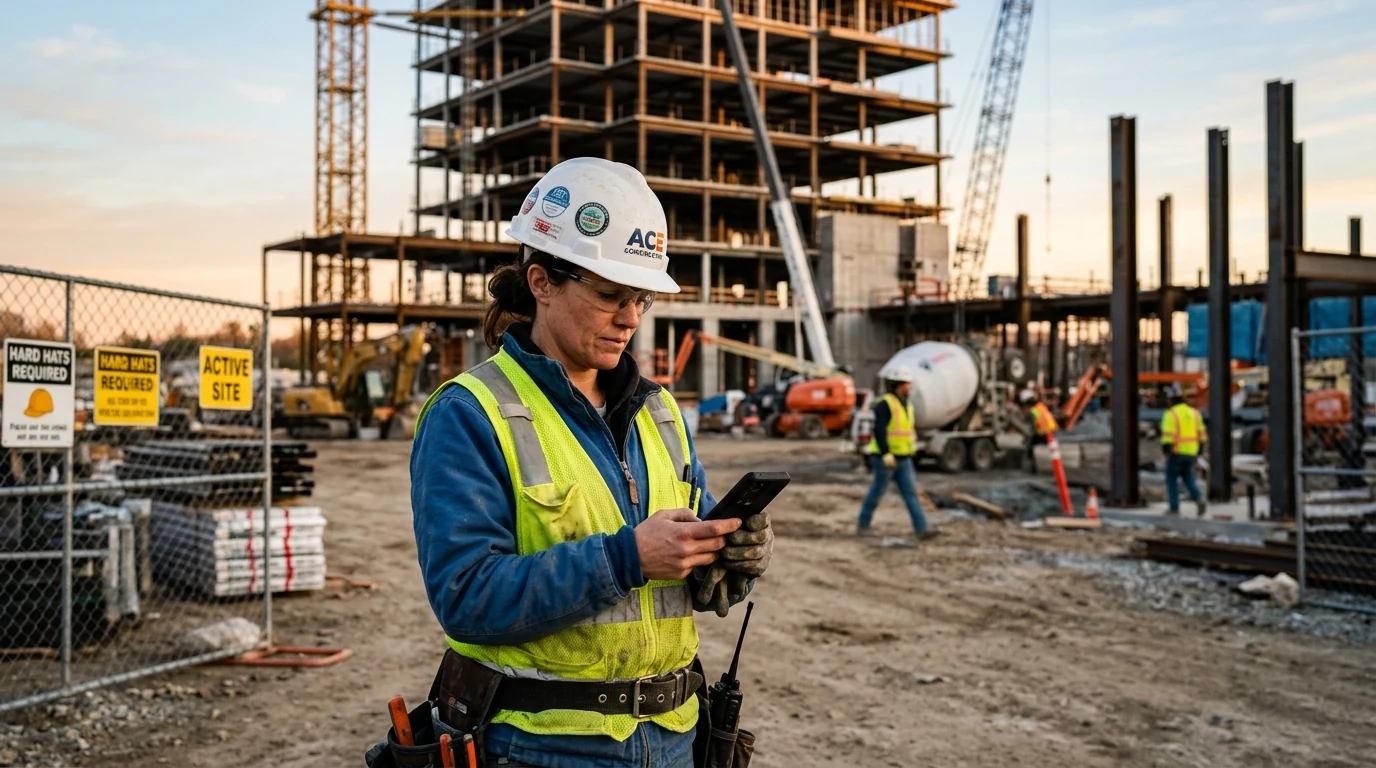

Managing mobile crews, field service technicians, construction contractors, and distributed retail staff has historically posed a fundamental operational dilemma: how can business owners verify that hourly workers are physically present at the job site without installing expensive hardware terminals or resorting to invasive, 24/7 background surveillance? Paper time cards rely entirely on the honor system, while stationary punch clocks cannot travel to client properties, temporary landscaping routes, or new construction developments. A geofence time clock bridges this gap by establishing virtual geographic perimeters around approved work sites. When employees arrive at work, their smartphone cross-references their physical location against the site's authorized coordinates during the clock-in gesture, guaranteeing genuine attendance in under two seconds. This comprehensive guide breaks down how geofencing technology works, how to calibrate radius boundaries against atmospheric GPS drift, how to defeat mock location spoofing, and how to protect employee battery life and personal privacy.
Quick Answer
A geofence time clock is a mobile attendance system that uses virtual GPS perimeters around authorized workplaces to verify employee hours. Non-desk and shift workers clock in or out from their personal smartphones only when physically inside the designated radius, ensuring off-site field presence without requiring expensive on-site hardware terminals.
1. What Is a Geofence Time Clock (and How Does a Virtual Perimeter Work?)
A geofence time clock is an employee attendance application that utilizes Global Positioning System (GPS) satellite coordinates to establish a virtual boundary—known as a geofence—around a physical workplace or job site. When an employee attempts to clock in or out from their mobile smartphone, the application evaluates the device's instantaneous geographic coordinates against the authorized work zone.
If the employee is physically located within the designated virtual boundary, the punch is validated and committed with an authoritative server timestamp. If the employee is outside the boundary—such as sitting at home in bed or stuck in morning traffic five miles away—the application rejects the punch and informs the employee that they are outside the designated workplace perimeter.
A standard geofence is defined by three technical parameters:
- Latitude: The north-south geographic coordinate of the workplace center point.
- Longitude: The east-west geographic coordinate of the workplace center point.
- Radius: The radial distance in meters drawn outward from the center point (such as a 75-meter circle covering a building footprint and adjacent staff parking).
Point-in-Time Geofencing vs. Invasive 24/7 GPS Tracking
It is vital to distinguish between ethical, point-of-action attendance geofencing and continuous background tracking software. Invasive tracking tools run GPS location daemons 24 hours a day, constantly recording employee routes, vehicle speeds, and personal stops. This invasive monitoring creates severe employee pushback, drains phone battery rapidly, and introduces substantial legal liabilities.
In contrast, a modern point-in-time GPS attendance system queries the smartphone's location hardware exclusively at the exact second the employee slides to clock in or clock out. Once the punch event is recorded, location services immediately disengage, preserving 100% of employee battery life and protecting personal privacy during working hours and off-duty time.
The Financial Cost of Unverified Remote Attendance
In trade services, commercial cleaning, residential construction, and home healthcare, unverified attendance leads directly to payroll inflation. When workers text a supervisor 'I'm on site' at 7:55 AM but actually arrive at 8:30 AM after running personal errands, the business loses 35 minutes of billed client time.
Over a crew of eight field technicians, that daily 30-minute discrepancy accounts for 20 hours of unworked labor per week—draining over $18,000 annually in unearned payroll expenses.
2. How Geofenced Attendance Works in Practice: The 4-Step Clock-In Flow
From the employee's perspective, clocking in with a geofence time clock is effortless and takes less than three seconds. Behind the scenes, the mobile operating system and cloud backend execute a coordinated four-step verification sequence:
- 1. Physical Arrival: The employee arrives on the designated commercial property, retail branch, or construction site.
- 2. Action Initiation: The worker opens the SlidesClock mobile app and performs the single, fluid 'Slide In' gesture.
- 3. Multi-Constellation Hardware Resolution: The smartphone's native location subsystem activates multi-constellation satellite receivers (GPS, GLONASS, Galileo, BeiDou) alongside Wi-Fi SSID trilateration and cellular cell-tower IDs to calculate a high-precision coordinate paired with a reported horizontal accuracy metric (in meters).
- 4. Cryptographic Server Validation: The encrypted coordinate payload is transmitted via TLS to the cloud backend. The server executes a spherical Haversine distance algorithm against the workplace center point. If the calculated distance falls within the authorized radius plus the device's accuracy margin, the attendance event is committed with an authoritative server timestamp and displayed on the live manager dashboard.
3. Calibrating Geofence Radius: Managing GPS Drift and Urban Canyon Reflections
A common technical mistake business owners make when setting up a geofence time clock is setting the radius too small—such as setting a 15-meter radius around an office building.
In the real world, civilian GPS signals travel over 12,000 miles from medium Earth orbit, passing through the ionosphere and troposphere before reaching a smartphone. When signals encounter tall concrete and glass buildings, they bounce and reflect—a physical phenomenon known as 'multipath distortion' or 'urban canyoning'.
Recommended Radius Parameters by Workplace Type
To prevent false punch rejections caused by natural satellite drift while still preventing off-site fraud, configure your geofence radius according to your physical setting:
- High-Density Downtown Office / Shopping Mall: 50 to 75 meters. Accommodates multi-story signal bounce and indoor Wi-Fi positioning without allowing clock-ins from neighboring streets.
- Suburban Retail Store / Standalone Restaurant: 75 to 100 meters. Covers the building footprint and adjacent employee parking lot so staff can clock in upon stepping out of their vehicles.
- Industrial Warehouse / Logistics Freight Yard: 100 to 200 meters. Accommodates extensive loading docks, outdoor staging yards, and dense metal warehouse roofs.
- Active Construction Site / Infrastructure Project: 150 to 300 meters. Covers shifting job trailers, material laydown yards, and large civil work zones.
- Agricultural, Farming, & Forestry Operations: 300 to 500+ meters. Accommodates vast acreage, remote parcels, and dispersed field crews.
Accuracy Margin Filtering: Preventing Stormy Day Punch Errors
During severe cloud cover or inside reinforced concrete basements, a smartphone's GPS horizontal accuracy may degrade from ±5 meters to ±40 meters.
Sophisticated attendance platforms evaluate the device's reported accuracy threshold alongside the raw distance. Rather than immediately rejecting a punch, the system accounts for reported accuracy or prompts the employee to connect to the verified workplace Wi-Fi network, ensuring zero false rejections.
4. Geofence Time Clocks Compared: Mobile Geofence vs. Biometric Terminal vs. Unrestricted Mobile App
Evaluating workforce management tools requires weighing capital costs, physical flexibility, and fraud resistance. Here is how geofenced mobile attendance compares to alternative options:
| Operational Capability | Geofence Mobile App (SlidesClock) | Stationary Biometric Terminal | Unrestricted Mobile App (No Geofence) |
|---|---|---|---|
| Hardware Capital Cost | $0 (Runs on staff smartphones; no terminals required) | $800 to $2,500+ per unit including installation | $0 (Runs on staff smartphones) |
| Off-Site / Job-Site Flexibility | 100% mobile; supports dynamic construction & client sites | 0% mobile; fixed to a permanent interior wall outlet | 100% mobile, but provides zero verification of location |
| Location Proof at Clock-In | Verified via GPS coordinates & workplace radius | Implicitly verified by physical wall mounting | None; employees can clock in from their bedroom |
| Buddy Punching Prevention | Hardware device binding locks account to worker's phone | Biometric fingerprint or facial recognition scan | None; staff can easily share passwords and log in remotely |
| Deployment & Setup Time | Under 5 minutes via QR code invite | 2 to 4 weeks for electrical wiring, IT setup, and mounting | Immediate setup, but chaotic compliance |
| Employee Battery Consumption | Under 0.1% per shift (point-in-time check only) | None (powered by building electrical mains) | Varies; poorly coded apps drain battery with constant tracking |
| Staff Privacy Protection | High; location queried only during 2-second slide action | Moderate to Low; requires collecting biometric biometric data | High privacy, but zero accountability for employers |
| Multi-Location Support | Unlimited branches and job sites configured centrally | Requires purchasing separate terminals for every branch | Supports multiple locations, but without physical validation |
5. Defeating GPS Spoofing and Mock Location Manipulation
A common concern among business owners adopting location-based time tracking is fraud: 'What stops an employee from installing a fake GPS app to spoof their location and clock in from home?'
In poorly built apps, fake GPS applications available on app stores can indeed feed forged latitude and longitude coordinates to mobile software. However, enterprise-grade attendance platforms like SlidesClock deploy multi-layered defensive countermeasures:
- 1. Mock Location Provider Detection: Android and iOS operating systems explicitly flag when coordinates originate from a mock location provider or simulated developer interface. SlidesClock detects these system flags and immediately rejects the punch.
- 2. Hardware Device Binding: The system registers the employee's unique smartphone hardware identifier during onboarding. Employees cannot sign in on a friend's phone or run multiple virtual emulators on a desktop computer to bypass geofencing.
- 3. Dual-Source Network Cross-Referencing: Alongside satellite positioning, the app checks the device's connected Wi-Fi BSSID and cellular network identity, identifying geographical inconsistencies between satellite readings and cellular tower pings.
- 4. Server-Authoritative Timestamps: Regardless of whether an employee manipulates their local handset clock, the timestamp committed to the attendance log is generated exclusively by the cloud server.
6. Privacy Ethics and Employee Buy-In for Geofenced Time Tracking
Implementing location-based attendance requires building trust with your workforce. If employees believe their employer is surreptitiously monitoring their personal lives, morale and retention will suffer.
To ensure successful employee adoption, maintain complete transparency:
Clear Communication on Location Scope
Explain clearly during team onboarding that SlidesClock does NOT track travel routes, driving speeds, or personal stops during the day.
Location coordinates are checked exclusively at the exact second the employee performs the Slide In or Slide Out action to confirm they are on site. Once the slide is recorded, the GPS hardware turns off completely.
Zero Battery and Data Drain
Reassure staff that because location is queried on-demand rather than continuously, the app consumes virtually no battery power and less than 5 megabytes of cellular data per month.
Staff appreciate not having to install power-hungry background surveillance apps on their personal devices.
7. High-Impact Industries That Rely on Geofence Time Tracking
While stationary corporate offices can easily track attendance through badges or Wi-Fi, several major economic sectors rely fundamentally on geofence time tracking for labor accountability:
Construction Contractors and Civil Engineering
General contractors manage dozens of subcontractors across multiple active job sites. Geofenced time clocks allow project managers to verify that framing, electrical, and concrete crews arrive on site before billing begins, eliminating off-site billing inflation. Explore our dedicated guide on GPS attendance apps for field employees.
Commercial Cleaning, Landscaping, and Property Maintenance
Maintenance crews travel between commercial office parks, residential communities, and retail centers throughout the day. Geofencing ensures technicians are physically present at the assigned property before clocking into client work orders.
Multi-Unit Retail Stores and Restaurant Franchises
Franchise owners operating three to ten stores can configure distinct geofence perimeters for each location on a single multi-location dashboard. Staff floating between branches clock in accurately without needing separate employee profiles.
Frequently Asked Questions
Does a geofence time clock track my employees' movements all day?
No. Ethical geofence attendance platforms like SlidesClock only verify location at the exact instant an employee clocks in or clocks out. The application does not monitor employee GPS coordinates, travel routes, or personal whereabouts during their shift or after work.
What happens if an employee tries to clock in outside the geofence perimeter?
If an employee initiates a clock-in while outside the authorized radius, the app blocks the punch and notifies them that they are outside the workplace boundary. Depending on company policy, managers can also allow out-of-bounds punches with an audit flag for supervisor review.
Can employees fake their GPS location using mock location apps?
Modern mobile attendance systems actively detect and block mock location tools, GPS spoofing software, and developer debug flags on both Android and iOS devices. Any punch attempted through an artificial GPS provider is automatically rejected.
How much battery does a geofenced time clock app use on an employee's phone?
Because SlidesClock uses point-of-action verification rather than continuous background GPS tracking, battery consumption is virtually undetectable (less than 0.1% per shift). The GPS receiver is powered on only for the few seconds required to record the slide event.
What is the ideal geofence radius for a retail store or office building?
For most commercial buildings, retail stores, and offices, a radius between 50 and 100 meters is ideal. This perimeter provides enough buffer to account for natural indoor satellite drift while preventing employees from clocking in down the street or from home.
Does geofencing work indoors where satellite reception is weak?
Yes. Modern iOS and Android smartphones use Assisted GPS (A-GPS), which combines satellite signals with local Wi-Fi router signatures and cellular tower signals. For basements or shielded structures, managers can also pair geofencing with workplace Wi-Fi validation.