SlidesClock
 Workplace Technology
Quick Answer
A GPS attendance app for field employees uses smartphone satellite positioning and geofencing to verify that mobile staff are physically present at an assigned job site when they clock in or out. Unlike invasive vehicle tracking systems that monitor workers continuously 24/7, modern ethical attendance apps use "Point-of-Action Verification"—checking location coordinates only for the split-second when an employee completes the "Slide In" or "Slide Out" gesture, completely preserving battery life and personal privacy outside work hours.
The Field Workforce Challenge: Invisible Teams and Payroll Ambiguity
Supervising employees who work at a central office is straightforward: you can see who is at their desk. But if you manage home healthcare aides, commercial cleaners, HVAC technicians, electrical contractors, construction crews, or field sales representatives, your team is distributed across multiple customer locations every day.
Traditional attendance methods collapse completely in field operations. A physical punch clock cannot follow a technician across town. Asking workers to text "I have arrived" creates an unorganized mess of WhatsApp messages and SMS logs that must be manually transcribed into payroll spreadsheets. Paper timesheets kept in work vans inevitably get coffee-stained, lost, or filled out retrospectively on Friday with generous estimations.
Without objective location verification, companies face substantial payroll inflation from travel-time disputes, early departures, and off-site clock-ins. More importantly, dispatchers and managers lack real-time visibility into whether a scheduled service call or construction shift has actually commenced on schedule.
- Field staff working across client sites cannot use traditional wall-mounted time clocks.
- Text messages and paper van sheets create administrative disorder and inaccurate retrospective estimates.
- Off-site "buddy punching" and early remote clock-ins quietly inflate field payroll by 5% to 15%.
- Managers waste hours contacting technicians to confirm whether they have arrived at assigned job locations.
Point-of-Action Verification vs. Creepy 24/7 Background Spyware
When companies first explore GPS attendance tracking, employees often push back vigorously. Their hesitation is completely justified: nobody wants their employer tracking their physical location 24 hours a day on a personal smartphone.
Many legacy field management tools behave like surveillance spyware. They run continuous background location services, record full GPS breadcrumb trails throughout the day, track where employees eat lunch, and monitor movement after hours. Beyond the severe breach of personal privacy, continuous GPS polling destroys smartphone battery life within hours and consumes substantial mobile cellular data.
Modern, ethical attendance technology uses a completely different architectural paradigm called Point-of-Action Verification.
Under this approach, the mobile app never tracks an employee’s journey. The GPS radio remains dormant while the employee is working, traveling, taking breaks, or off-duty. Only at the exact instant the worker performs the "Slide In" or "Slide Out" action does the app take a single, instantaneous coordinate snapshot to verify presence within the designated job site perimeter. Once validated, the location service immediately turns off.
- Continuous 24/7 Trackers: Constant background surveillance, drains battery in hours, logs personal travel, generates severe employee resentment.
- Point-of-Action Verification: Zero background tracking, near-zero battery usage, records location only at the second of clock-in/out, builds team trust.
How GPS Geofencing Works in Practice
Geofencing is the core mechanism behind modern field attendance verification. A geofence is a virtual geographic boundary defined around a physical point on Earth.
To set up a field workplace, a manager enters the job site address or latitude/longitude coordinates into the management console and specifies a radius perimeter—typically between 50 meters for compact urban storefronts and 200 meters for expansive construction sites or industrial yards.
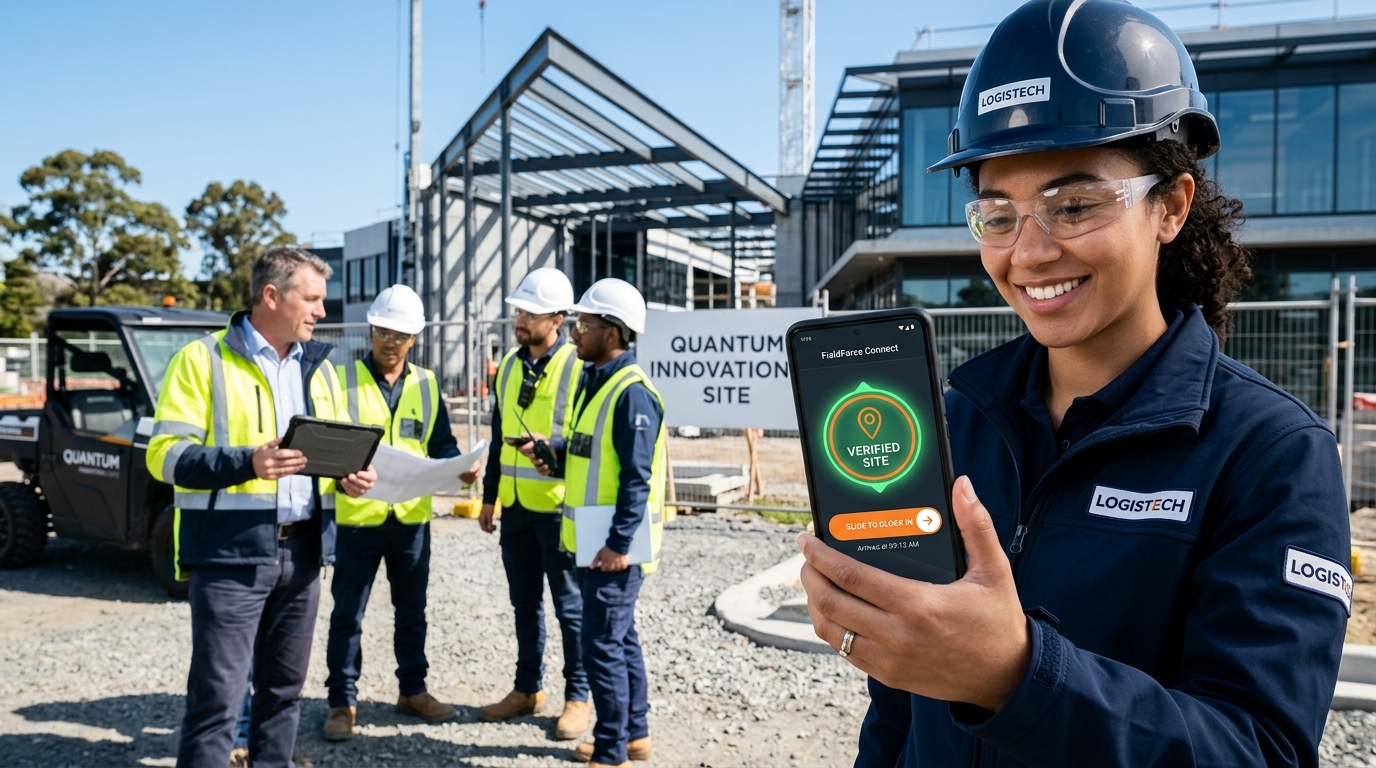
When an employee arrives at the job site and initiates the "Slide In" action on their phone, the device calculates its current satellite coordinates and compares them against the site’s authorized perimeter. If the distance falls within the geofence radius, the attendance event is authenticated and written to the immutable server database with an accurate server timestamp.
If the worker is outside the authorized perimeter, the app clearly displays the distance discrepancy and prevents clocking in, prompting the worker to move closer to the job site. This eliminates any possibility of clocking in from a vehicle stuck in traffic ten blocks away.
Managing Multi-Location Crews, Rotas, and Overnight Shifts
Real-world field operations are rarely static. A technician might visit three different client facilities in a single day, or a night security team might work a shift spanning from 10:00 PM to 6:00 AM across midnight.
A robust field attendance app handles these complexities natively without corrupting your payroll records.
- Dynamic multi-site routing: Assign employees to specific customer job sites or branches. When an employee arrives at Branch A, their app recognizes Branch A’s geofence; when they rotate to Branch B in the afternoon, the system validates Branch B seamlessly.
- Solving the midnight boundary dilemma: Overnight shifts frequently break legacy time-tracking software, which splits hours across two different calendar days and causes incorrect daily summary calculations. SlidesClock links overnight attendance events to a single scheduled shift, ensuring overtime, meal deductions, and total worked hours calculate cleanly.
- Hardware device pairing: Employees register their personal phone upon onboarding. If a worker attempts to sign in to another employee’s account from their own phone to clock in on their behalf, the system flags the unauthorized device immediately.
- Offline resilience: When working in underground parking facilities, remote agricultural sites, or concrete industrial basements where cellular data drops, the app caches verified clock-in events securely and synchronizes them to the cloud the moment connectivity returns.
SlidesClock for Field Teams: Fast, Accurate, and Privacy-Conscious
SlidesClock delivers the ideal balance of operational control for field managers and privacy protection for mobile employees.
Field staff do not want to wrestle with complex forms or enter job codes when wearing work gloves or standing in the rain. With SlidesClock, clocking in is reduced to an intuitive, 2-second interaction: open the app and "Slide In". The application performs the geofence perimeter check in the background, displays a reassuring green confirmation indicator, and logs the shift.
Managers monitor field deployments from the centralized web dashboard at app.slidesclock.com. You can see in real time which job sites are staffed, identify late arrivals instantly, review shift exceptions, and generate comprehensive CSV payroll reports with a single click.
Because SlidesClock includes a permanent Free Plan for up to 5 employees, small trade businesses, independent contractors, and boutique service teams can implement professional GPS attendance verification without capital outlay or software subscriptions.
Best Practices for Rolling Out GPS Attendance to Your Field Workforce
Adopting new technology with field teams succeeds when management communicates with complete transparency. Follow these proven implementation best practices to ensure rapid adoption and high team morale.
- 1. Publish a transparent, written privacy policy: Explicitly inform your team that SlidesClock uses Point-of-Action Verification. Assure them that the company cannot see where they are during their personal time, lunch breaks, or weekends.
- 2. Set generous initial geofence perimeters: Account for real-world field conditions—such as large parking lots, tall building GPS reflections, or bad weather. Start with a 100-meter to 150-meter radius, and refine it once your team is comfortable.
- 3. Explain the mutual benefits: Highlight that automated GPS records protect employees as much as employers. When hours are verified by server timestamps and GPS perimeters, there is never a dispute over whether a technician arrived on time or worked extra hours.
- 4. Establish clear protocols for edge cases: Provide your team with simple instructions for what to do if a phone battery dies on site or a client requests an emergency location change outside the pre-set geofence.
Frequently Asked Questions
Does a GPS attendance app track employees when they are not working?
No, not when using modern point-of-action attendance software like SlidesClock. The app only accesses GPS coordinates for a fraction of a second when the employee actively "Slides In" or "Slides Out". It does not run background tracking, track personal routes, or monitor employees during breaks or after hours.
Will using GPS attendance drain my field team’s smartphone battery?
Continuous GPS trackers drain batteries quickly because they ping satellites constantly. Point-of-action apps like SlidesClock only query the GPS chip for a single instant during the clock-in action. Battery consumption is virtually zero—comparable to taking a single photo or sending a quick text message.
What happens if an employee works at a site with poor cellular or GPS reception?
GPS satellite signals work outdoors regardless of cellular data. For indoor field locations (such as basements or metal warehouses), managers can configure SlidesClock to verify attendance via workplace Wi-Fi networks instead of GPS, or allow managers to review flagged attendance events with full audit notes.