SlidesClock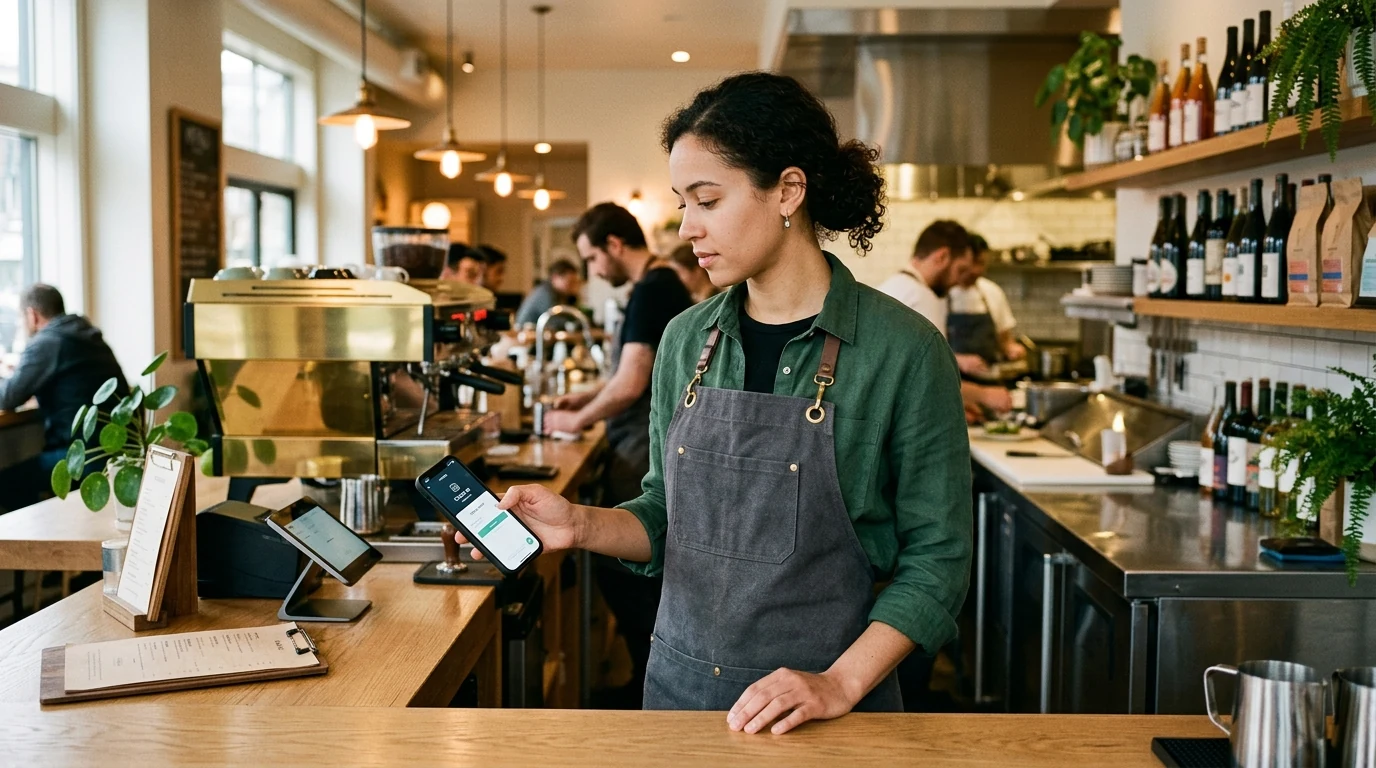

In the restaurant industry, where net profit margins notoriously hover between 3% and 7%, labor represents an operator's single largest controllable expenditure. Yet across independent bistros, multi-unit cafes, and busy casual dining spots, attendance tracking remains plagued by antiquated, chaotic systems: paper clipboards tucked behind the pass, shared wall-mounted punch clocks coated in cooking grease, and POS terminals forming bottlenecks during peak pre-rush line-ups. When front-of-house servers clock in 15 minutes early just to grab coffee, or kitchen prep cooks forget to log afternoon break periods between split shifts, labor cost percentages balloon silently. Modern restaurant employee attendance software replaces fragile hardware with verified smartphone check-ins, giving operators real-time labor visibility without distracting teams from food preparation and hospitality. This comprehensive guide covers how to structure restaurant shifts, eliminate early clock-in creep, navigate tip-credit recordkeeping, and control hourly labor margins across busy food service operations.
Quick Answer
Restaurant employee attendance is the operational management of tracking front-of-house and back-of-house hours, split shifts, and break times across variable meal rushes. By replacing shared biometric terminals with verified mobile attendance apps, restaurant operators eliminate early clock-in creep, automate overtime alerts, and keep total labor costs within the target 28% to 32% of gross revenue.
1. The High-Stakes Economics of Restaurant Labor and Attendance
In hospitality, profitability is won or lost on prime cost—the combined sum of total Cost of Goods Sold (food and beverage) plus total labor expenses. While wholesale ingredient prices fluctuate with supply chains and seasonal market volatility, labor is the one variable an operator can actively manage on a shift-by-shift basis.
For most full-service restaurants and cafes, prime cost must remain under 60% of gross revenue to ensure survival, with labor alone targeting 28% to 32%. A mere two-percentage-point leak in hourly labor efficiency can completely erase an independent restaurant's annual bottom-line profit.
Managing food service labor requires balancing two distinct operational engines operating under the same roof:
- Front-of-House (FOH): Hosts, servers, food runners, bussers, and bartenders whose staffing levels directly correlate with customer floor covers and table turns. Overstaffing during a slow Tuesday lunch burns cash; understaffing during a Friday dinner rush devastates guest satisfaction and tips.
- Back-of-House (BOH): Executive chefs, line cooks, prep cooks, and dishwashers who maintain consistent food quality and kitchen cleanliness. BOH staffing requires precise prep scheduling hours before the dining room doors ever open to the public.
Why Biometric Terminals and POS Punch Clocks Fail in Busy Kitchens
For years, restaurant owners relied on two time-tracking mechanisms: optical biometric fingerprint scanners mounted near the kitchen entrance, or integrated clock-in modules built into point-of-sale (POS) ordering terminals.
In practice, commercial kitchens are hostile environments for optical biometric hardware. Line cooks with flour dust, wet dishwashers with softened skin, and prep chefs with cooking oils on their fingertips trigger repeated false rejection errors on fingerprint glass. Frustrated staff either give up on clocking in or leave paper notes for managers to resolve at the end of the pay period.
Similarly, using POS terminals as employee time clocks creates disastrous operational bottlenecks. When ten servers arrive simultaneously at 4:45 PM for evening pre-shift line-up, they must queue at the same touchscreens needed by active daytime bartenders to ring up orders, disrupting guest service before dinner even begins. A mobile employee attendance app eliminates these physical queues entirely by moving the punch action to each employee's personal device.
The Compounding Impact of Early Clock-In Creep
One of the most insidious sources of restaurant payroll leakage is 'early clock-in creep'. When staff arrive 15 minutes before their scheduled shift, they naturally slide in on the time clock, then spend that quarter-hour sipping espresso, scrolling on social media, or changing into their uniform.
Consider the compounding math: 15 minutes of unbudgeted time per employee across a 16-person team represents 4 hours of unworked labor every single day. At an average wage and payroll burden of $16 per hour, that casual 15-minute habit costs the restaurant operator $64 per day, $1,920 per month, and over $23,000 every single year in unearned wages.
2. Managing the Toughest Hospitality Attendance Challenges
Unlike corporate office workers with static 9-to-5 desk routines, hospitality staff navigate erratic operational schedules influenced by weather, reservations, private banquet bookings, and sudden kitchen rushes.
Here are the core scheduling and attendance hurdles restaurant operators face daily, along with proven management solutions:
- 1. Split Shift Transitions: Lunch service runs from 10:30 AM to 2:30 PM, followed by a three-hour afternoon closure before dinner service from 5:30 PM to 10:30 PM. The attendance system must treat both shifts as distinct attendance events belonging to a single calendar business day, accurately enforcing minimum rest periods between shifts.
- 2. Last-Minute Shift Swaps: When a line cook falls ill two hours before Saturday dinner, another team member steps in. Attendance logs must automatically record the replacement worker's actual hours rather than crediting the scheduled absent employee, preventing messy payroll re-allocations.
- 3. Dual-Role Wage Rates: A team member may work Monday morning prep at a standard non-exempt hourly rate of $18/hour, but work Friday night bar service at a tipped minimum wage of $10/hour plus pooled tips. Attendance platforms must support role-based rate tracking without manual spreadsheet calculations.
- 4. Pre-Shift Line-Up and Prep Windows: Kitchen prep cooks need approved early access for braising and baking, while front-of-house staff should be restricted from clocking in before designated pre-shift briefings to prevent unearned overtime accumulation.
Automating Shift Grace Periods and Punch Windows
Modern attendance platforms allow restaurant general managers to establish automated work schedules and grace periods. For example, managers can establish a 3-minute grace window around shift start times.
Staff arriving early are gently prompted to wait until their scheduled shift begins before their Slide In becomes valid, protecting restaurant labor budgets while ensuring punctual team members receive credit for every legitimate minute worked.
3. The Restaurant Labor Formula: Tracking and Benchmarking Hourly Costs
To maintain rigorous financial control over food service labor, restaurant general managers and finance leads must track labor cost percentage as a live operational metric rather than a post-payroll historical autopsy.
The standard restaurant labor cost formula is calculated as:
- Labor Cost Percentage = (Total Labor Cost ÷ Gross Food & Beverage Sales) × 100
- Total Labor Cost includes: Hourly wages + Salaried management payroll + Overtime pay + Payroll taxes (FICA, FUTA, SUTA) + Workers' compensation insurance + Employee meal benefits.
Industry Labor Benchmarks by Restaurant Concept
Acceptable labor percentages vary significantly depending on service model and menu complexity:
- Quick Service Restaurants (QSR) & Coffee Bars: 24% to 28%. Streamlined prep lines, assembly-line service, and high volume drive low labor ratios.
- Casual Dining & Independent Bistros: 28% to 32%. Moderate menu complexity and dedicated table service require balanced kitchen and floor teams.
- Fine Dining & Multi-Course Tasting Menus: 32% to 38%. Highly labor-intensive culinary techniques, extensive wine programs, and high staff-to-guest ratios demand higher payroll investment, offset by premium menu pricing.
- Catering Services & Event Banquets: 25% to 30%. Predictable guest counts and pre-set menus enable precise roster planning and minimal surplus labor.
4. Restaurant Attendance Solutions Compared: Mobile App vs. POS Terminal vs. Paper Clipboard
Selecting the right attendance infrastructure determines whether your kitchen line runs smoothly or gets bogged down in clerical confusion. Here is how modern mobile attendance compares against legacy restaurant timekeeping methods:
| Operational Factor | Mobile Attendance App (SlidesClock) | POS-Integrated Time Clock | Paper Sign-In Clipboard |
|---|---|---|---|
| Hardware Dependency | $0 (Runs on staff smartphones; no terminals required) | Tied to physical POS terminals ($1,500+ per station) | $5 clipboard and paper sheets behind the bar |
| Kitchen Grease & Water Resistance | Immune (Staff clock in before entering the prep line) | Sensors get smudged with food, oil, and sauce | Sheets get soaked with water, grease, and soup spills |
| Line-Up Punch Speed | Instant; entire 15-person crew clocks in under 5 seconds | Slow; staff queue at single terminal, delaying pre-shift line-up | Slow and messy; handwriting is frequently illegible |
| Split Shift Support | Native; handles lunch and dinner punches seamlessly | Requires clocking out and re-entering employee PINs | Messy multiple columns that confuse payroll processors |
| Early Clock-In Restriction | Automated grace periods block unauthorized early punches | Often requires manager swipe card override to proceed | Zero enforcement; employees write down scheduled shift times |
| Location Verification | GPS geofence or workplace Wi-Fi ensures on-site presence | Tied to physical location of the fixed POS register | Zero verification; impossible to verify physical arrival |
| Off-Site Catering & Pop-Ups | Full mobile support across multiple banquet venues | Stationary; cannot travel to off-premise wedding sites | Easily lost or damaged during event load-in |
| Labor Cost & Pricing | Free for up to 5 staff; $12.99/mo for up to 20 staff | $40 to $120/month per terminal subscription fee | Hidden cost of 10+ hours per month in manual data entry |
5. Deploying Mobile Attendance in a Commercial Kitchen Without Screen Distractions
When restaurant operators first consider adopting a smartphone attendance app, their most frequent objection is operational discipline: 'If I let my kitchen prep crew and servers use their phones to clock in, won't they spend their entire shift texting on the line?'
Successful restaurant managers solve this through clear workplace culture and the 'Slide and Stash' protocol:
- 1. The 3-Second Punch Rule: Clocking in with SlidesClock requires a single, fluid slide gesture across the screen. The entire action takes less than three seconds upon walking through the employee entrance.
- 2. The 'Slide and Stash' Policy: Immediately after clocking in, staff deposit their personal phones into designated employee lockers, charging cubbies, or personal bags before washing hands and entering food-handling stations.
- 3. Food Safety Sanitation Compliance: Modern health inspections emphasize preventing cross-contamination. Shared time clock touchscreens and communal fingerprint scanners harbor dangerous foodborne bacteria. Using personal phones strictly outside prep zones ensures superior sanitary compliance.
- 4. Point-in-Time Geofence Verification: Using GPS attendance tracking ensures staff can only Slide In when physically inside the restaurant premises, preventing staff from clocking in from their car down the street.
6. Labor Law, Tip Credits, and Meal Break Compliance for Restaurants
Food service operators face some of the strictest labor regulations in the modern economy. Failure to maintain meticulous attendance records exposes restaurants to costly wage-and-hour lawsuits and Department of Labor audits.
The 80/20 Dual-Jobs Rule (FLSA Section 3(m))
Under federal Fair Labor Standards Act (FLSA) regulations governing tip credits, employers can pay tipped employees (such as servers and bartenders) a lower direct cash wage only if they spend at least 80% of their working hours performing tip-generating duties.
If a server spends more than 20% of their workweek performing non-tipped side work—such as rolling silverware, cutting lemons, mopping dining room floors, or cleaning coffee urns—the restaurant must pay the full standard minimum wage for that time. Clean, digital attendance records prove exactly when shifts began and ended, helping defend against dual-job wage claims.
Mandatory Meal and Rest Break Enforcement
In busy restaurants, servers and line cooks frequently skip statutory meal breaks during chaotic service rushes. In jurisdictions like California, New York, and Washington state, a missed or late meal break incurs a mandatory one-hour premium wage penalty payable to the employee.
Using a digital time clock that logs employee break times ensures staff take legally mandated 30-minute off-duty meal breaks during the mid-afternoon lull between lunch and dinner, completely shielding ownership from systemic wage penalties.
7. Step-by-Step Implementation: Modernizing Your Restaurant Attendance in 3 Days
Transitioning your restaurant staff from paper clipboards or clunky POS time clocks to a modern mobile app requires zero disruption to daily service. Here is the three-day rollout roadmap:
- Day 1: Setup and Geofence Calibration: Create your free SlidesClock account, establish your restaurant's physical workplace location, and calibrate a 50-meter GPS radius or input your kitchen Wi-Fi network.
- Day 2: Staff Onboarding at Pre-Shift Line-Up: Print the SlidesClock team invite QR code and present it during morning or afternoon pre-shift meetings. Staff download the app and join the team in less than two minutes.
- Day 3: Live Service Launch and Paper Retirement: Launch the mobile Slide In workflow during your first shift. Monitor real-time staffing on the manager web dashboard, verify shift punches, and permanently discard paper sign-in sheets.
Dedicated Solutions for Food Service Teams
Whether you operate a neighborhood coffee shop, an artisan bakery, a fast-casual salad bar, or a multi-location bistro group, explore our tailored restaurant attendance solutions to see how SlidesClock keeps labor costs in check.
Frequently Asked Questions
How do I stop restaurant employees from clocking in 15 minutes before their shift starts?
Configure shift grace periods and start-time restrictions within your attendance settings. Modern apps like SlidesClock allow managers to specify scheduled shifts so employees cannot register valid clock-ins prior to their approved prep time without supervisor authorization.
Can kitchen staff with wet or flour-covered hands clock in on a mobile app?
Yes. Unlike wall-mounted optical fingerprint scanners that fail when fingers have water, flour, or cooking oils, employees clock in from their personal smartphone before washing up and entering the food prep line. A single 2-second slide gesture records the shift instantly.
How does SlidesClock handle restaurant split shifts with lunch and dinner service?
SlidesClock tracks split shifts by recording two separate Slide In and Slide Out events on the same working calendar day. The platform calculates total daily hours accurately while preserving the required off-duty break window between the lunch rush and dinner service.
What is an acceptable labor cost percentage for an independent restaurant?
For casual dining and independent restaurants, total labor cost should ideally range between 28% and 32% of gross food and beverage sales. Fast-casual concepts target 25% to 28%, while labor-intensive fine dining establishments operate comfortably between 32% and 38%.
Can employees clock in from the restaurant parking lot before they walk in?
You can prevent parking lot punches by calibrating your workplace GPS geofence radius tightly (such as 50 to 75 meters) or by pairing the attendance policy with the restaurant's internal Wi-Fi network so staff must be connected to the workplace router to Slide In.
Does SlidesClock support off-premise catering and mobile pop-up events?
Yes. Managers can configure multiple distinct workplace locations on paid plans (or use flexible mobile verification), allowing catering crews and pop-up teams to log verified attendance at remote banquet halls, wedding venues, or food festivals.