SlidesClock

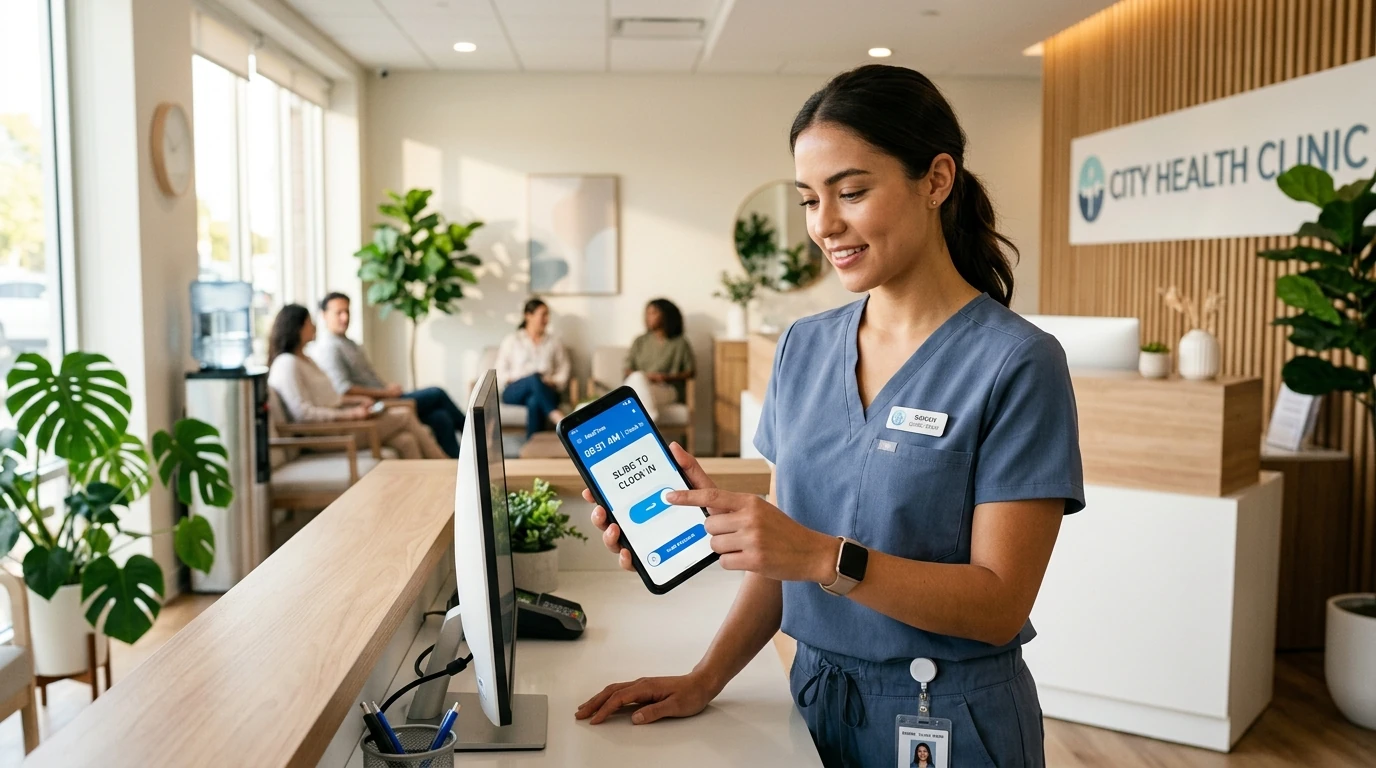
In retail, every business day begins with a crucial commitment: opening the doors on time. Whether operating an independent fashion boutique, a busy consumer electronics shop, or a chain of specialty retail stores across several suburban shopping malls, punctuality directly impacts customer foot traffic, daily sales volume, and commercial brand reputation. Yet across retail environments, employee time tracking is often handled through fragile, outdated methods: shared paper clipboards behind the counter that invite unverified handwriting, or integrated point-of-sale (POS) terminal punch clocks that create frustrating staff bottlenecks right as customers line up to make purchases. Worse still, retail stores located inside enclosed shopping malls frequently suffer from weak GPS satellite signals, triggering false location errors on ordinary mobile geofencing apps. A dedicated [retail staff attendance solution](/solutions/retail) transforms this workflow by turning employee smartphones into verified, point-of-action time clocks. Using workplace Wi-Fi verification or calibrated geofences, store associates slide to clock in upon arrival, giving owners real-time visibility across all stores without purchasing wall-mounted hardware or causing checkout line friction.
Quick Answer
A retail employee attendance app is a mobile workforce solution that records store shifts, opening handovers, and staff clock-ins without dedicated wall hardware or POS terminal congestion. Staff slide to clock in on personal smartphones upon arrival, verified through workplace Wi-Fi or GPS geofencing. It automates punctuality tracking, prevents buddy punching through device binding, and consolidates multi-store hours into audit-ready payroll timesheets.
1. The Frontline Dynamics of Retail Attendance: Opening Shifts, Queues, and Roster Swaps
Retail operations run on tight, customer-driven schedules where attendance reliability directly affects the bottom line. Unlike office environments where a 15-minute arrival variance rarely disrupts daily output, a delayed store opening in retail cascades immediately into lost customer transactions and potential shopping mall lease penalties.
Consider the three persistent operational realities that define retail shift management:
- The Morning Opening Window: If a boutique opens to the public at 10:00 AM, the opening associate must be on-site at 09:45 AM to unlock security gates, count cash drawers, power up lighting and displays, and complete inventory checks. If the keyholder arrives at 10:08 AM, prospective shoppers walk away to competitors, and shopping mall management may issue formal lease infraction warnings.
- The Checkout Counter Bottleneck: When a retail store relies on the cash register POS terminal for employee time tracking, staff clock-ins directly compete with paying customers. During afternoon shift handovers at 2:00 PM, incoming associates crowd the counter to punch in while active staff attempt to process customer transactions, creating uncomfortable friction on the sales floor.
- Dynamic Rosters and Seasonal Staffing: Retail businesses frequently employ a rotating mix of full-time shift leads, part-time university students, weekend associates, and seasonal holiday staff. Managing schedules through messaging apps or manual spreadsheets leads to miscommunications, missed shifts, and disputed payroll calculations.
The Hidden Cost of the Late Store Opening
Many retail owners underestimate the financial damage caused by casual morning tardiness. In retail trade, customer foot traffic follows predictable shopping peaks, with the first hour of trading capturing high-intent morning browsers.
Furthermore, modern retail leases in managed shopping centers and enclosed malls include strict operating hour covenants. A store that repeatedly opens 10 or 15 minutes late can trigger penalties under the lease. A verified mobile employee attendance app provides automated proof of presence during the mandatory pre-opening prep window, ensuring keyholders arrive on schedule every single day.
2. Why Legacy Punch Clocks and Biometric Machines Fail in Retail Stores
For decades, retail store owners installed biometric fingerprint terminals or punch-card clocks in stockrooms or behind customer service counters. In practice, traditional hardware time clocks impose significant operational and financial liabilities on retail businesses:
- Capital Expense for Short-Term Leases: Purchasing and wiring a dedicated biometric terminal is a real upfront cost for every store. For independent boutiques operating on 1-year pop-up leases or seasonal retail kiosks, investing in permanent wall-mounted equipment makes little economic sense.
- Biometric False Rejections: Retail staff constantly handle corrugated cardboard delivery boxes, plastic hangers, garment tags, and cleaning solutions. The resulting skin dryness and micro-abrasions frequently cause optical fingerprint scanners to fail, leaving associates unable to clock in without supervisor overrides.
- Single Point of Failure: If the stockroom biometric scanner breaks down or loses power, the entire store attendance record stops until a technician is dispatched, leaving managers to reconstruct hours from memory.
The Enclosed Shopping Mall Dilemma: Overcoming GPS Blindspots
Many standard mobile time clock apps rely exclusively on satellite GPS geofencing to verify employee locations. While GPS works well for outdoor landscaping and construction crews, it frequently fails in retail settings.
Enclosed shopping malls, department store basements, and multi-story retail plazas feature dense steel structures, concrete ceilings, and heavy architectural shielding that block satellite signals. Employees attempting to clock in inside an indoor store receive inaccurate GPS readings or false 'out of bounds' errors.
SlidesClock resolves this limitation through workplace Wi-Fi attendance verification. Rather than struggling with degraded satellite signals indoors, the app verifies the employee’s physical presence by checking that the phone is on the store’s Wi-Fi network when the employee slides. Verification happens from inside the store, even in multi-level underground retail concourses.
3. Core Attendance Capabilities Required by Modern Retail Stores
To support frontline store staff without adding administrative overhead, a modern retail attendance system must deliver five fundamental capabilities:
- Dual Verification (Wi-Fi & GPS): The flexibility to configure store verification based on the actual physical premises—using workplace Wi-Fi attendance verification for enclosed shopping malls and GPS attendance tracking for standalone street-front boutiques.
- Server-Authoritative Timestamps: Attendance records must be stamped directly by cloud time servers, not read from the employee’s smartphone handset clock. If a late employee manually rolls back their phone time from 10:15 AM to 09:55 AM, the server records the real atomic time, eliminating manual clock tampering.
- Shift Grace Periods: Real-world retail operations require nuance. Configurable grace periods (such as 5 or 7 minutes) prevent minor subway or parking delays from unfairly penalizing staff while maintaining strict accountability for true tardiness.
- Hardware-Free Buddy Punching Prevention: Preventing employees from clocking in for late colleagues without collecting invasive biometric fingerprints. SlidesClock can require a registered device, so each employee can only clock in from the phone registered to their account.
- Transparent Personal History: Giving store associates direct access to their own daily clock-in times, scheduled shifts, and approved leave balances right in the app, eliminating repetitive administrative questions to store managers.
Eliminating Checkout Counter Congestion
By allowing each employee to clock in and out on the personal smartphone they already carry, retail stores completely decouple timekeeping from the point of sale. Shift changes at 2:00 PM or 5:00 PM occur smoothly: outgoing associates slide out on their phones in the break room or stockroom, while incoming staff slide in upon stepping into the store, leaving customer checkout counters completely clear for shoppers.
4. Multi-Store Management: Unifying Boutique Chains and Franchises
For business owners scaling from a single retail boutique to multiple stores across town, tracking staff hours across different addresses is a major operational challenge. Without centralized software, multi-location operators spend hours every weekend chasing paper timesheets, cross-checking SMS messages, and re-entering hours into accounting spreadsheets.
A unified multi-location employee attendance system provides complete organizational control from a single management dashboard:
- Independent Store Policies: Each retail branch operates as an independent workplace with its own assigned Wi-Fi network, geofence radius, and specific opening/closing schedule.
- Effortless Cross-Store Shift Coverage: When a high-volume flagship store needs weekend support, a sales associate from a quieter branch can be scheduled to work at the flagship location. The associate simply slides in at the assigned store, and the system automatically attributes their hours to the correct workplace budget.
- Real-Time Floor Coverage Visibility: District managers can open their dashboard at 10:05 AM and instantly see whether every store across the city has opened on schedule with full floor coverage, catching unstaffed stores before customer traffic is lost.
5. Comparison: Retail Attendance Systems Compared
When evaluating attendance systems for retail boutiques and multi-store operations, store owners must balance upfront hardware expense, indoor reliability, queue speed, and payroll accuracy. The following matrix illustrates how mobile attendance compares to traditional retail timekeeping approaches:
| Criterion | SlidesClock Mobile App | POS Register Time Clock | Biometric Wall Terminal | Paper Sign-In Clipboard |
|---|---|---|---|---|
| Upfront Hardware Cost | None. Staff use their own phones. | Requires POS terminal hardware and software seat licenses. | Terminal purchase per store, plus installation and wiring. | Zero hardware (only paper forms and pen). |
| Morning Opening Verification | Instant mobile Slide In within store Wi-Fi or geofence. | Must boot up POS register and navigate to admin clock-in menu. | Staff walk to stockroom or wall reader to scan fingerprint. | Unverified self-reported handwriting in a logbook. |
| Indoor Mall Reliability | Works indoors with workplace Wi-Fi verification. | Reliable on register, but ties up customer sales terminal. | Hardware-reliable, but prone to optical read errors on dry skin. | Unverified; provides zero proof of physical on-site presence. |
| Register Queue Impact | Zero congestion. Staff clock in simultaneously on own phones. | High congestion. Shift handovers clash with paying shoppers. | Single-file queue forms near stockroom at shift handover. | Paper forms clutter checkout counter and frequently get misplaced. |
| Multi-Store Scalability | Instant. Add new store locations in seconds from the dashboard. | Requires purchasing additional POS terminals or software licenses. | Requires buying, shipping, and mounting hardware at each site. | High administrative overhead; papers must be manually collected. |
| Buddy Punching Prevention | Optional registered-device check ties clock-in to the employee’s phone. | Weak. Employees easily share 4-digit POS employee PINs. | Strong biometric body verification (high false rejection rate). | None. Coworkers routinely sign each other in on the paper sheet. |
6. Copyable Template: Retail Store Attendance and Shift Punctuality Policy
Establishing clear expectations is essential for maintaining consistent retail store hours and fair workplace standards. Store owners and retail managers can copy, customize, and implement this standard retail attendance policy for their teams:
RETAIL STORE ATTENDANCE & SHIFT PUNCTUALITY POLICY

1. PURPOSE
This policy establishes guidelines for punctuality, shift scheduling, and digital time tracking across all retail store locations to ensure reliable customer service, timely store openings, and fair wage compensation.

2. DIGITAL CLOCK-IN PROCEDURE
- All store associates and keyholders must record shift start times, meal breaks, and shift end times using the SlidesClock mobile app on their personal smartphone.
- Clock-in must occur upon arrival on the store sales floor or designated staff area while connected to the store workplace Wi-Fi network.
- Clocking in from off-premises (such as parking lots, transit stops, or nearby cafes) before entering the store premises is strictly prohibited.

3. OPENING SHIFTS & PREPARATION WINDOW
- Opening shift associates must arrive exactly 15 minutes prior to the scheduled public store opening time (e.g., arrive at 09:45 AM for a 10:00 AM store opening).
- This 15-minute preparation window is fully paid working time dedicated to disarming security systems, cash drawer verification, lighting activation, and display inspection.

4. GRACE PERIODS & TARDINESS
- A standard 5-minute grace period applies to shift start times. An associate scheduled at 10:00 AM who slides in by 10:05 AM will not be flagged as late.
- Sliding in after the grace period constitutes unexcused tardiness unless prior notice was provided to the store manager at least 60 minutes before shift commencement.

5. SHIFT SWAPPING & EMERGENCY CALL-OUTS
- Shift swaps between qualified associates must be submitted through the app and approved by the store manager at least 24 hours in advance.
- In the event of sudden illness or emergency, associates must notify the store manager immediately so emergency coverage can be assigned.

6. MEAL & REST BREAKS
- Associates working shifts exceeding 5 consecutive hours are entitled to a mandatory 30-minute unpaid meal break.
- Associates must slide out for the commencement of their meal break and slide in upon returning to the sales floor.

Employee Signature: _______________________ Date: _____________
7. Step-by-Step: Setting Up SlidesClock for Your Retail Store in 5 Minutes
Transitioning from chaotic paper sheets or rigid POS clocks to modern mobile attendance requires zero hardware and takes less than five minutes:
- Step 1: Download SlidesClock. Install the app from the App Store on iOS (Android APK available on request) and register your company profile in 30 seconds.
- Step 2: Create Your Store Workplace. Enter your retail store name and configure your verification method—select your store Wi-Fi network SSID/BSSID for enclosed mall locations or set a GPS geofence radius for street-front shops.
- Step 3: Configure Shift Schedules. Set your weekday store opening and closing hours, assign meal break rules, and establish grace periods matching how your store operates with work schedule management.
- Step 4: Invite Store Associates. Share a private invitation link or QR code with your retail team. Associates download the app and join your workplace instantly.
- Step 5: Start Sliding. On their next shift, associates slide to clock in upon stepping into the store. Managers monitor attendance in real time from the mobile app or web dashboard at app.slidesclock.com.
100% Free Forever for Independent Retail Boutiques
For independent retail shops, boutique clothing stores, specialty kiosks, and neighborhood markets with up to 5 employees, SlidesClock is 100% free forever. The Free plan includes mobile clock-in/out, GPS and Wi-Fi verification, shift schedules, attendance history, and leave requests—with no credit card required and no trial expiration date. Learn more in our free attendance app guide.
As your retail business expands into multiple branches, you can upgrade smoothly to Standard (up to 20 staff, 3 store locations) or Premium (up to 40 staff, 10 store locations with attendance corrections and optional payroll tools) under our transparent pricing without losing historical attendance records. When you are ready, follow our quick onboarding guide to launch in minutes.
Frequently Asked Questions
How do retail employees clock in if our store is inside an enclosed shopping mall with weak GPS?
SlidesClock solves indoor mall GPS degradation through workplace Wi-Fi attendance verification. Instead of relying on satellite signals that get blocked by concrete and steel roofs, the app verifies that the employee’s phone is connected to your store’s secure Wi-Fi router. Clock-in is verified in two seconds regardless of mall basement or indoor concourse location.
Can retail staff clock in before physically arriving at the store?
No. If your workplace policy requires Wi-Fi verification or GPS geofencing, an employee attempting to slide in while in a car, on public transit, or at a nearby coffee shop will be rejected. The app only records a valid clock-in once the employee is within the verified store perimeter or connected to the store Wi-Fi.
How does mobile clock-in prevent bottlenecks at the cash register?
Traditional retail systems require staff to log in on the primary checkout POS terminal to clock in or out. During afternoon shift handovers, this creates a frustrating line of staff blocking customers trying to pay. With SlidesClock, each associate slides in on their own personal phone, completely decoupling attendance from the checkout counter.
Can a retail employee work shifts across multiple store branches or pop-up shops?
Yes. Under SlidesClock Standard and Premium plans, a company can manage multiple store locations under one account. An associate assigned to work at the Downtown branch on Tuesday and the Shopping Mall branch on Saturday can slide in at both locations, with hours accurately tracked to each specific store.
How does SlidesClock prevent retail coworkers from buddy punching for each other?
SlidesClock can require a registered device instead of easily shared 4-digit POS PINs. With that setting on, each employee’s account is tied to the phone registered to it. An employee cannot clock in for an absent coworker because they do not have that coworker’s physical phone in their hands.
Is SlidesClock free for independent retail shops and boutiques?
Yes. SlidesClock offers a permanent Free plan for teams of up to 5 employees, 1 store location, and 1 administrator. It includes mobile clock-in, Wi-Fi and GPS verification, schedules, and leave tracking with zero upfront cost and no credit card required.
What happens if our retail store internet or Wi-Fi temporarily goes down?
SlidesClock records the time on its server, so the phone needs a connection when the employee slides. If the store Wi-Fi is down, employees can clock in over mobile data where GPS verification is allowed; otherwise the missed punch can be recorded as a correction on the Premium plan. Clock-ins are not saved on the phone for later.
Does SlidesClock track employee location after they clock out and leave the store?
No. SlidesClock strictly practices ethical, point-of-action verification. Location or Wi-Fi connectivity is checked only at the exact instant the employee slides to clock in or slide to clock out. The app does not track employee movements in the background or monitor off-duty activities.