SlidesClock

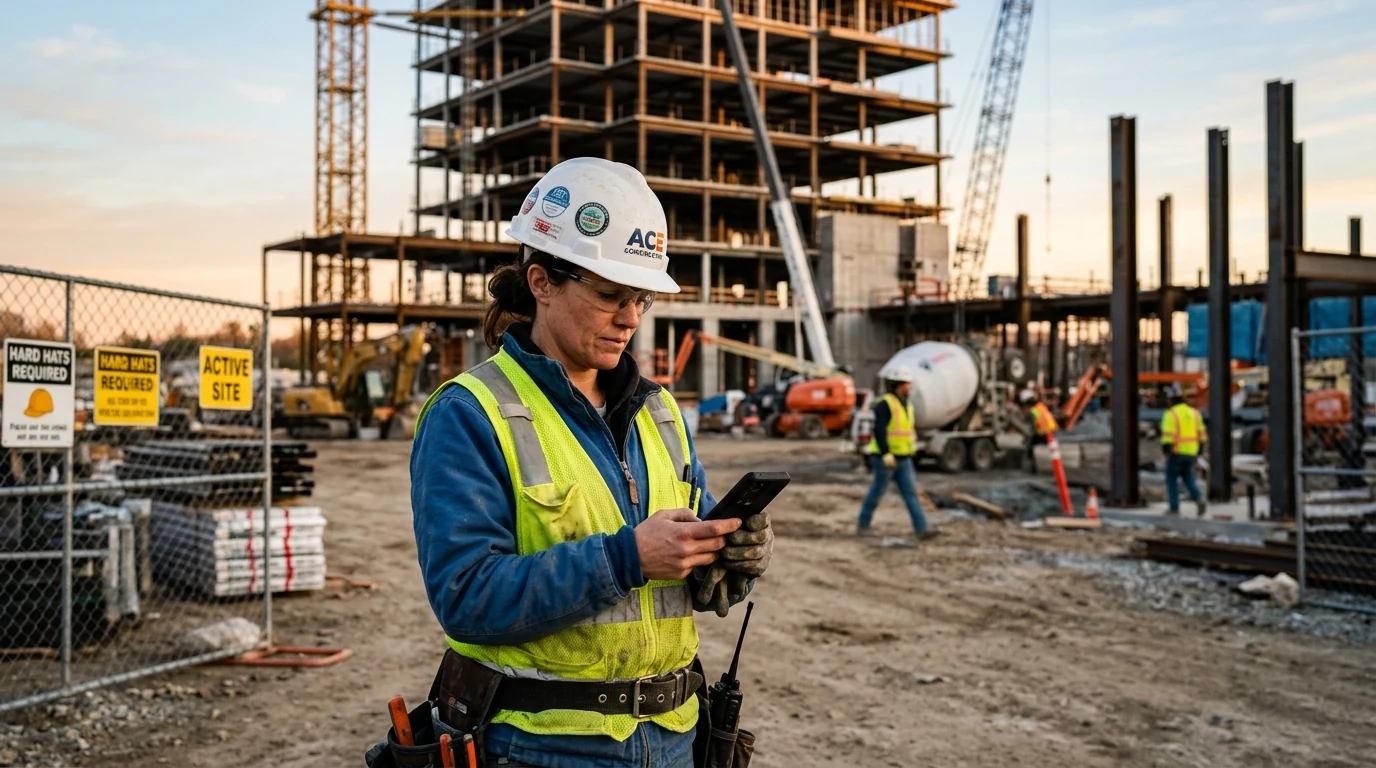
Managing employee attendance across active construction jobsites is one of the most persistent operational hurdles for general contractors, specialty trade builders, and project superintendents. Construction crews do not report to carpeted corporate offices with Wi-Fi routers and wall-mounted badge terminals; they arrive at open dirt parcels, multi-story structural framing sites, civil utility trenches, and dynamic commercial renovations. Relying on paper clipboards in the superintendent's trailer invites illegible handwriting, late Friday guesswork, and rampant buddy punching. Meanwhile, installing rugged biometric hardware terminals on temporary jobsites requires permanent power, expensive weather-sealed enclosures, and optical scanners that regularly fail against calloused, dust-caked fingertips. Modern [construction attendance tracking](/features/gps-attendance) replaces physical jobsite hardware with point-of-action mobile verification. By establishing precise GPS geofences around active project boundaries, contractors ensure workers can only clock in when their boots touch the jobsite—protecting project profit margins, streamlining payroll, and providing ironclad labor audit trails.
Quick Answer
A construction employee attendance app uses mobile GPS geofencing to verify that trade crews and subcontractors are physically on site before clocking in. Workers slide to clock in on their personal phones upon arrival, eliminating paper sign-in sheets, buddy punching, and round-trip visits to the company trailer while generating server-verified timesheets for accurate payroll.
1. The Frontline Dynamics of Construction Attendance: Dynamic Parcels, Trade Crews, and 'Pencil Whipping'
Construction operations run under rigorous physical conditions and tight project completion milestones. Unlike static office environments where employee arrival variance of fifteen minutes rarely delays an entire department, a missing equipment operator or a delayed concrete finishing crew can bring an entire multi-million dollar commercial jobsite to an immediate, expensive standstill.
Yet across both residential building and heavy civil infrastructure, timekeeping has historically lagged far behind modern project management. In practice, general contractors and trade subcontractors face three persistent attendance dilemmas every single working day:
- The 'Pencil Whipping' Guesswork: On traditional jobsites, workers record their hours on paper sheets attached to clipboards inside the superintendent's trailer, or foremen jot down crew hours in spiral pocket notebooks. By Friday afternoon, memory fades. Arrival times are routinely rounded in the worker's favor: a crew member who parked their truck at 07:22 AM and walked onto the framing deck at 07:35 AM invariably writes down '07:00 AM'. Across a twelve-person crew, unverified rounding inflates payroll by five to eight percent every single pay period.
- Staging Area Congestion and Trailer Bottlenecks: Forcing twenty-five workers to file into a cramped jobsite trailer to initial a paper log or touch a shared scanner creates morning bottlenecks. Trade specialists lose ten to fifteen minutes of productive early morning daylight standing in lines rather than strapping on tool belts and beginning site setup.
- Decentralized Subcontractor Coordination: A general contractor frequently manages dozens of specialty trade teams simultaneously—excavators, steel fabricators, mechanical contractors, and painters. Tracking whether three HVAC apprentices actually worked eight full hours or left the site at 02:30 PM is nearly impossible when relying on post-job supplier billing.
The Compounding Financial Drain of Unchecked Labor Drift
Contractors operate on tight gross margins, typically ranging between eight and fifteen percent on competitive bids. Unverified attendance drift represents direct profit erosion that cannot be recovered through change orders.
Consider a mid-sized framing or electrical contractor employing 15 trade workers at a burdened labor rate of $36.00 per hour (including base wages, workers' compensation insurance, payroll taxes, and benefits):
- Daily unverified arrival and departure drift per worker: 18 minutes (0.3 hours).
- Daily payroll cost of lost time per worker: 0.3 hours × $36.00 = $10.80.
- Total daily labor waste across 15 crew members: 15 × $10.80 = $162.00 per day.
- Monthly financial impact over 22 working days: 22 × $162.00 = $3,564.00 per month.
- Cumulative financial erosion across a 9-month building contract: $32,076.00.
Implementing an automated mobile attendance app for small business eliminates this drift entirely on day one, recovering thousands of dollars in bid profitability without increasing workload.
Managing Direct Employees vs. Specialty Trade Subcontractors
Construction projects rely heavily on a bifurcated labor model: direct W-2 field employees who receive regular payroll, and 1099 independent trade subcontractors whose companies invoice for completed hours. Both groups present unique compliance and tracking requirements.
For direct crews, accurate time records are legally required to comply with state and federal wage laws, calculate overtime thresholds, and generate certified payroll reports for prevailing-wage municipal contracts. For subcontractors, verified geofenced presence provides objective, indisputable documentation that eliminates end-of-month invoice disputes between project managers and trade suppliers.
2. Why Legacy Timekeeping Methods Fail on Active Jobsites
Over the past three decades, construction managers have tested numerous timekeeping methods to replace paper timesheets. In practice, traditional industrial solutions fail because they were engineered for climate-controlled factories, not raw outdoor construction parcels:
- Paper Clipboards in the Site Trailer: Paper timesheets get waterlogged in rainstorms, covered in drywall dust, or misplaced in truck cabs. Foremen frequently lose whole days of handwritten entries, forcing accounting teams to estimate payroll hours based on text messages or memory.
- Ruggedized Biometric Wall Terminals: Installing a wall-mounted fingerprint or facial recognition terminal on an active site requires permanent 110V electrical power—a luxury that does not exist on early-stage ground-up builds where temporary generators are switched off at night. Furthermore, optical fingerprint scanners frequently reject workers whose hands are scarred, calloused, or coated in masonry lime, concrete dust, and grease, leading to endless supervisor override requests.
- Invasive 24/7 Fleet and Vehicle GPS Tracking: Equipping crew vehicles or mandating continuous GPS background apps on personal phones breeds deep workforce resentment. Trade workers legitimately object to battery-draining software that monitors their driving speed or tracks their location during lunch breaks and evening personal hours.
Point-of-Action Verification: Complete Accountability Without Continuous Surveillance
The fundamental flaw of enterprise field tracking software is treating skilled tradespeople like surveillance subjects. Continuous 24/7 background GPS tracking drains smartphone batteries before the shift ends and triggers legitimate union and privacy grievances.
SlidesClock solves this through point-of-action verification. Location coordinates are queried strictly at the single moment an employee initiates the 'Slide In' or 'Slide Out' gesture. The moment the server confirms the coordinates fall within the authorized jobsite geofence perimeter, location access immediately ceases. Phone batteries remain charged throughout ten-hour framing shifts, and workers know their personal off-hours remain entirely private.
3. Core Attendance Capabilities Required on Construction Jobsites
A robust construction attendance system must be engineered around the physical realities of jobsite terrain. Whether framing a single-family residential development or building a high-density urban tower, five core technological capabilities are non-negotiable:
- Calibrated GPS Geofencing: The app must allow project superintendents to drop a pin on a satellite map and set a precise circular radius (such as 100 meters or 250 meters) that matches the real property boundaries. Workers outside the perimeter cannot record an arrival, preventing clock-ins from commuter traffic or morning breakfast diners.
- Server-Authoritative Timestamps: The timestamp recorded on an attendance entry must be generated by the central database server, never read from the worker's smartphone. If an employee alters their phone's internal system clock or changes time zones to fake an on-time arrival, the server records the authentic universal time regardless.
- Registered-Device Binding: To stop buddy punching—where one worker carries another's phone or logs into their account from a parked crew cab—the system must support a registered-device policy. By binding each worker's profile to their unique personal smartphone, one worker cannot record attendance for absent colleagues.
- Shift Rosters, Grace Periods, and Overtime Protection: Managing early-morning concrete pours starting at 05:30 AM requires customized shift definitions. Configurable grace periods distinguish between normal site walking time and unexcused tardiness, while automated daily and weekly hour summaries protect contractors against unintended overtime liability.
- Clean Data Exports for Certified Payroll: Time tracking data must export directly to clean CSV and spreadsheet formats, categorized by worker, trade code, jobsite name, and exact server timestamps, streamlining certified payroll filings and job-costing audits.
Handling Jobsite Dead Zones and Edge Network Connectivity
Construction often takes place on greenfield land, rural highway corridors, or sub-grade basements where cellular data signals fluctuate. Understanding how mobile apps interact with network infrastructure is vital for project superintendents.
Because SlidesClock prioritizes data integrity, attendance actions require an active cellular or Wi-Fi data connection to transmit coordinates and receive a server-authoritative timestamp. When working in sub-grade parking structures or shielded elevator cores, crew members simply slide to clock in at the surface staging gate before descending into the structure. If reception drops momentarily, workers step into cellular coverage to complete their verification, ensuring no unverified or tampered entries ever pollute the official project audit trail.
4. Multi-Jobsite Operations: Unifying General Contractors and Mobile Trade Crews
Growing contractors rarely operate on a single parcel. A typical commercial electrical contractor might have five technicians working on a downtown hospital remodel, eight electricians roughing in a suburban school, and three service vans responding to emergency service calls across town.
Managing this dispersed workforce through separate paper logs or fragmented group texts results in administrative chaos. Modern multi-location workforce software centralizes operations through four structural advantages:
- Jobsite-Specific Policy Enforcement: Each construction project is configured as an independent workplace within the master company account. Site A can enforce a strict 75-meter GPS geofence, while Site B (an office renovation) verifies attendance via the building's workplace Wi-Fi network.
- Preventing Cross-Site Punching: A carpenter assigned to the 'Highland Park Residential' roster cannot accidentally or deliberately clock in at the 'Harbor Commercial Tower' site. The system verifies that the worker's physical coordinates match the exact project location they are assigned to work.
- Real-Time Jobsite Muster Roll for Safety and OSHA Compliance: In the event of an emergency evacuation, gas leak, or structural incident on site, superintendents can open their mobile dashboard to view an instant live headcount of every verified worker currently clocked into that specific parcel.
- Accurate Job Costing and Client Billing: Labor hours are automatically tagged to the corresponding project code. Accounting teams can immediately cross-reference actual labor hours against estimated bid hours, catching cost overruns before they jeopardize overall project liquidity.
5. Comparison: Construction Attendance Systems Compared
Evaluating timekeeping options requires weighing upfront capital equipment expenses against long-term administrative accuracy, labor integrity, and crew acceptance.
The following matrix compares the four primary attendance methods utilized across commercial and residential jobsites:
| Attendance Method | Hardware Needed | Buddy Punch Prevention | Weather & Dust Durability | Worker Privacy & Battery | Timestamp Integrity | Jobsite Setup Speed |
|---|---|---|---|---|---|---|
| Paper Sign-In Clipboard | Clipboard & Pens | None (Anyone can sign for another) | Poor (Destructible by rain, mud & wind) | High (Zero digital tracking) | Vulnerable (Manual rounding & post-dated entries) | Instant (Place clipboard in trailer) |
| Rugged Biometric Box | $800–$2,500 terminal & generator hookup | High (Biometric scan required) | Moderate (Sensors fail on dirty hands) | Moderate (Biometric data concerns) | Variable (Relies on internal terminal clock) | Slow (Requires mounting, power & wiring) |
| 24/7 Invasive Fleet Tracker | Vehicle hardwire or invasive phone app | Low (Verifies vehicle, not individual worker) | High (Installed inside truck cab) | Very Low (Severe battery drain & privacy backlash) | High (Satellite timestamps) | Moderate (Vehicle installation required) |
| SlidesClock Mobile Geofence | Zero hardware (Worker's smartphone) | High (Registered-device policy binds account) | Immune (No jobsite equipment to damage) | High (Location read only during slide gesture) | Authoritative (PostgreSQL server timestamps) | Under 5 minutes (Create workplace & drop pin) |
6. Copyable Template: Construction Jobsite Attendance and Punctuality Policy
A technology solution is only as effective as the workplace agreement backing it up. To prevent misunderstandings and ensure transparent expectations across all trade crews, contractors should integrate clear attendance rules into their employee onboarding packet and subcontractor safety agreements.
Below is a production-ready attendance policy template designed specifically for commercial and residential construction contractors. Click the button to copy the policy text directly into your company safety manual or project handbook:
CONSTRUCTION JOBSITE ATTENDANCE AND TIMEKEEPING POLICY

1. PURPOSE & SCOPE
This policy establishes mandatory timekeeping standards for all field employees, trade apprentices, and on-site personnel employed by [Company Name]. Accurate timekeeping ensures compliance with federal and state wage laws, accurate certified payroll reporting, and verified job-cost accounting across all active project jobsites.

2. MOBILE TIMEKEEPING VIA SLIDESCLOCK
All field staff are required to record their daily work hours using the SlidesClock mobile application on their personal or company-issued smartphone.
- Slide In: Employees must complete the "Slide In" gesture upon physical arrival within the designated jobsite boundary, with all mandatory PPE equipped, ready to begin work.
- Slide Out: Employees must complete the "Slide Out" gesture immediately prior to leaving the jobsite at the conclusion of their shift.
- Meal Breaks: Non-exempt personnel taking a mandatory 30-minute unpaid meal break must record their break start and end times in accordance with statutory guidelines.

3. GEOFENCE BOUNDARIES & POINT-OF-ACTION VERIFICATION
- Each company jobsite is assigned an active GPS geofence perimeter. Attendance can only be recorded when the mobile device is physically located inside the designated parcel.
- SlidesClock utilizes Point-of-Action Verification. Location coordinates are queried strictly at the instant of sliding in or out. The company does not track employee location in the background or outside working hours.
- Clocking in from personal vehicles parked outside the jobsite perimeter, off-site coffee shops, or en route to the site is strictly prohibited and constitutes timesheet falsification.

4. REGISTERED-DEVICE VERIFICATION & BUDDY PUNCHING
- Each employee's SlidesClock account is linked to their authorized personal smartphone via registered-device policy.
- Attempting to record attendance on behalf of another employee, sharing login credentials, or using unauthorized mobile devices will result in immediate disciplinary action up to and including termination of employment.

5. PUNCTUALITY, GRACE PERIODS & SHIFT STARTS
- Shift start times are determined by project superintendents and displayed within the application schedule.
- A standard grace period of [e.g., 5 minutes] is permitted for walking from the jobsite entry gate to the active staging area.
- Repeated unexcused tardiness disrupts subcontractor workflows and may result in reassignment or disciplinary review.

6. HARDWARE FAILURE, RECEPTION ISSUES & CORRECTION REQUESTS
- If an employee is unable to record attendance due to a dead phone battery, device loss, or temporary cellular disruption, they must immediately notify their site superintendent or foreman verbally upon arrival.
- The supervisor will verify physical presence on site and submit an administrative attendance correction. All manual adjustments require supervisory documentation and are subject to audit.
7. Step-by-Step: Setting Up SlidesClock for Your Construction Jobsite in 5 Minutes
Modern cloud workforce management does not require waiting for IT technicians or purchasing expensive industrial time clocks. You can configure verified jobsite attendance for your entire construction crew in less than five minutes:
- Step 1: Create Your Organization Account: Download SlidesClock and register your construction company name from your smartphone or the web dashboard.
- Step 2: Add Your Active Jobsite Workplace: Navigate to Workplaces and create a new location named after your active project (for example, 'Valley View Hospital Tower' or 'Oakridge Subdivision Phase 2').
- Step 3: Configure the GPS Geofence Perimeter: Drop a pin on the jobsite address using the interactive satellite map. Set the geofence radius to match your parcel boundaries (typically between 75 meters and 250 meters). Select 'GPS Geofence' as your primary verification policy.
- Step 4: Enable Registered Device Policy: Toggle on device verification to ensure workers can only clock in from their own registered personal smartphone, permanently eliminating crew buddy punching.
- Step 5: Invite Your Crew and Foremen: Share the workplace invite link or display the on-screen QR code during your next morning safety tailgate. Workers accept the invitation on their phones and are instantly connected to the site roster.
- Step 6: Monitor Real-Time Headcount and Export Hours: As trades arrive and slide to clock in, superintendents view verified attendance in real time. At the end of the pay period, export clean CSV spreadsheets for certified payroll and subcontractor billing.
100% Free Forever for Independent Trade Crews and Small Builders
Unlike enterprise software vendors that lock basic features behind aggressive per-user monthly minimums and expensive multi-year contracts, SlidesClock believes small businesses deserve enterprise-grade tools without predatory barriers.
SlidesClock's Free tier is 100% free forever for up to 5 employees, 1 workplace location, and 1 administrator. There are no expiring trial periods, no hidden setup fees, and no credit card required to get started. For growing trade contractors running multiple active jobsites, the Standard plan supports up to 20 workers across 3 locations for just $12.99 per month, while the Premium plan supports up to 40 workers across 10 locations with optional payroll tools for $29.99 per month.
Frequently Asked Questions
How do construction workers clock in on remote jobsites without Wi-Fi?
Workers clock in using the SlidesClock mobile app on their smartphones via standard cellular mobile data. The app verifies the worker's physical GPS coordinates against the jobsite geofence perimeter and transmits the request to the cloud server, which generates an authoritative timestamp.
How does a geofence time clock prevent buddy punching on construction crews?
SlidesClock stops buddy punching through two simultaneous verification layers: GPS geofencing confirms the action occurs within the jobsite perimeter, while the registered-device policy binds each worker's profile to their unique personal smartphone, preventing one crew member from clocking in for another.
Does SlidesClock track construction workers after they leave the jobsite?
No. SlidesClock strictly uses point-of-action verification. Location data is read only for the brief moment an employee performs the Slide In or Slide Out gesture. There is zero 24/7 background location tracking, preserving worker privacy and protecting smartphone battery life.
Can specialty trade subcontractors use SlidesClock alongside full-time employees?
Yes. General contractors can invite trade subcontractors (electricians, plumbers, drywallers) to the jobsite workplace via invite link or QR code. Subcontractors slide in upon arrival, providing verified third-party documentation of active jobsite hours to prevent billing disputes.
What happens if a worker's phone battery dies or cellular reception drops on site?
If a worker experiences a dead battery or temporary reception loss in a basement, they notify their site superintendent upon arrival. Foremen can log an administrative correction with supervisor notes, keeping the original audit trail transparent for accounting and certified payroll.
Can a general contractor manage multiple active jobsites simultaneously?
Yes. Contractors can set up independent workplaces for each active project, each with its own customized GPS geofence radius. Workers assigned to Site A cannot clock in while at Site B, and superintendents have real-time visibility over headcount across all active builds.
Is SlidesClock free for small construction crews and trade contractors?
Yes. SlidesClock offers a permanent Free plan that supports up to 5 employees, 1 active jobsite location, and 1 administrator with zero credit card required. Paid plans expand capacity to 20 employees across 3 locations ($12.99/mo) or 40 employees across 10 locations ($29.99/mo).