SlidesClock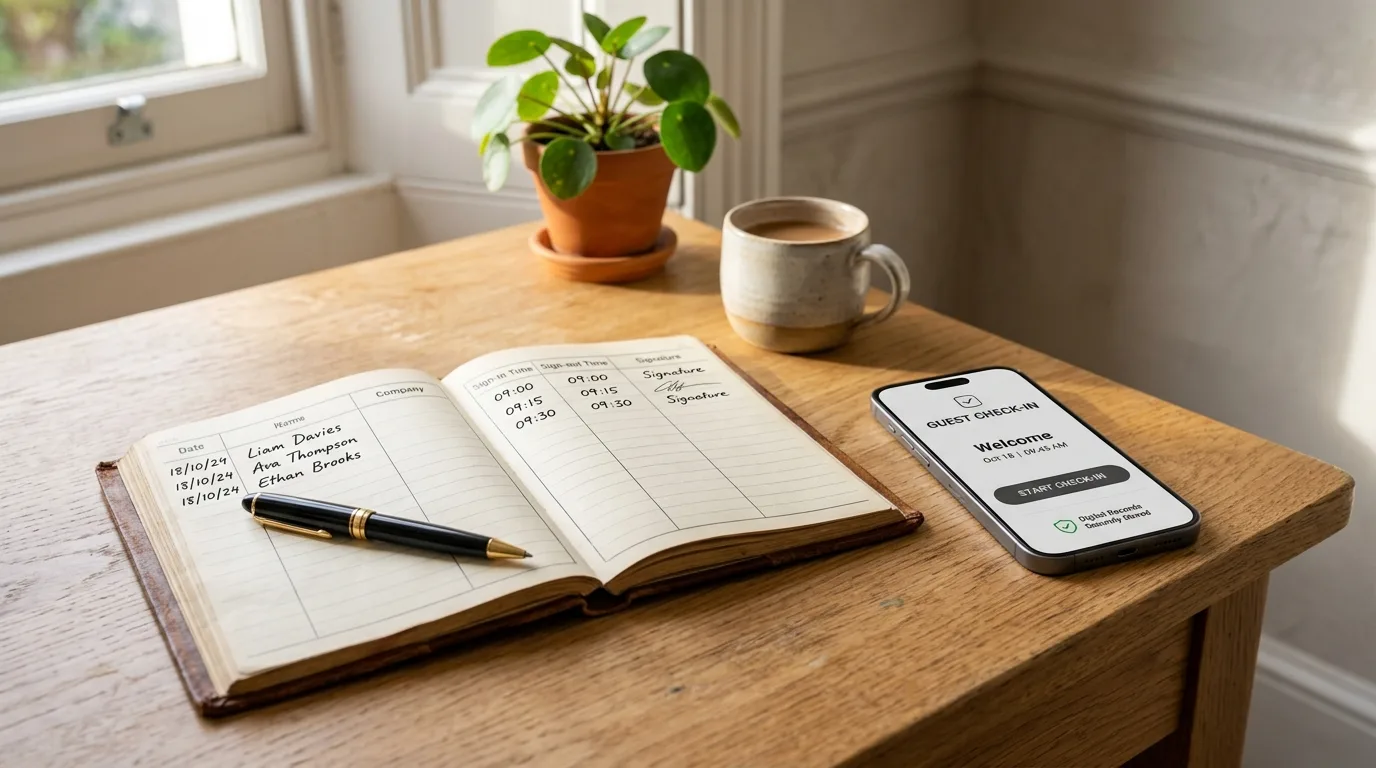

Every growing business reaches a breaking point where paper sign-in sheets, wall punch clocks, and handwritten logs cause more administrative headaches than they solve. Moving to a digital attendance system is rarely about replacing trust—it is about reclaiming lost payroll hours, eliminating human error, and providing transparent records for both managers and employees.
Quick Answer
The core difference between a manual and digital attendance system is how timestamps are captured, verified, and processed: manual systems rely on physical sign-in sheets, paper time cards, or memory, requiring an estimated 4 to 8 hours of manual payroll calculation each month and suffering an average 2% to 5% payroll error rate. Digital systems capture verified server timestamps automatically via mobile devices or web portals, eliminating manual transcription, preventing time theft, and cutting payroll prep time by over 80%.
Comparing Core Mechanics: How Manual and Digital Differ
To understand why digital systems yield such dramatic efficiency gains, it helps to examine how the two paradigms handle everyday operational scenarios.
In a manual system, data capture is passive, retrospective, and unverified. The employee records an event hours after it happened, or a mechanical punch clock stamps an unverified paper card that anyone could slide into the slot (a practice known as buddy punching).
In a modern digital system like SlidesClock, data capture is active, real-time, and technically verified. When an employee slides to clock in from their smartphone, the timestamp comes from synchronized cloud servers rather than the handset clock, and the location is validated via workplace Wi-Fi or GPS geofence at that exact instant.
| Operational Feature | Manual Attendance (Paper / Punch Clocks) | Digital Attendance (SlidesClock) |
|---|---|---|
| Timestamp Veracity | Handwritten or phone-clock dependent; easily backdated | Cryptographic server timestamp; tamper-proof |
| Buddy Punching Defense | None; coworkers easily sign or punch for absent friends | Device binding and point-of-action location checks |
| Real-Time Visibility | None; requires physical headcounts | Live management dashboard showing active on-site staff |
| Payroll Preparation | 4–8 hours of manual transcription and math | One-click CSV export ready for accounting or payroll |
| Historical Audit Trail | Paper binders prone to water damage and loss | Encrypted cloud storage with immutable change histories |
| Cost of Upgrades | Replacement punch cards, ink ribbons, physical hardware | $0 permanent free tier for small teams; zero hardware |
Calculating Your ROI: The Hard Maths of Going Digital
Evaluating whether to switch to digital does not require speculation; it can be calculated directly using standard workforce figures.
Take a typical small business with 15 hourly frontline employees earning an average of $16 per hour, paid bi-weekly. An administrative clerk earning $22 per hour spends 4 hours every two weeks collecting, auditing, and manually keying attendance logs. That represents $2,288 in administrative wages per year spent solely on data entry.
Add the American Payroll Association’s conservative estimate of 10 minutes of daily rounding leakage per employee. Across 15 workers working 250 days per year, that represents 625 paid unworked hours—costing the business $10,000 annually. By moving to digital attendance, the company recovers over $12,000 in annual bottom-line cash flow.
The 30-Day Transition Playbook: Switching Without Friction
The primary reason traditional businesses delay going digital is fear of employee pushback or technological complexity. Following a structured 30-day rollout ensures smooth adoption across all staff:
Week 1: Select a Lightweight, Hardware-Free Solution
Avoid heavy enterprise systems that require installing wall terminals or complex biometric hardware. Choose a phone-first app that employees already know how to use. With SlidesClock, workers download a lightweight mobile app and join with a one-tap invitation link.
Week 2: Run a Parallel Pilot with a Single Department
Select one cooperative team or branch to pilot the digital workflow for two weeks alongside your existing paper logs. This allows supervisors to get comfortable with the dashboard, verify Wi-Fi and GPS geofence boundaries, and answer staff questions.
Week 3: Address Employee Privacy Concerns Transparently
Frontline staff often worry that mobile apps track their personal phones all day. Explain the concept of Point-of-Action Verification: the app checks location only for the split second when they slide to clock in or out, and never tracks their movements outside of work.
Week 4: Full Cutover and Paper Retirement
Distribute a clear written transition notice (see template below). Remove physical paper clipboards and punch card holders from the premises to prevent dual-system confusion, and process your first automated digital payroll export.
Transition Announcement Notice for Employees
Customize this copyable transition notice to post in your breakroom or distribute via email before retiring manual paper logs:
NOTICE: TRANSITION TO DIGITAL ATTENDANCE (SLIDESCLOCK)

DATE: ____________________
TO: ALL EMPLOYEES
FROM: MANAGEMENT / HR

Effective [Date], our company is retiring manual paper sign-in sheets and transitioning to our new digital attendance app, SlidesClock.

WHY WE ARE MAKING THIS CHANGE:
1. Fairness & Accuracy: Digital timestamps eliminate handwriting disputes, missed signatures, and calculation errors on your paycheck.
2. Convenience: You can slide in and slide out directly from your smartphone upon arrival without waiting in line at a paper clipboard.
3. Access to Your History: You can review your own shift history, hours worked, and leave balances anytime in the app.

IMPORTANT PRIVACY GUARANTEE:
SlidesClock respects your privacy. The app uses "Point-of-Action Verification" to verify that you are on-site when you slide in and out. It DOES NOT track your location during your shift, outside work hours, or track your phone's personal data.

NEXT STEPS:
- Download the SlidesClock app on iOS or Android using the invite link sent to your email or phone.
- Review the 2-minute setup guide on your dashboard.
- Starting [Date], paper logs will be removed and all shifts will be recorded in SlidesClock.

If you need assistance setting up your phone, please speak with [Supervisor / HR Contact]. Thank you for your cooperation!
Starting Your Digital Shift with SlidesClock
Transitioning from clumsy paper records to modern digital attendance no longer requires thousands of dollars in consulting or biometric hardware. SlidesClock was designed specifically for teams that want clear, effortless daily attendance.
With simple mobile Slide In and Slide Out, verified server time, and instant CSV exports for payroll, you can modernize your workplace operations in an afternoon. Best of all, SlidesClock is free forever for up to 5 employees with zero credit card requirements.
Frequently Asked Questions
Will employees resist switching from paper to a mobile attendance app?
Some initial hesitation is natural, but resistance disappears when employees understand two things: first, that their personal location is not tracked throughout the day; and second, that digital records protect them by guaranteeing every minute worked is counted accurately toward their pay.
What happens if an employee forgets their phone or runs out of battery?
Modern systems allow authorized managers or supervisors to enter a verified manual correction directly through the management dashboard, recording an audit note explaining the exception so payroll remains uninterrupted.
Does digital attendance work without stable workplace internet?
Yes. SlidesClock mobile applications cache authentication credentials securely and can verify arrivals via cellular data or local network handshakes, synchronizing with the central database the moment connectivity is established.
Are digital attendance records accepted during official labor audits?
Digital attendance records with server-generated timestamps and change logs are far superior to paper sheets during regulatory audits. They provide an immutable, objective audit trail that proves exact working hours, breaks, and overtime calculations without risk of tampering.