SlidesClock

For small business owners, tracking employee hours should be simple, dependable, and fair. Yet across independent shops, cafés, clinics, studios, and trade crews, attendance tracking frequently turns into an administrative bottleneck. Searching for a free attendance app often leads to expiring trials, locked CSV exports, and invasive battery trackers. This guide explains how mobile attendance works, how to check whether a "free" plan is really free, what a free plan can reasonably be expected to leave out, and how to roll one out in an afternoon.
Quick Answer
A free attendance app for small business lets employees record verified shift start and end times directly on their smartphones without requiring wall-mounted biometric hardware or paper time cards. The most dependable free solutions provide permanent zero-cost tiers for small teams (typically up to 5 workers), server-recorded timestamps that a changed phone clock cannot alter, and point-of-action verification (such as GPS geofencing or workplace Wi-Fi) without 24/7 background tracking. Before signing up, check whether exports, reports and extra locations are included or reserved for paid tiers.
What Is an Employee Attendance App (and How Does It Work for Small Teams)?
An employee attendance app is mobile software that captures, verifies, and organizes work shift timestamps in real time. Rather than relying on physical wall clocks or paper sign-in sheets, employees clock in and out directly from the smartphone already in their pocket.
Modern attendance software replaces retrospective guesswork with instant capture. Instead of workers writing down arrival hours later, a mobile app turns attendance into an immediate, self-service action taken right as an employee steps into work.
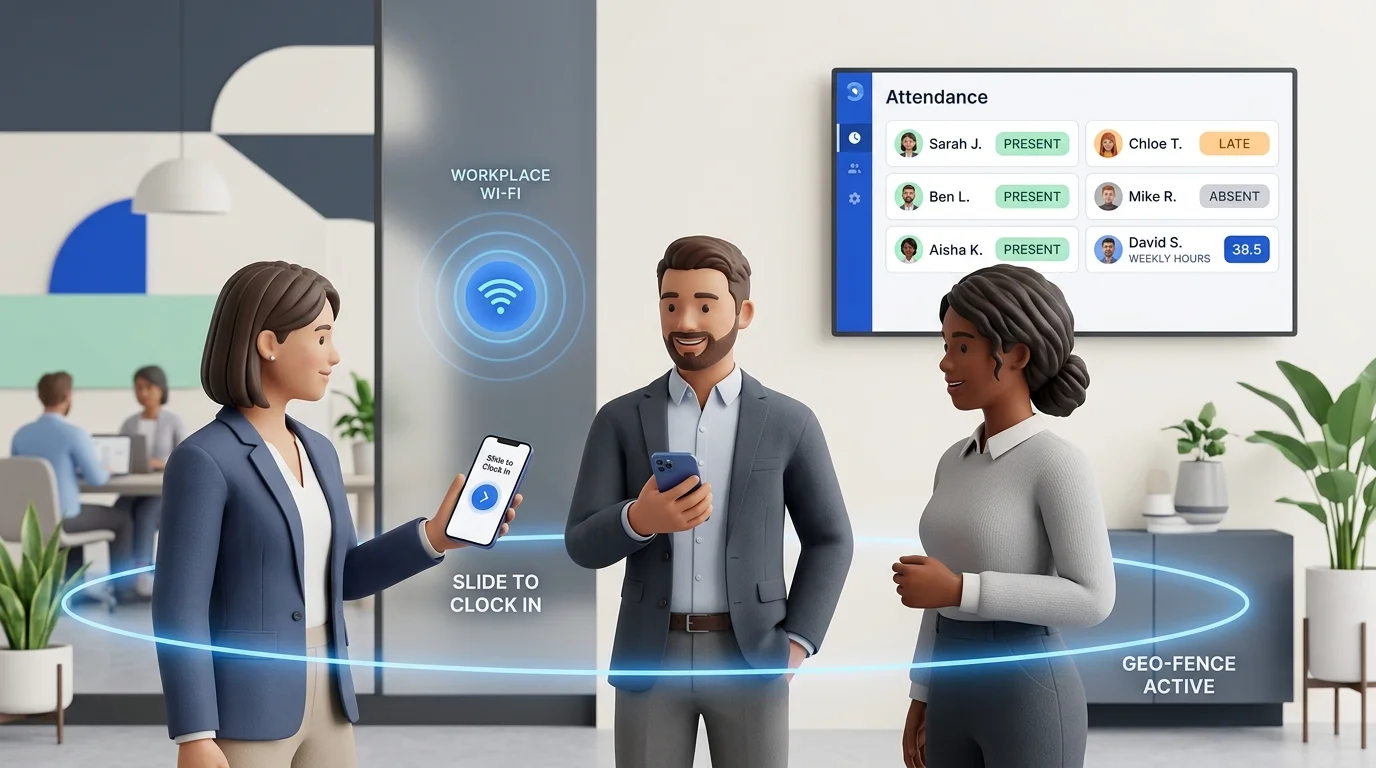
The operational workflow is straightforward: upon arrival, the employee opens the app and completes a single deliberate check-in gesture—such as SlidesClock’s signature Slide In. The app connects to the cloud server, validates workplace rules for that site, and records an authoritative server timestamp. When work ends, a matching Slide Out records departure.
- Device-native accessibility: Frontline, deskless, and hybrid workers record their own shifts without queuing at a shared wall terminal.
- Real-time managerial visibility: Business owners monitor who is currently on-site from a synchronized web or mobile dashboard.
- Automated time calculation: Total daily hours, tardiness against scheduled shifts, and approved breaks are tallied automatically.
- Single source of truth: Eliminates discrepancies between employee memory, manager notes, and payroll spreadsheets.
Why Small Businesses Outgrow Paper Sheets and Spreadsheets
Almost every small business starts with manual tools. When you have two or three employees, a clipboard by the door or a shared Google Sheet feels completely adequate. Upfront costs are zero, setup takes two minutes, and mutual trust carries the daily routine.
However, as soon as a business adds staff, introduces staggered shifts, or opens a second branch, manual systems break down under operational friction.
The Paper Sign-In Sheet Trap
Paper sign-in sheets suffer from retrospective memory bias. Employees rarely sign in the second they arrive; recall almost always rounds in favor of round numbers. Furthermore, physical sheets are vulnerable to coffee spills, misplaced clipboards, and illegible handwriting, leaving managers guessing whether a scrawled digit is a 3 or an 8.
The Shared Spreadsheet Breakdown
Switching to Excel or Google Sheets seems modern, but introduces new risks. Shared spreadsheets lack role-based permissions and immutable audit logs. A supervisor formatting a row can accidentally break an overtime formula across twenty columns. Anyone with edit access can also alter past hours. For more on spreadsheet pitfalls, see how to track employee attendance without spreadsheets.
The Administrative Payroll Drain
The heaviest hidden cost of manual attendance tracking is administrative labor during payroll. Calculating gross hours, subtracting unpaid breaks, and tallying overtime takes 3 to 6 hours every pay cycle for a 10-person team—diverting management away from revenue-generating operations.
5 Common Attendance Problems Small Businesses Face Every Week
Manual or informal attendance systems create recurring friction points that drain cash flow and degrade team morale. Modern attendance apps solve these challenges at their root:
- Buddy punching: A worker running late asks a coworker to sign their name or punch their time card. Unworked time paid to absent staff costs thousands of dollars in lost payroll annually.
- Handset clock manipulation: Basic digital tools read the timestamp from the employee’s local phone clock. An employee who arrives late can roll device settings back twenty minutes to appear punctual. A reliable system must generate timestamps exclusively from synchronized cloud servers.
- Chronic tardiness and unrecorded rounding: When workers arrive 10 minutes late every morning without an objective record, late habits normalize. Our guide on how to handle chronic employee tardiness illustrates how 10 minutes of daily rounding across 10 workers burns over 400 paid payroll hours annually.
- Off-site clock-ins and field blindspots: Without location checks, remote technicians, delivery drivers, or retail workers can record their arrival while still in traffic or sitting down the street.
- Compliance and wage dispute exposure: Labor regulations require employers to maintain complete, unalterable records of hours worked, meal periods, and overtime. Disorganized binders leave employers defenseless during wage disputes.
Essential Features Every Small Business Needs in a Free Attendance Tool
Small businesses do not need cumbersome enterprise HR suites with multi-level org charts and complex configuration screens. What small teams need is simplicity, speed, accurate records, and mutual respect.
When evaluating a free attendance app, verify that the platform includes these non-negotiable capabilities in its daily workflow:
- Frictionless mobile interaction: Clocking in should take two seconds with a deliberate sliding gesture that eliminates accidental taps.
- Authoritative server timestamps: The app records timestamps from the cloud server in the business timezone, ignoring device clock manipulation.
- Point-of-action verification: Proves the employee was on-site at the moment of clocking in without running 24/7 background location tracking.
- Registered device checks: Ties each clock-in to the employee's registered phone, which makes buddy punching harder without biometric hardware.
- Work schedules and grace periods: Allows managers to configure shift start times, rest days, and fair grace periods (such as 5 or 10 minutes).
- Built-in leave requests: Enables employees to request sick leave or time off directly in the app, with quick manager approval workflows.
- Self-service attendance history: Gives staff clear mobile visibility into their own logged hours, late counts, and approved leave balances.
Biometric Wall Terminals vs. Free Mobile Attendance App: Comprehensive Breakdown
For decades, installing a physical biometric fingerprint terminal or punch clock on the wall was considered standard practice. Today, that hardware-heavy approach represents unnecessary expense and operational rigidity for small business owners.
Smartphones possess advanced location sensors and secure connectivity that surpass dedicated wall terminals in both accuracy and convenience. The following matrix contrasts physical biometric terminals with SlidesClock:
| Evaluation Criteria | Biometric Wall Terminals | Free Mobile App (SlidesClock) |
|---|---|---|
| Upfront Hardware Cost | $200 to $800+ per terminal plus mounting and wiring | $0; uses smartphones already carried by staff |
| Ongoing Maintenance | Replacement sensors, RFID cards, power adapters, repairs | Zero hardware overhead; automatic software updates |
| Hygiene & Durability | Sensors fail with wet, oily, dusty, or sanitized fingers | Sanitary personal devices; unaffected by messy workplaces |
| Buddy Punching Defense | Good on fingerprints, poor on shared RFID cards/PINs | Strong; accounts bound to registered personal handsets |
| Field & Remote Flexibility | Zero; workers must physically visit the office wall terminal | High; supports fixed offices, pop-ups, and field job sites |
| Lateness & Grace Periods | Raw punch timestamps requiring manual calculation | Automated grace periods and shift schedule comparisons |
| Employee Transparency | None; workers cannot view accrued hours without asking HR | Complete mobile visibility into personal history and leave |
| Deployment Time | Days to weeks (shipping, mounting, network configuration) | Under 15 minutes via direct mobile invitation links |
Where SlidesClock Fits
SlidesClock was engineered to eliminate frontline attendance friction. Small businesses deserve dependable attendance verification without being pressured into recurring subscriptions before they are ready.
It is one option among several. Here is what its free plan covers, what it leaves out, and how it is meant to be used. For the operational side, see how SlidesClock works for a small business.
A Permanent Free Plan with Zero Expiration
SlidesClock's free attendance app plan never expires. It covers up to 5 employees, 1 workplace location, and 1 administrator account with no credit card required. It includes Slide In and Slide Out, GPS and Wi-Fi checks, server-recorded times, personal attendance history, work schedules, and leave requests. The app is on the App Store for iPhone; Android is in testing, with the APK available on request.
Effortless Slide In and Slide Out Interaction
Instead of confusing menus or digital punch buttons, SlidesClock uses a smooth, tactile sliding interaction. Arriving staff open the app and slide the toggle to "Slide In." The interface confirms check-in instantly with a verified green timestamp. When the shift concludes, sliding again completes "Slide Out," eliminating accidental duplicate punches.
Point-of-Action Verification: GPS and Workplace Wi-Fi
To guarantee attendance integrity without invading employee privacy, SlidesClock uses Point-of-Action Verification. Workplaces can require point-of-action GPS verification or workplace Wi-Fi network checks. Coordinates are checked only at the moment of the slide, with zero background tracking after hours, as outlined in our security architecture.
What the Free Plan Leaves Out
Attendance reports and CSV/PDF exports start on Standard. Attendance corrections and payroll start on Premium. If those matter to you today, compare the tiers:
- Free Plan ($0/month forever): Up to 5 employees, 1 location, 1 admin. Full mobile app access, Slide In/Out, work schedules, grace periods, and leave requests.
- Standard Plan ($12.99/month): Up to 20 employees and 3 locations. Unlocks structured attendance reports and payroll CSV exports.
- Premium Plan ($29.99/month): Up to 40 employees and 10 locations. Adds official attendance corrections with managerial audit trails, and optional integrated payroll calculations and digital payslips.
- Empire Plan: Custom volume tiers for larger regional enterprises requiring custom administrative configurations.
Step-by-Step Implementation Guide: Rolling Out Your Attendance App in 1 Day
Transitioning your team to a modern attendance app takes less than an afternoon:
Step 1: Set Up Your Company and Operating Timezone
Register your company profile on the SlidesClock web portal or mobile app. Set your primary operating timezone so server timestamps accurately match your physical workplace environment.
Step 2: Define Your Workplace and Verification Radius
Add your workplace location. If using GPS verification, establish a reasonable geofence radius—typically 50 to 100 meters—to account for natural satellite drift and indoor reception. Alternatively, select Wi-Fi verification to match the public IP address of your workplace network.
Step 3: Configure Work Schedules, Rest Days, and Grace Periods
Navigate to work schedules and establish standard shifts (e.g., 8:30 AM to 5:00 PM) and rest days. Set a fair grace period (such as 5 or 10 minutes) so an employee arriving a few minutes late due to elevator delays is not unfairly marked as late.
Step 4: Invite Staff and Bind Mobile Devices
Share an invitation link or QR code with your employees. Workers download the lightweight SlidesClock app from the App Store (with Android available for testing), accept the invite, and bind their user account to their personal smartphone.
Step 5: Run a 5-Day Parallel Trial
For the first five days, keep your existing sign-in clipboard on the wall while staff practice sliding in and out on their phones. At the end of the week, compare the physical ledger against the digital dashboard to confirm clean records and zero rounding disputes before retiring the paper sheet.
Understanding the Limits of Free Plans
A free plan has to be paid for somehow. When a vendor promises unlimited employees, unlimited locations and every feature at no cost, ask how: advertising, selling data, or a pricing change once you depend on it are the usual answers.
Sustainable free plans set clear boundaries instead, usually by team size and number of locations, and keep the core clock-in workflow intact within them.
Why Headcount and Location Caps Make Sense
A cap on employees and locations lets a small team use the product indefinitely while larger teams fund it. A bakery with four staff, a barber shop with three chairs or a studio with four designers can stay within a 5-employee, single-location limit year after year.
When It Is Time to Upgrade
Upgrade when growth creates a need the free plan does not cover, not before:
- Headcount: hiring your sixth employee.
- Locations: opening a second site or branch.
- Reporting and payroll: needing exports for your accountant, attendance corrections, or payroll runs.
Until then, a free plan that covers your team is a complete system, not a demo.
6 Critical Implementation Mistakes Small Businesses Must Avoid
Even the best attendance software can face friction if introduced carelessly. Avoid these common pitfalls to ensure smooth, enthusiastic adoption across your team:
- Keeping dual systems running indefinitely: Running paper logs and an app in parallel for months creates confusion. Set a definitive cutover date and physically remove paper sheets from the premises.
- Failing to communicate location privacy safeguards: Employees often worry that work apps track their phones 24/7. Explain when the app reads location; with SlidesClock it is only at the moment of sliding, with no background tracking.
- Enforcing rigid zero-tolerance tardiness without grace periods: Punishing workers for clocking in at 8:01 AM creates resentment. A 5-minute grace period reflects human reality while maintaining discipline.
- Silently editing timesheets without audit logs: If an employee forgets to clock out, never alter their hours without an explanation. SlidesClock’s correction workflow keeps original timestamps visible alongside manager notes.
- Overcomplicating shift rules on day one: Start with standard daily working hours and simple location verification before introducing complex rotating shift patterns.
- Ignoring local wage-and-hour regulations: While software records precise timestamps, employers remain responsible for ensuring schedules comply with statutory overtime rules and mandatory meal break laws in their jurisdiction.
Real-World Use Cases: How Different Small Businesses Use Free Attendance
Because SlidesClock is built for flexibility, diverse small businesses worldwide utilize its free capabilities to solve unique operational challenges:
The Specialty Coffee Shop or Bakery
A busy café employs four baristas and a baker arriving at 5:00 AM. In the past, morning rushes prevented staff from touching paper clipboards with messy hands. With SlidesClock, opening staff complete a quick mobile Slide In on their phone upon arrival, allowing the owner to confirm on-time opening from the manager dashboard.
The Field Trade Crew or Cleaning Team
A residential HVAC business employs three mobile technicians who travel directly from home to customer job sites. Previously, technicians drove thirty minutes out of their way to the main office just to punch a physical time card. Using GPS verification, technicians Slide In legitimately upon arrival at the customer site, saving fuel and transit time.
The Professional Clinic or Creative Studio
A boutique dental clinic or design studio employs four staff members and a receptionist. Wall-mounted punch clocks look unseemly in a serene reception area. SlidesClock provides quiet, professional mobile attendance that blends seamlessly into the workday while tracking annual leave requests in one tidy dashboard.
Free Employee Attendance Transition Memo (Copyable Template)
When introducing modern attendance software to your staff, clear communication prevents misunderstanding. Customize this professional announcement memo to post in your breakroom or distribute via email before rolling out SlidesClock:
MEMORANDUM: TRANSITION TO DIGITAL ATTENDANCE

DATE: [Date]
TO: All Team Members
FROM: Management
SUBJECT: Upgrading to SlidesClock for Shift Attendance

Starting on [Start Date], our company is retiring manual sign-in sheets and upgrading to SlidesClock, a modern mobile attendance app.

WHY WE ARE MAKING THIS CHANGE:
1. Accurate Pay: Digital timestamps eliminate handwriting guesswork and guarantee every minute worked is counted.
2. Convenience: Slide in and out directly from your smartphone in two seconds without waiting at a clipboard.
3. Transparency: Check your personal shift history, hours worked, and leave requests anytime in the app.

PRIVACY GUARANTEE:
SlidesClock uses Point-of-Action Verification: it checks your location ONLY at the instant you Slide In or Slide Out. It DOES NOT track your location during your shift or outside of work.

GETTING STARTED:
1. Open the invitation link sent to your email or phone.
2. Download SlidesClock (iPhone; ask us for the Android build) and accept the team invitation.
3. For the next 5 days, practice using Slide In upon arrival and Slide Out upon departure.

Speak with [Supervisor Name] if you need setup help. Thank you for your partnership!
Frequently Asked Questions
Is a free attendance app really free forever, or is there an expiring trial?
SlidesClock provides a permanent Free Plan for up to 5 employees, 1 workplace location, and 1 administrator account. It is not an expiring trial, requires no payment card, and does not expire. Paid plans exist only if your business expands beyond 5 staff members or needs advanced reporting and payroll tools.
Can employees cheat a mobile attendance app by altering their phone clock?
No. SlidesClock records timestamps directly from secure cloud servers in your company’s registered timezone. Changing the time on an iPhone or Android handset has zero effect on the recorded start or end time of a shift.
How does a free attendance app stop buddy punching without fingerprint hardware?
SlidesClock prevents buddy punching through trusted device binding. Each employee account is bound to their personal verified smartphone upon onboarding, preventing staff from clocking in on multiple handsets or signing in for absent coworkers.
Does mobile attendance drain employee phone batteries with continuous GPS tracking?
No. SlidesClock utilizes Point-of-Action Verification: it checks GPS coordinates or workplace Wi-Fi only during the split-second when an employee slides to clock in or clock out. It runs zero background tracking, preserving battery life and personal privacy.
What happens if an employee forgets their phone, loses battery, or forgets to clock out?
Supervisors can verify and adjust shifts directly from the management dashboard. On the SlidesClock Premium plan, employees can submit official attendance correction requests with detailed notes, preserving a complete audit trail.
Can I export attendance data to Excel, CSV, or my accountant’s payroll software?
Yes. Starting on the Standard plan ($12.99/month for up to 20 staff), managers can export one-click CSV reports containing aggregated hours, scheduled shifts, grace periods, and overtime, formatted for Excel or payroll software.
What happens when my business grows beyond 5 employees?
You can move to Standard ($12.99/month for up to 20 employees and 3 locations) or Premium ($29.99/month for up to 40 employees and 10 locations), billed through the App Store. The attendance records you have already collected stay with your company.
What devices do employees need?
Employees need a smartphone. SlidesClock is on the App Store for iPhone; Android is in testing and the APK is available on request. Managers can also use the web dashboard at app.slidesclock.com from any modern browser.
What is the difference between a free attendance app and expensive enterprise software?
Enterprise systems cost hundreds of dollars monthly and carry bloated features designed for conglomerates. A free attendance app like SlidesClock focuses specifically on what small teams need: fast mobile clock-ins, verified server timestamps, simple schedules, leave management, and clean payroll summaries.
Can a free attendance app support workers across multiple shifts or overnight hours?
Yes. SlidesClock work schedules allow managers to assign custom shift start times, end times, and rest days. Overnight shifts that cross midnight remain cleanly attached to the originating workday, preventing timesheet errors.
Keep going on slidesclock.com
- Explore the permanent Free Plan and feature limits
- How SlidesClock works for small businesses
- Compare Free, Standard, and Premium pricing plans
- Mobile employee clock-in and clock-out features
- How point-of-action GPS verification protects privacy
- Workplace Wi-Fi network attendance verification
- Work schedules, grace periods, and shift tolerances
- Leave requests and manager approval workflows
- Attendance reports and payroll CSV exports
- Compare fingerprint biometric machines vs mobile apps
- SlidesClock security, encryption, and privacy standards