 SlidesClock
 Not required
GPS
Distance to the branch, allowing for the accuracy the phone reports.
Read once, at Slide In and Slide Out. Never tracked in the background.
ใช้งานง่ายสำหรับพนักงาน รัดกุมในทุกรายละเอียด ตั้งค่าสาขาเพียงครั้งเดียว และเริ่มทุกกะการทำงานด้วยการเลื่อนบนสมาร์ทโฟนของพนักงานเอง
Today
Ready when you are
นี่คือทั้งหมดที่พนักงานต้องทำ เลื่อนแถบเพื่อลงเวลาทำงาน
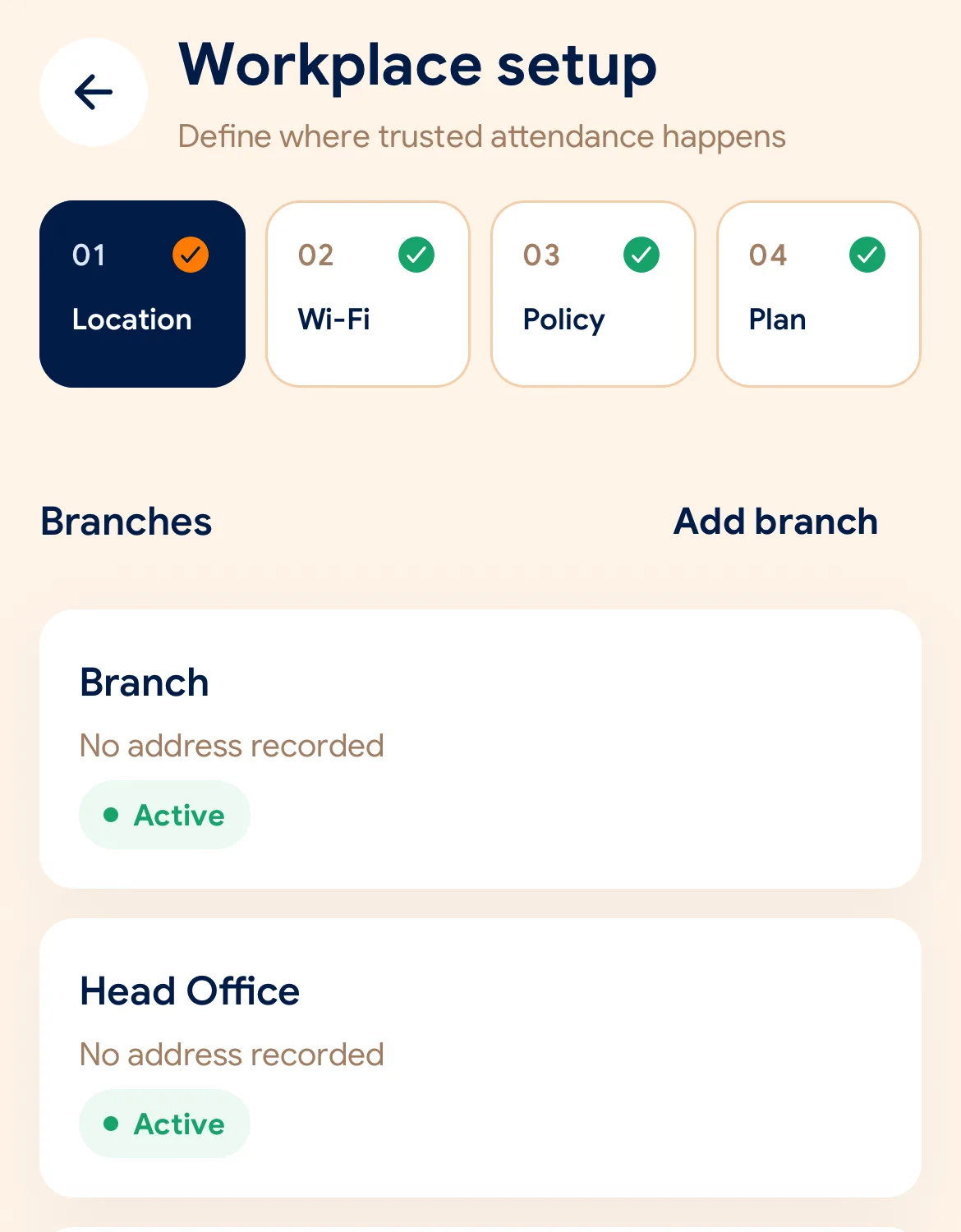
Before the first shift
ดาวน์โหลด SlidesClock บน iPhone แล้วสร้างบริษัทของคุณ แพ็กเกจฟรีจะเปิดใช้งานทันทีโดยไม่ต้องใช้บัตรเครดิต
กำหนดพิกัดและรัศมี GPS ลงทะเบียนเครือข่าย Wi-Fi และเลือกกฎการตรวจสอบที่ต้องการสำหรับสาขานั้น
ส่งลิงก์คำเชิญให้พนักงานแต่ละคน พนักงานติดตั้งแอปและโทรศัพท์ของพวกเขาก็จะกลายเป็นเครื่องลงเวลาทันที
Managers can also work from the web dashboard at app.slidesclock.com.
Every working day
The employee does two of them. The rest happen on the server and in the manager’s view, with nothing more for the employee to do.
ดูกะการทำงานที่ได้รับมอบหมายและสถานะปัจจุบัน ไม่ต้องหาเครื่องสแกน ไม่ต้องยืนต่อคิวหน้าประตู
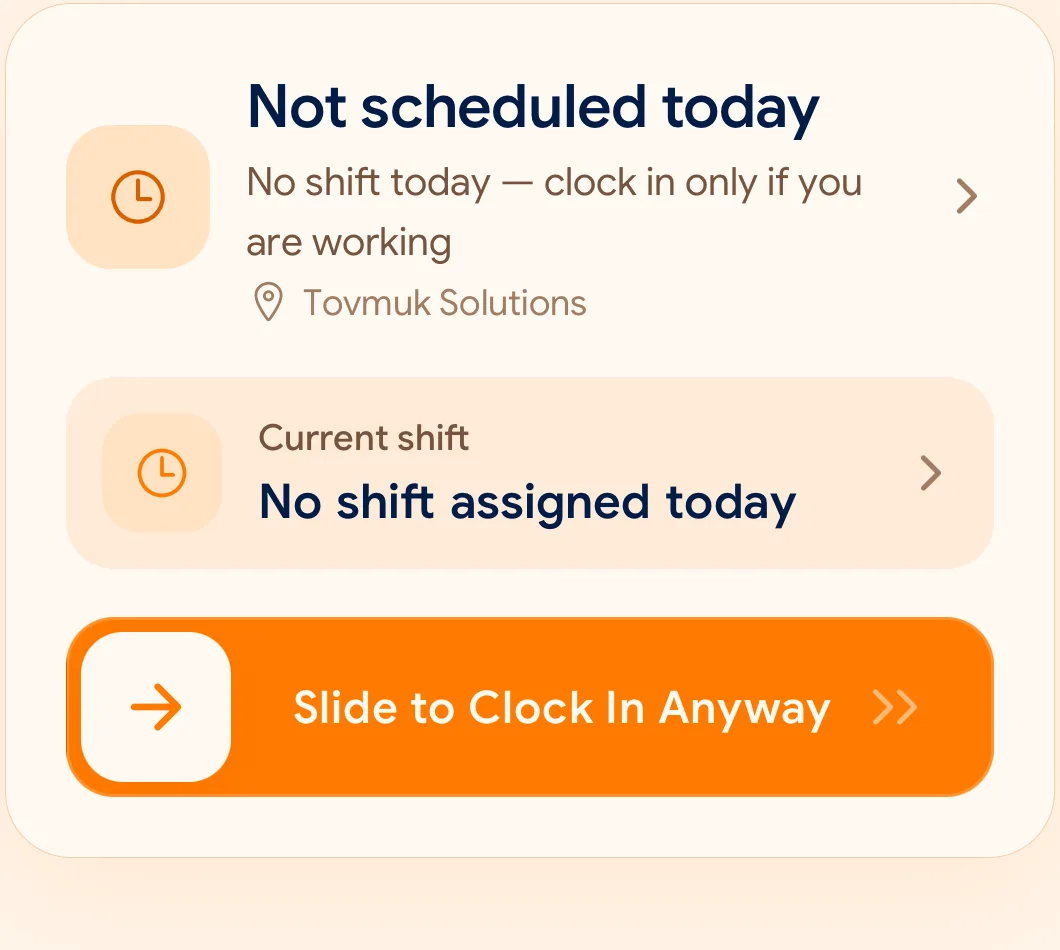
การปัดเลื่อนอย่างตั้งใจ ไม่เกิดข้อผิดพลาดจากการสัมผัสโดยไม่ตั้งใจ และทำได้รวดเร็วด้วยมือเดียว
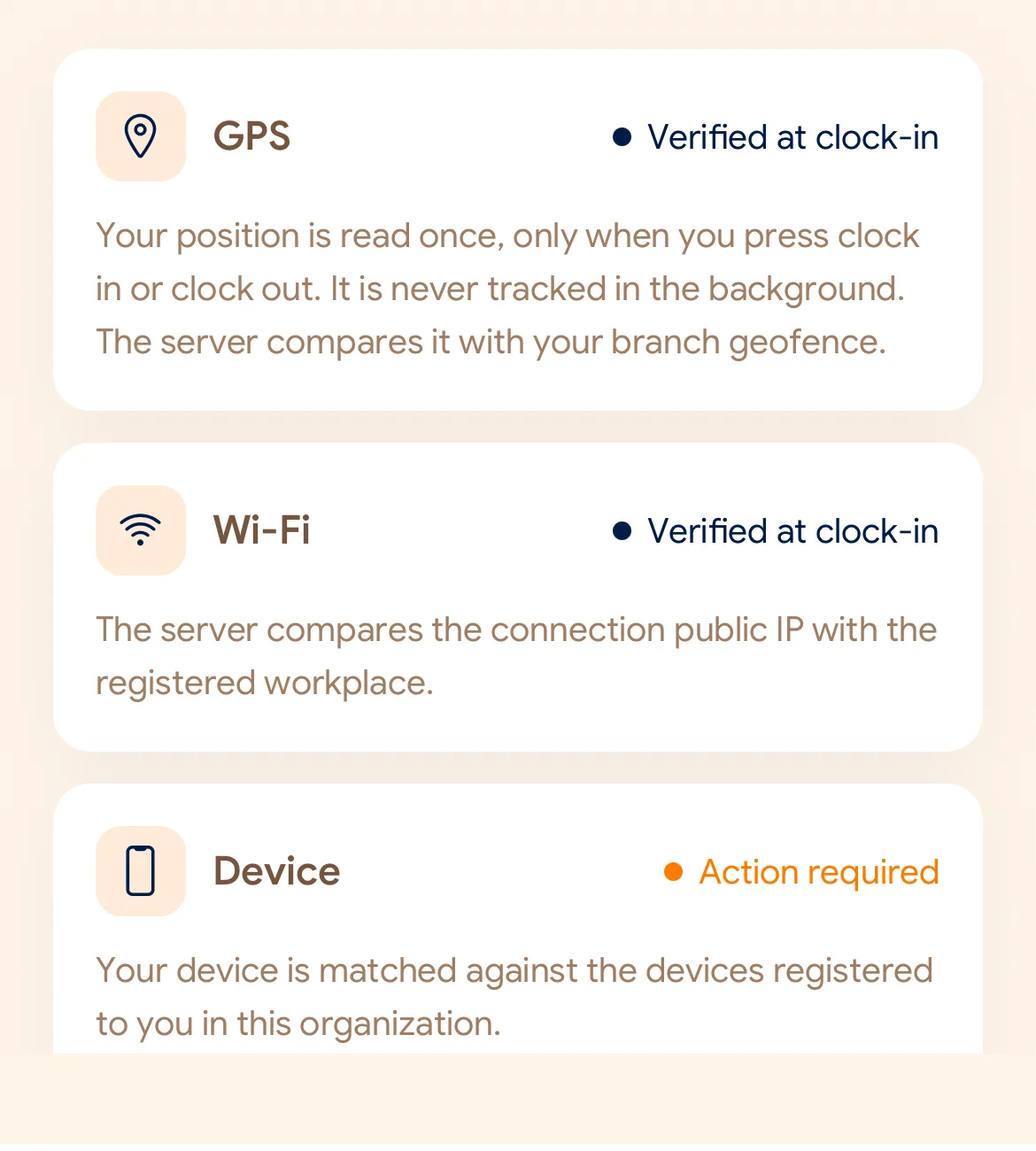
ตรวจสอบระยะ GPS, Wi-Fi ของที่ทำงาน หรืออุปกรณ์ที่ลงทะเบียนตามข้อกำหนดที่คุณตั้งค่าไว้
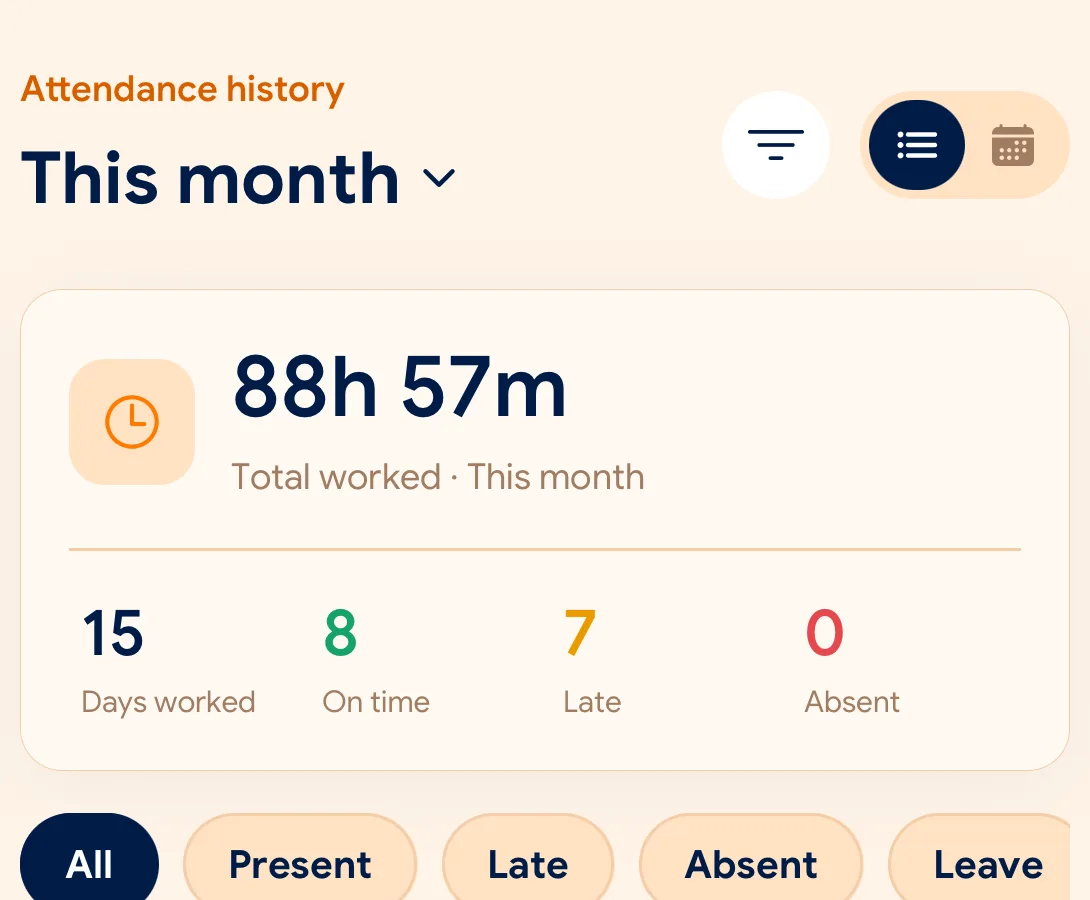
เวลาอย่างเป็นทางการมาจากเซิร์ฟเวอร์บนคลาวด์ ไม่ใช่นาฬิกาโทรศัพท์ บันทึกดั้งเดิมจะไม่ถูกเขียนทับเด็ดขาด
ตรวจสอบการเข้างาน การลา และคำขอต่างๆ ในแดชบอร์ดเดียว พร้อมส่งออกเป็น CSV และ PDF
What is checked at the slide
แต่ละสาขาสามารถกำหนดกฎเกณฑ์ได้อิสระด้วย GPS, Wi-Fi หรืออุปกรณ์ที่ลงทะเบียน
Indoors, GPS can drift by a floor or a building. The office network is a steadier signal, so this policy checks Wi-Fi.
Distance to the branch, allowing for the accuracy the phone reports.
Read once, at Slide In and Slide Out. Never tracked in the background.
The connection’s public IP against the network registered for the workplace.
The network password is never collected.
That the request came from a phone registered to that employee.
No extra hardware: it is the phone they already carry.
None of these checks is proof of identity. They are practical checks, and SlidesClock describes them as exactly that.
Two sides of every slide
Schedules and leave are on every plan. Tags mark what needs a paid plan.
In the SlidesClock app
In the app and at app.slidesclock.com
Why it is built this way
ออกแบบมาเพื่อความโปร่งใสและสร้างความไว้วางใจให้กับทั้งพนักงานและเจ้าของธุรกิจ
การเปลี่ยนเวลาบนมือถือไม่มีผลใดๆ เซิร์ฟเวอร์จะประทับเวลาที่ถูกต้องอย่างเป็นทางการเสมอ
พิกัดจะถูกเรียกดูเฉพาะเสี้ยววินาทีที่เลื่อนเข้าหรือออกงาน ไม่มีการติดตามตำแหน่งเบื้องหลังอย่างต่อเนื่อง
คำขอแก้ไขเวลาจะถูกบันทึกแยกต่างหากพร้อมประวัติการตรวจสอบและการอนุมัติจากหัวหน้างาน
Not in the flow, on purpose:

