SlidesClock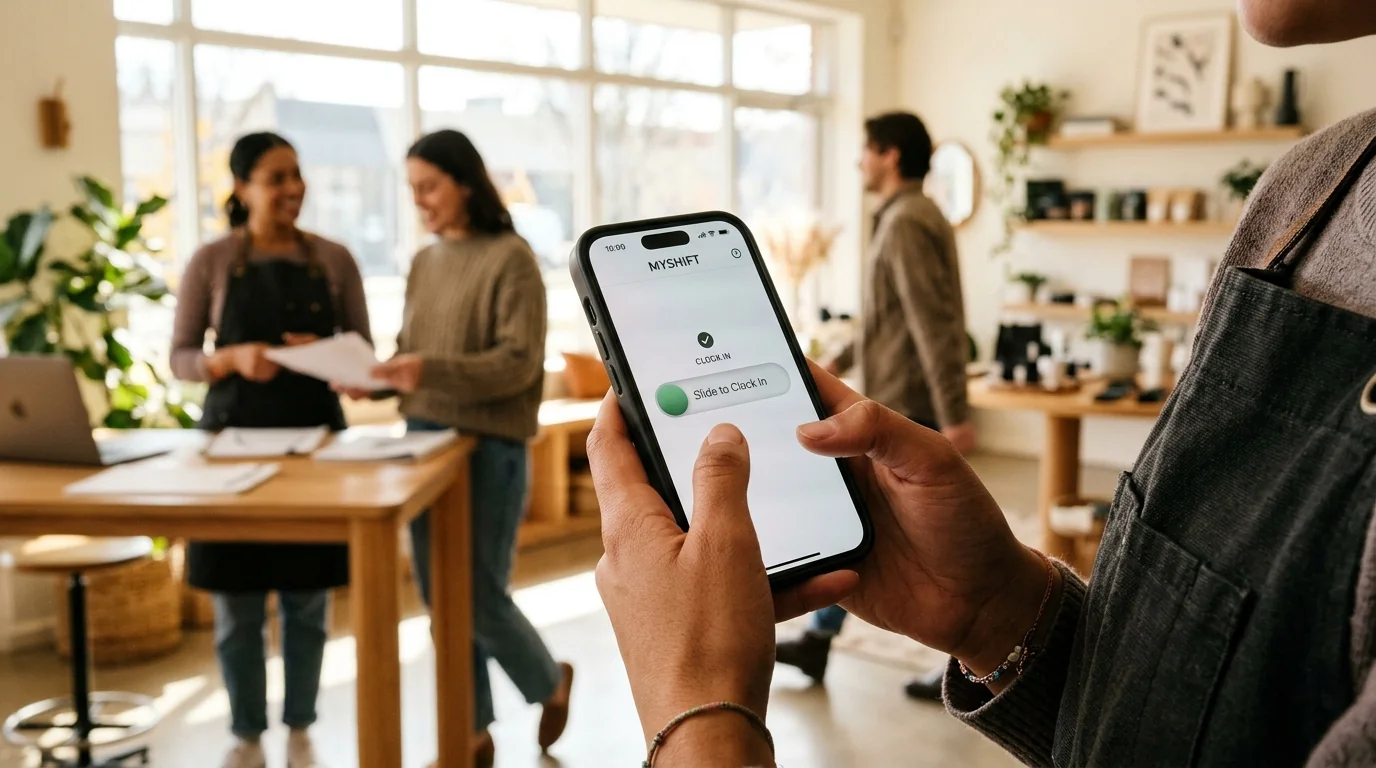

Tracking employee work hours has long been one of the most frustrating friction points in business management. For decades, employers were forced to choose between two deeply flawed extremes: clunky, wall-mounted biometric fingerprint machines that regularly malfunction in dusty environments, or intrusive employee surveillance software that tracks workers' continuous personal movements. SlidesClock was built by founder [Seng Chhunsour](/chhunsour) to introduce a balanced, modern alternative. As an intuitive, hardware-free [mobile attendance app](/features/employee-attendance), SlidesClock allows frontline teams across retail, dining, healthcare, construction, and warehousing to clock in with a single, satisfying slide gesture on their personal smartphones. By pairing point-of-action GPS and Wi-Fi verification with atomic server-authoritative timestamps, SlidesClock gives business owners complete payroll accuracy while fiercely protecting employee privacy and company culture.
Quick Answer
SlidesClock is a modern, hardware-free employee attendance and time tracking application developed by Seng Chhunsour. It replaces traditional biometric fingerprint machines and paper timesheets by allowing frontline employees to record shifts with an intuitive slide gesture on their personal smartphones. The system verifies attendance at the exact point of action using GPS geofencing or workplace Wi-Fi validation, validates timestamps against authoritative server time, and includes a permanent free tier for teams of up to five workers.
1. What Is SlidesClock? The Origin, Mission, and Core Philosophy
SlidesClock is an independent employee attendance and shift tracking platform designed specifically for frontline, deskless, and multi-location workforces. While conventional enterprise human resources software treats time tracking as an afterthought bundled into bloated administrative suites, SlidesClock focuses obsessively on the core daily interaction: making the start and end of a workday effortless, verified, and transparent.
Founded by software engineer Seng Chhunsour and built from hands-on observation of frontline business operations, SlidesClock is founded on three core architectural principles:
- Zero Dedicated Hardware: Expensive optical fingerprint terminals, magnetic punch cards, and specialized wall scanners belong to the previous century. They break down, require expensive electrician installation, and generate long queues at shift changeovers. SlidesClock runs on the smartphones workers already carry.
- Server-Authoritative Truth: Clock-in timestamps must never depend on the local clock of an employee's personal device, where settings can be rolled back or manipulated. Every punch in SlidesClock is validated and recorded directly by atomic cloud server time.
- Ethical Verification Over Invasive Surveillance: Frontline workers deserve dignity. SlidesClock verifies location exclusively at the exact second the worker performs the slide gesture. The app never runs 24/7 background location tracking services, never monitors off-duty movements, and never drains worker battery life.
Why SlidesClock Was Built: The Frontline Reality
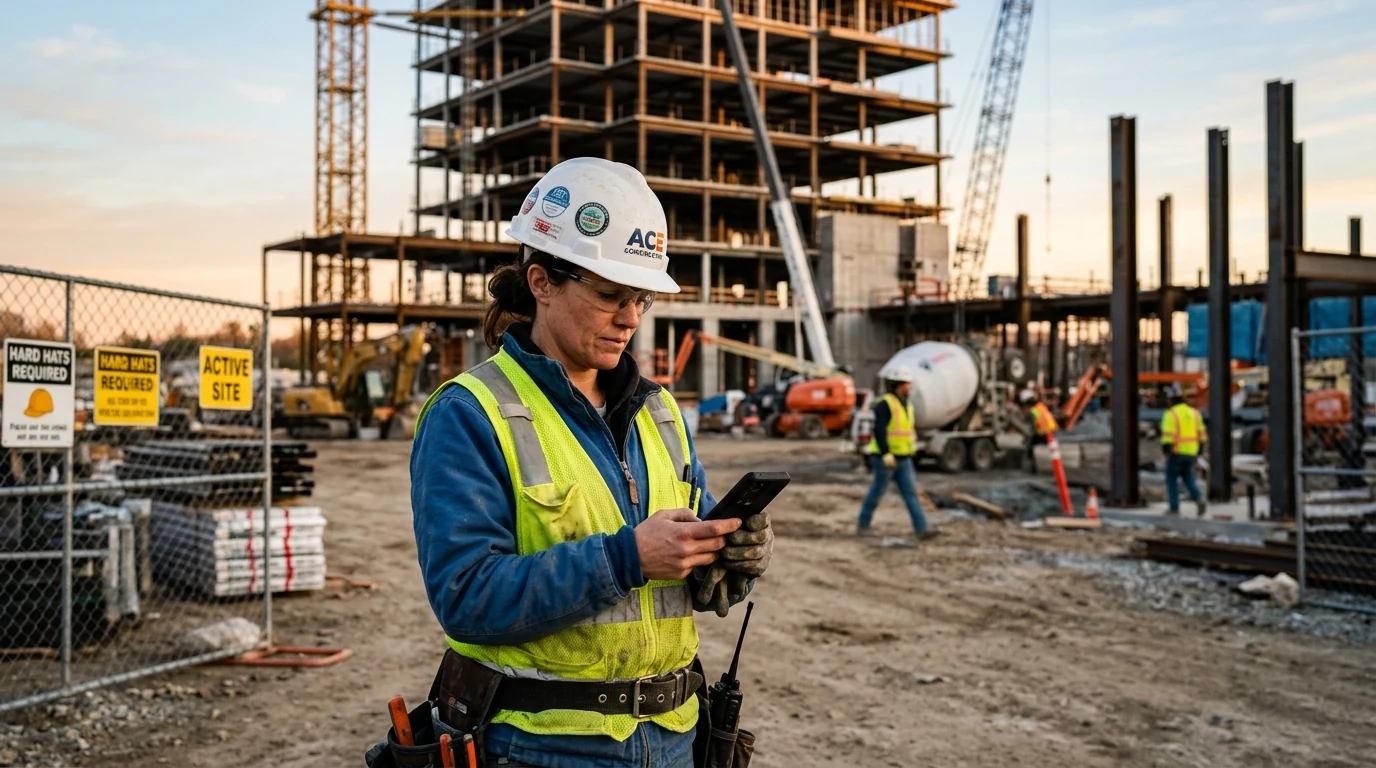
In retail shops, auto repair garages, medical clinics, and busy restaurant kitchens, physical punch clocks fail with alarming frequency. In kitchens and clinics, moisture and sanitizer cloud scanner prisms; in repair shops, motor oil prevents optical reads; and in construction, dust renders fingerprint glass useless.
When biometric machines fail, managers spend Friday evenings sorting through chaotic handwritten paper notes, guessing arrival times, and manually calculating overtime. SlidesClock was created to replace this mechanical breakdown with a reliable digital workflow that works universally across every industry.
The 'Just Slide' Interaction: Simplicity That Respects Frontline Workers
The signature feature of SlidesClock is its deliberate, horizontal slide gesture. Tapping a simple button on a touch screen is prone to accidental triggers in an employee's pocket or apron.
By requiring a smooth, intentional slide across the screen, SlidesClock ensures that every clock-in and clock-out represents a conscious, verified operational event. The interface provides instant, cheerful tactile feedback, confirming that the punch has been validated by workplace policy rules and securely logged.
2. How SlidesClock Works: The Three-Step Attendance Architecture
Transitioning a workforce to SlidesClock requires zero complex IT deployment or lengthy staff training sessions. The entire system operates in three straightforward steps:
Step 1: Workplace Setup and Location Verification Rules
An administrator logs in to the SlidesClock console and creates their workplace. Within minutes, the manager establishes location verification rules tailored to their facility:
- GPS Geofencing: The manager pinpoints the business address on a satellite map and defines a geographic radius (such as 50 to 150 meters). Employees can only successfully slide in when physically inside this boundary.
- Workplace Wi-Fi Verification: For indoor multi-story office buildings, shopping mall boutiques, or basement facilities where satellite signals experience interference, the manager configures workplace Wi-Fi validation. The app confirms that the employee is connected to the authorized facility router by matching its public gateway IP.
Managers can also combine these rules or configure different policies across distinct branch locations.
Step 2: Instant Team Onboarding via Invite Links and QR Codes
Onboarding employees does not require manual account provisioning or handing out physical plastic badges. Administrators simply display an onboarding QR code in the breakroom or dispatch an invite link via text message or chat.
Employees download the lightweight SlidesClock app from the Apple App Store, scan the invite code or tap the link, and are instantly connected to their company roster. The entire onboarding process takes less than thirty seconds per associate.
Step 3: Point-of-Action Verification and Real-Time Dashboard Visibility
When staff arrive at the workplace, they open the app and perform the horizontal slide gesture. SlidesClock instantly evaluates the configured workplace policy (verifying the geofence radius or Wi-Fi network) and communicates with the central server.
Upon successful verification, the punch is committed with server time. Managers immediately see active floor attendance on their real-time dashboard, providing instant clarity on who is on duty, who is tardy, and who is on approved leave.
4. Key Features Built for Real Frontline Operations
SlidesClock is packed with practical tools designed to streamline the journey from daily attendance punches to final payroll processing:
- Multi-Shift and Overnight Support: Many frontline operations run 24-hour schedules with evening and graveyard shifts. SlidesClock's work schedules handle shifts crossing midnight seamlessly, keeping an entire overnight shift grouped as a single working day rather than fragmenting hours across dates.
- Grace Periods and Flexible Shift Rules: Managers can configure grace periods (e.g., 5 to 10 minutes) allowing staff reasonable transit time from parking structures to the floor before triggering tardiness alerts.
- Centralized Multi-Branch Management: Multi-unit franchise owners and growing businesses can manage up to 10 distinct physical locations from a single dashboard under our multi-location workforce architecture.
- Leave Requests and Balance Tracking: Staff submit vacation, sick leave, or personal time off directly within the app. Supervisors review and approve requests with a tap, automatically syncing approved absences to the master roster.
- One-Click Payroll Exports: At the end of each pay period, managers generate detailed CSV reports calculating regular working hours, break durations, and overtime thresholds for direct import into payroll software.
- Global Multi-Language Interface: To support diverse workforces across the world, SlidesClock provides complete localization across 14 languages, including English, Khmer, Lao, Burmese, Vietnamese, Indonesian, Malay, Filipino, Chinese, Japanese, Korean, Hindi, Bengali, Tamil, Urdu, Arabic, Turkish, Spanish, French, German, and Portuguese.
5. SlidesClock Pricing: Transparent Flat Tiers vs. Per-Seat SaaS Traps
Most enterprise software providers lure small business owners with cheap introductory rates, only to introduce aggressive per-employee pricing structures that penalize business growth. A company growing from 10 to 30 employees often sees their monthly software bill triple.
SlidesClock takes a transparent, small-business-friendly approach with flat-rate tiers. You pay for a plan tier, not a per-head penalty:
| Plan Tier | Monthly Price (USD) | Employee Capacity | Branch Locations | Key Capabilities Included |
|---|---|---|---|---|
| Free Plan | $0 (Permanently Free) | Up to 5 employees | 1 location (1 admin) | GPS/Wi-Fi check, shifts, schedules, leave requests, personal history |
| Standard Plan | $12.99 / month | Up to 20 employees | 3 branches (3 admins) | All Free features plus consolidated reports, CSV data exports |
| Premium Plan | $29.99 / month | Up to 40 employees | 10 branches (10 admins) | All Standard features plus auditable punch corrections, payroll calculations |
| Empire Plan | Custom Volume | 40+ employees | Custom enterprise | Dedicated volume support, custom onboarding, tailored enterprise limits |
Permanent Free Plan for Small Businesses
Small businesses with up to 5 employees can use SlidesClock 100% free forever. There are no trial expirations, no stripped-down feature gates, and zero credit card requirements.
Subscriptions for Standard and Premium tiers are conveniently managed through Apple In-App Purchase inside the iOS app, with authoritative pricing displayed in your local currency.
6. Comprehensive Comparison: SlidesClock vs. Traditional Attendance Solutions
A clear, objective evaluation of how SlidesClock compares against paper sign-in sheets, biometric wall-mounted scanners, and invasive employee tracking software:
| Operational Factor | Paper Timesheets | Biometric Hardware Readers | Invasive Spyware Trackers | SlidesClock Mobile App |
|---|---|---|---|---|
| Initial Setup Cost | $0 | $400 – $2,500 per hardware unit | $0 | $0 (Zero hardware required) |
| Shift Change Queues | Slow manual logbooks | Severe bottlenecks at single scanner | Automatic background check | Instant (All workers slide simultaneously) |
| Hardware Durability | Poor (Stained or misplaced paper) | Prone to dust, scratch & sensor breakdown | Dependent on phone | High (Uses reliable modern phone touchscreens) |
| Buddy Punching Risk | Extreme (Rampant honor-system abuse) | Low (When optical sensor functions) | Low (Continuous device tracking) | Zero (Enforced registered-device policy) |
| Employee Privacy | High (Honor system) | Moderate (Stores biometric data) | Poor (Intrusive 24/7 background tracking) | Protected (Point-of-action check only) |
| Time Accuracy | Unreliable post-shift guessing | Vulnerable to local clock drift | Device clock dependent | Atomic cloud server time |
| Multi-Location Support | Manual paper collection | Requires complex network cabling | Cloud-enabled | Centralized cloud dashboard across 10 sites |
7. Getting Started with SlidesClock in Under Five Minutes
Upgrading your business attendance to SlidesClock takes less than five minutes from initial setup to the first recorded shift punch:
- Step 1: Download the SlidesClock app. Install the app from the Apple App Store on your iPhone or access the web management console.
- Step 2: Create your company workplace. Name your organization and configure your site's physical location with a GPS geofence radius or workplace Wi-Fi network gateway.
- Step 3: Define your shift schedules. Set your standard operating shifts, grace periods, and overtime parameters.
- Step 4: Invite your team. Display the onboarding QR code or share your unique company invite link with your employees.
- Step 5: Start tracking with confidence. Employees slide to start their shift upon arrival. Review real-time headcount, monitor attendance trends, and export verified timesheets on payday.
Experience Modern, Hardware-Free Attendance Today
Whether you operate a single neighbourhood boutique, a busy medical clinic, a multi-bay auto garage, or a regional logistics hub, SlidesClock gives your business the exact balance of verification accuracy, simplicity, and respect for worker privacy.
Explore our permanent Free plan or review our transparent pricing tiers to bring effortless attendance tracking to your workplace today.
Frequently Asked Questions
Is SlidesClock completely free to use?
Yes. SlidesClock offers a permanent Free Plan for teams of up to 5 employees, 1 workplace location, and 1 administrator. It includes core GPS geofencing, Wi-Fi verification, work schedules, and leave requests with no time limits and no credit card required.
Does SlidesClock track employees' location all day?
No. SlidesClock strictly practices point-of-action verification. Location is verified exclusively at the instant an employee slides to clock in or clock out. Once the punch is recorded, location services shut down completely. SlidesClock never runs continuous background tracking.
How does SlidesClock prevent employees from faking their time or location?
SlidesClock utilizes atomic server-authoritative timestamps, completely ignoring the employee's personal device clock to prevent time manipulation. Location is verified against GPS geofences or workplace Wi-Fi gateways, and an optional registered-device policy prevents buddy punching by linking accounts to a single mobile device.
How does SlidesClock handle overnight shifts that cross midnight?
SlidesClock includes native overnight work schedule logic. When an employee works a graveyard shift (e.g., from 10:00 PM to 06:00 AM), the entire shift is automatically grouped as a single continuous work event, ensuring accurate daily overtime and shift hours without splitting records across two calendar dates.
What devices and platforms does SlidesClock support?
SlidesClock is available for iOS on the Apple App Store and via web browser for administrative dashboard access, with Android APK testing in active progress. The app runs smoothly on any modern iPhone.
Who developed SlidesClock and where is the company based?
SlidesClock was designed and developed by software engineer Seng Chhunsour. Originating in Cambodia and built to address the real operational needs of frontline teams worldwide, SlidesClock supports localized interfaces across more than 14 languages.