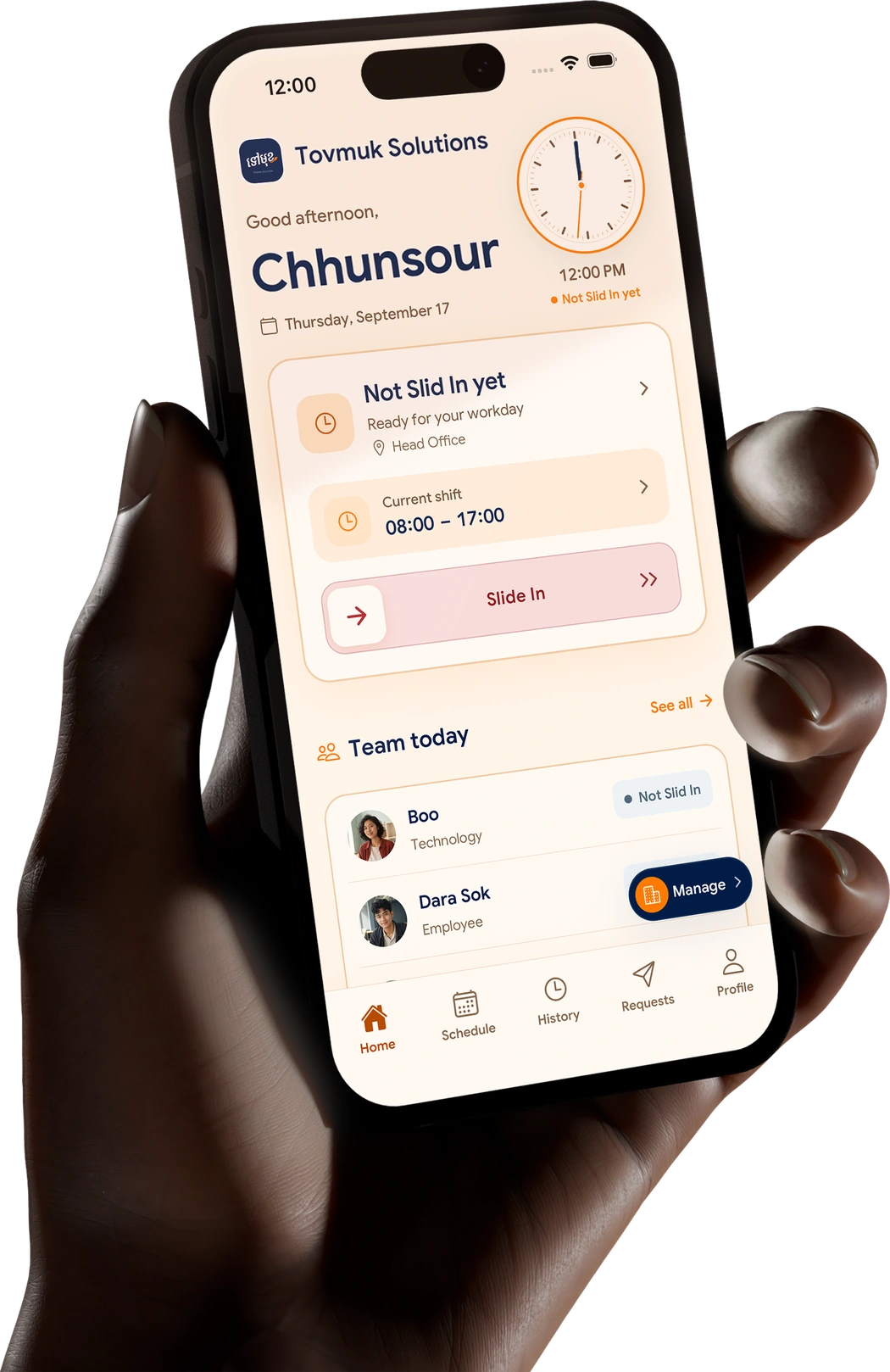
업무 시작하기.가볍게 밀어서 출근.

출퇴근 기록, 근무 일정, 휴가 및 연장근무 신청, 급여 정산까지. 하나의 앱으로 전 직원의 근태를 체계적으로 관리하세요.

SlidesClock app on smartphone.

출퇴근 기록부터 급여 명세서까지,
복잡함 없이 한 번에.

출퇴근 기록, 근무 일정, 휴가 및 연장근무 신청, 급여 정산까지. 하나의 앱으로 전 직원의 근태를 체계적으로 관리하세요.

Try it yourself

Today

Ready when you are

GPSWi-FiDemo · nothing is recorded

SlidesClock은 직원용 무료 근태관리 앱입니다. 별도의 기기 없이 스마트폰에서 GPS 위치와 사내 Wi-Fi 인증으로 믿을 수 있는 출퇴근 기록을 제공합니다.

하루 일과를 완성하는
3단계 프로세스.

Employees clock in from their own phone. Your workplace rules check every attendance, and the server records the time. No terminal, no paper sheet.

  1. Slide In

    근무지에 도착해 SlidesClock을 열고 오른쪽으로 밀어 출근을 기록합니다.

  2. 실시간 자동 인증

    지점 GPS 거리 또는 사내 Wi-Fi 연결을 즉시 검증합니다. 시간은 서버에서 기록됩니다.

  3. Slide Out

    퇴근 시 한 번 더 밀어 퇴근을 기록합니다. 근무 시간은 개인 이력과 관리자 화면에 반영됩니다.

See the full walkthrough

Start small. Slide forward.

Free for your first five people. Upgrade only when the team outgrows it.

Free

For a shop, a café, a small crew.

$0 per month

Free forever · no card needed

5 employees

1 branch · 1 admin

Start free

Includes

  • Slide In / Slide Out attendance
  • GPS, Wi-Fi & device verification
  • Server-recorded time
  • Schedules, shifts & leave requests
  • Personal attendance history

Premium

For owners who close the loop to payroll.

$29.99 per month

Billed monthly · or $300 a year

40 employees

10 branches · 10 admins

Choose Premium

Everything in Standard, plus

  • Advanced reports
  • Attendance corrections, original kept
  • Payroll runs & digital payslips
  • Payroll export
EmpireMore than 40 people or 10 branches? Unlimited branches and admins, priced for your team.Talk to us

No card for Free · cancel anytime in the App Store · USD list prices, paid plans are bought in the iOS app at your local App Store price. See full pricing

Good days start
with peace of mind.

What one slide records, and what it leaves alone. The same record for the people on both sides of it.

  1. Server time, not the phone’s clock.

    Changing the time on a phone changes nothing. The server stamps every slide.

  2. Location only at the slide.

    Coordinates are read at Slide In and Slide Out. Nothing runs in the background.

  3. Checks you choose per branch.

    GPS, workplace Wi-Fi, a registered device, or a combination. Each branch sets its own.

  4. The original is never overwritten.

    A missed clock-out gets a reviewed correction, saved next to what was first captured.

Slide InMain branch · sample
1Recorded at
08:02:14 AMserver clock
2Location
Inside the branchread once, at the slide
3Checks
GPSWi-FiDevice
4History
Original keptcorrections sit beside it
Visible to the employee and their managers

자주 묻는 질문

Questions & Answers
Clear and direct.

What it is, what is free, and how to start.

Still curious?

Devices, privacy, billing and the rest.

All questions
  1. SlidesClock is an employee attendance and workforce app. Employees Slide In and Slide Out from their own phone, the workplace policy checks each request with GPS, Wi-Fi or a registered device, and the server records the time. Managers get attendance records, schedules, leave requests, reports and optional payroll in one place.

  2. Yes. The Free plan is free forever for up to 5 employees, 1 location and 1 admin, with no credit card and no trial period. Paid plans start at $12.99 a month (Standard, up to 20 employees) and $29.99 a month (Premium, up to 40 employees), billed through the App Store.

  3. A free attendance app lets employees record when they start and finish work from a phone, without paying for software or a time clock. The useful question is where "free" stops: SlidesClock’s Free plan is permanent, and it stops at 5 employees and 1 location rather than at a trial end date.

  4. An employee opens the app at work and slides to Slide In. SlidesClock checks the request against the rules set for that workplace, such as GPS distance or the workplace network, and writes an attendance event with a server timestamp. Sliding again records Slide Out. Hours then appear in the employee’s history and in the records managers review.

  5. Yes. A workplace can require GPS, and the app then checks the Slide In against the workplace location and radius, taking the phone’s reported accuracy into account. Location is read only at Slide In and Slide Out. SlidesClock does not track location in the background.

  6. Yes. Each branch has its own location and verification policy, so an office can use Wi-Fi while a warehouse uses GPS. Free covers 1 location, Standard 3, Premium 10, and Empire is set per company.

  7. Yes, on every plan. Managers set shift start and end times, grace periods and rest days, and overnight shifts stay attached to one working day. Employees see their own schedule in the app.

  8. Yes, as an option on Premium. Approved attendance can feed payroll calculation and digital payslips. Payroll is off unless a company turns it on, and the employer stays responsible for tax and labour-law compliance where it operates.

  9. Small and growing businesses anywhere in the world whose staff work at known sites: shops, cafés, restaurants, clinics, offices, warehouses and companies with several branches. It suits teams that want attendance on the phones staff already carry instead of a fingerprint machine or paper sheet.

  10. Download SlidesClock from the App Store, create your company, add a workplace and invite your team. The Free plan is active straight away. Managers can then also sign in to the web dashboard at app.slidesclock.com. Android is in testing, and the APK is available on request.

당신의 팀이,
더욱 조화롭고 완벽하게.

Slide In. Slide Out.

지금 무료로 시작하기
  • Slide In
  • Slide Out