 SlidesClock
 Not required
GPS
Distance to the branch, allowing for the accuracy the phone reports.
Read once, at Slide In and Slide Out. Never tracked in the background.
员工端极简打卡,管理端严谨准确。一次性设置门店规则,日常上下班只需在员工自己的手机上滑动即可。
Today
Ready when you are
员工仅需此操作:拖动滑块即可完成出勤打卡。
Before the first shift
在 iPhone 上下载 SlidesClock 并创建公司。免费版即刻生效,无需绑卡。
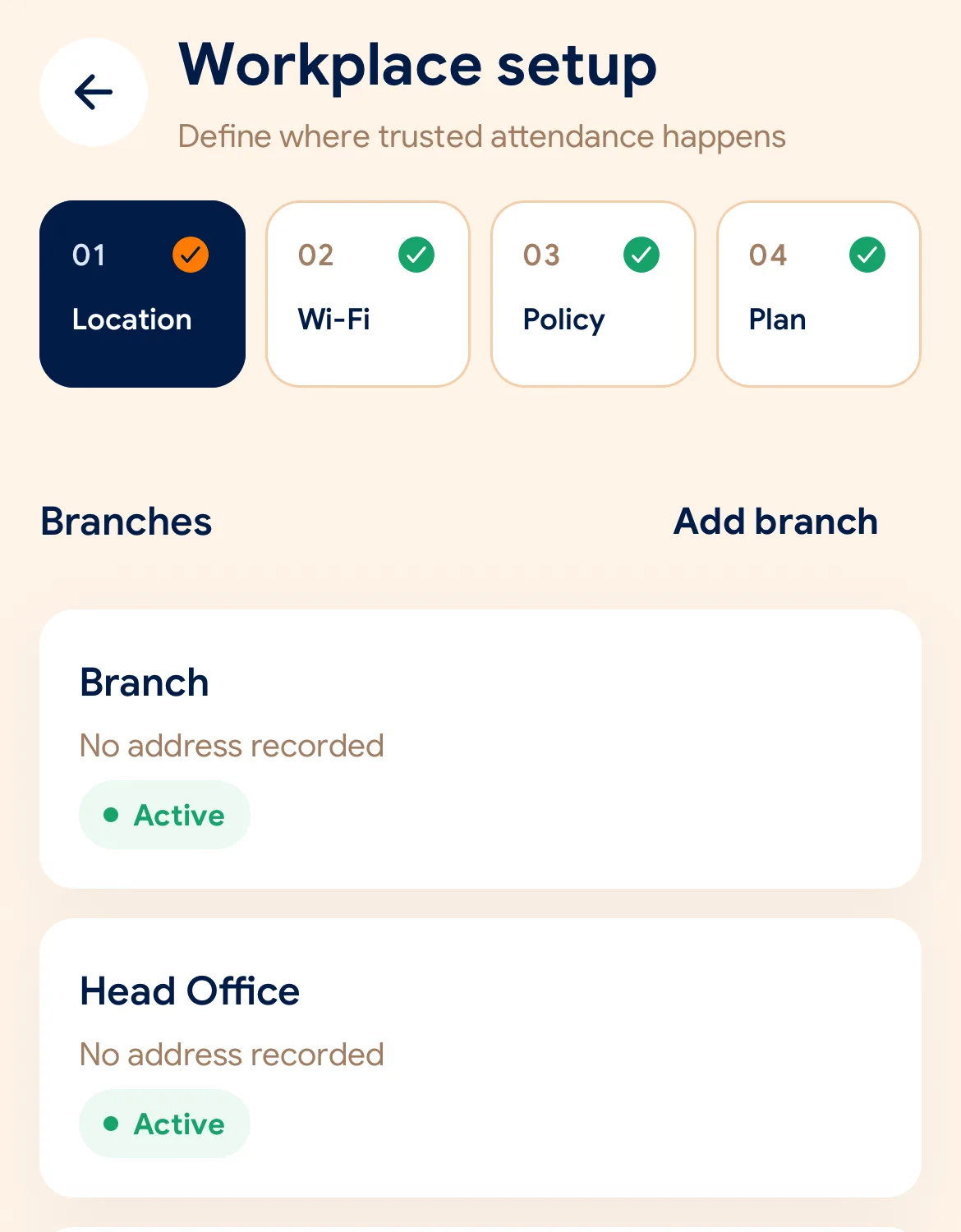
设置门店位置与打卡半径,登记办公 Wi-Fi 并选择验证规则。
分享邀请链接或邀请码,员工的手机即刻成为专属打卡工具。
Managers can also work from the web dashboard at app.slidesclock.com.
Every working day
The employee does two of them. The rest happen on the server and in the manager’s view, with nothing more for the employee to do.
清晰查看今日排班与状态,无需在打卡机前排队。
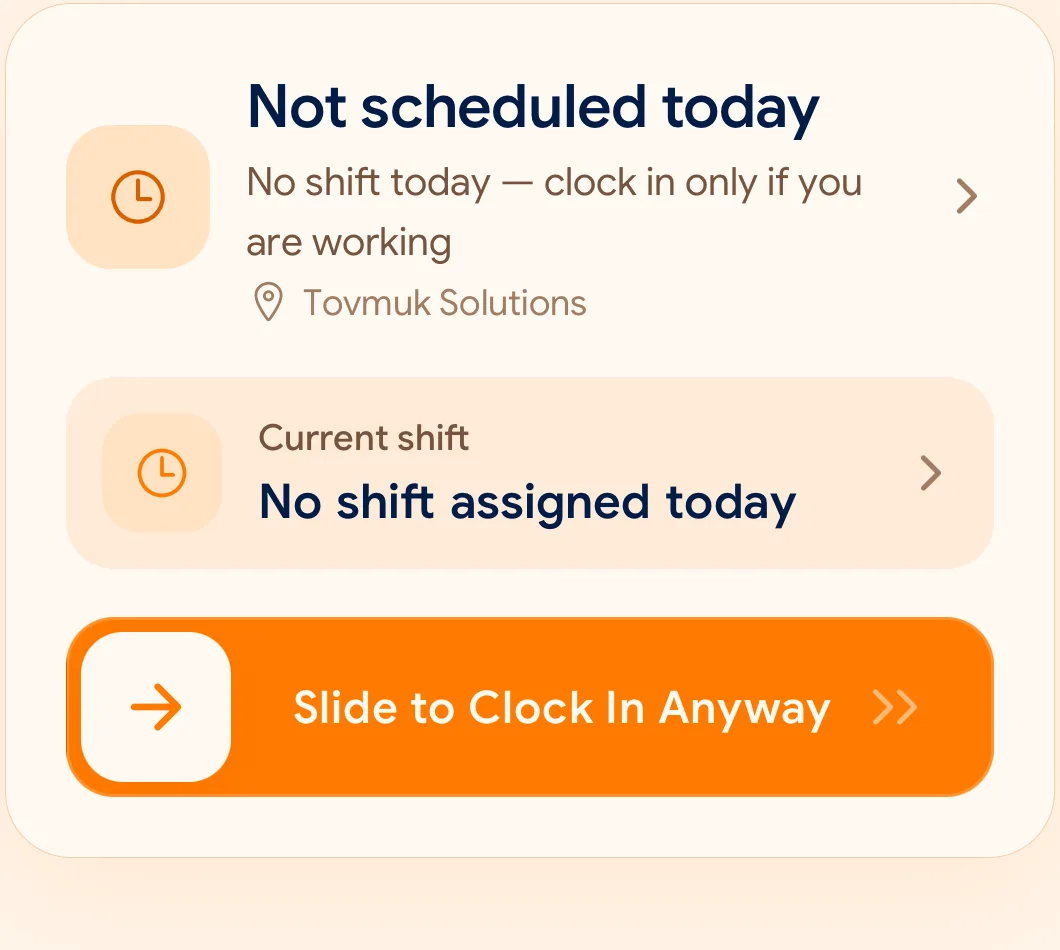
防误触滑动设计,单手轻松操作,避免误打卡。
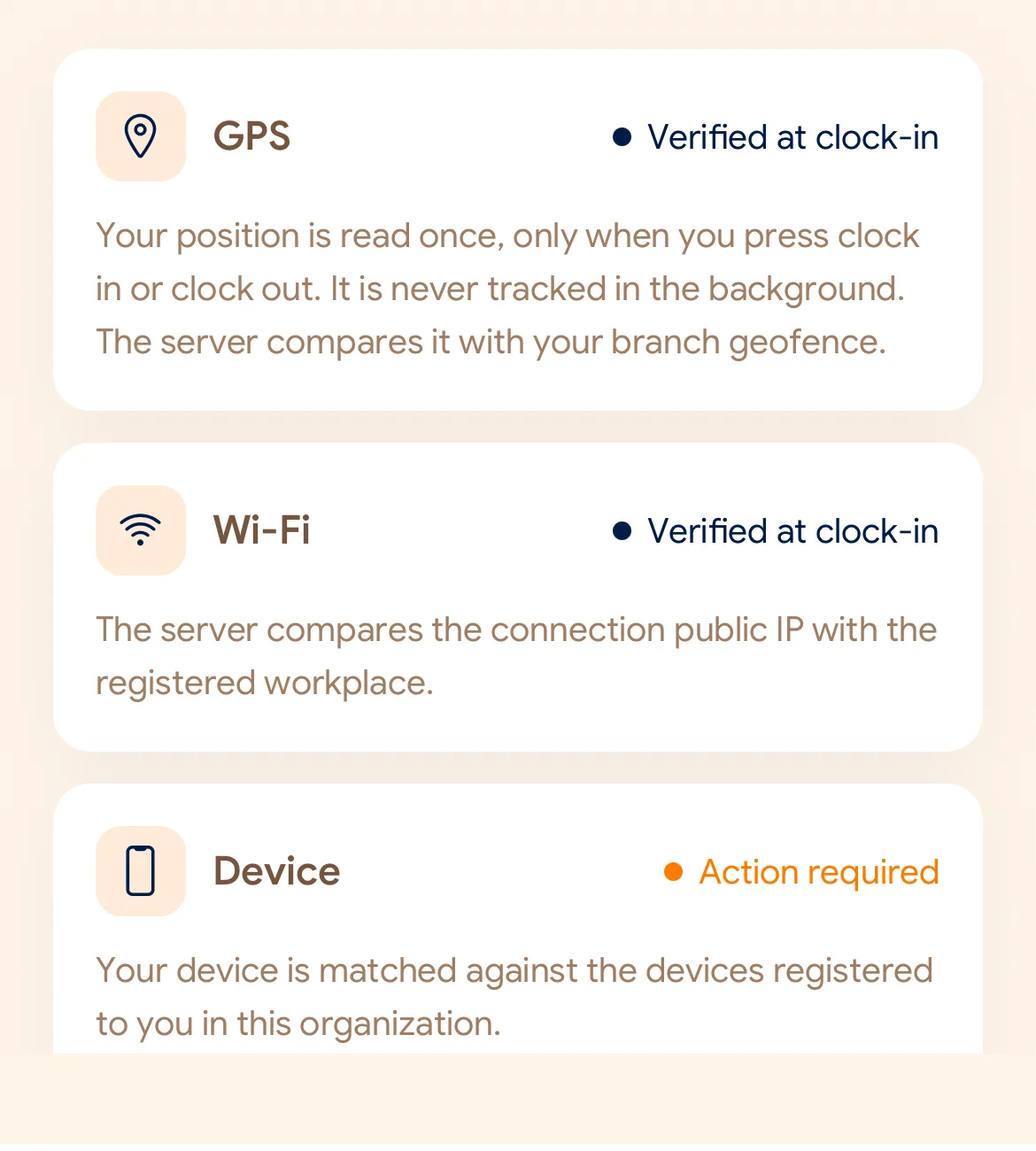
自动核对 GPS 范围、办公 Wi-Fi 及员工绑定手机。
打卡时间由云端服务器统一生成,防止篡改手机时间。
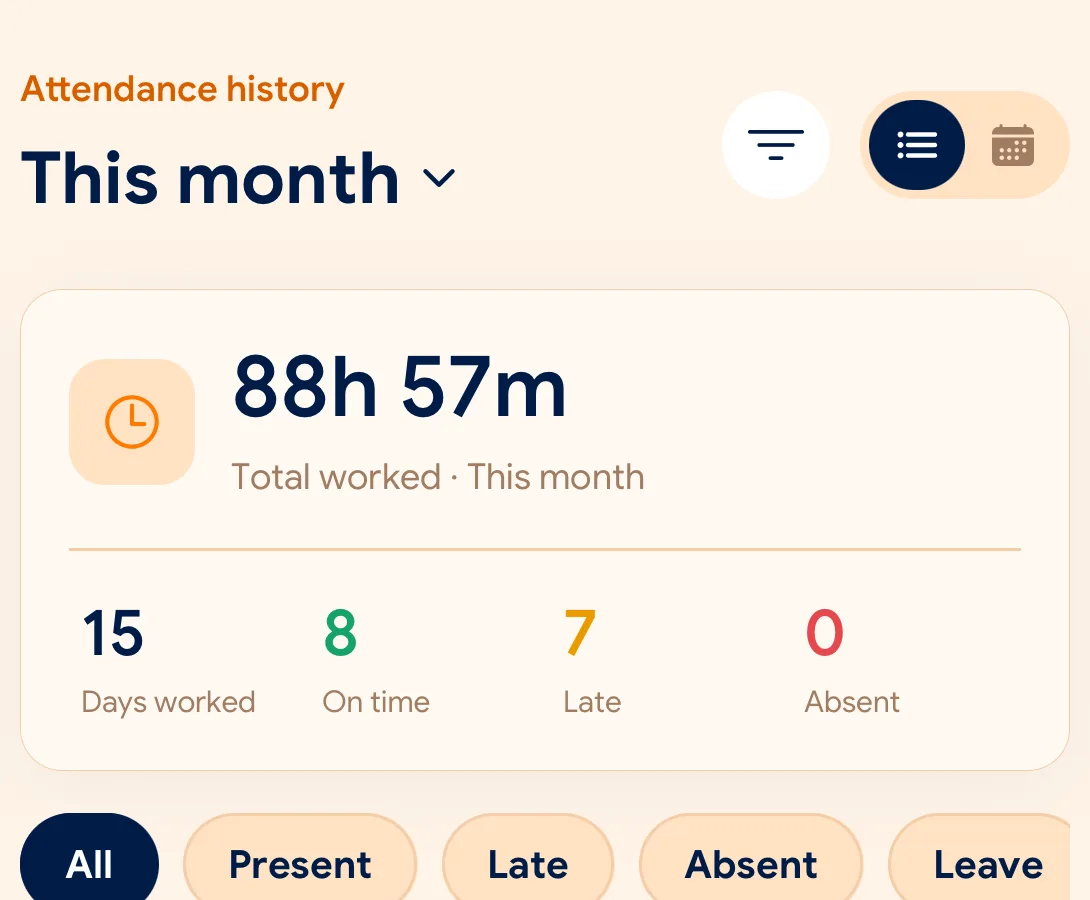
实时查看出勤、迟到与请假数据,支持随时导出 CSV 和 PDF。
What is checked at the slide
每个分店与办公区可独立配置 GPS、Wi-Fi 或设备验证。
Indoors, GPS can drift by a floor or a building. The office network is a steadier signal, so this policy checks Wi-Fi.
Distance to the branch, allowing for the accuracy the phone reports.
Read once, at Slide In and Slide Out. Never tracked in the background.
The connection’s public IP against the network registered for the workplace.
The network password is never collected.
That the request came from a phone registered to that employee.
No extra hardware: it is the phone they already carry.
None of these checks is proof of identity. They are practical checks, and SlidesClock describes them as exactly that.
Two sides of every slide
Schedules and leave are on every plan. Tags mark what needs a paid plan.
In the SlidesClock app
In the app and at app.slidesclock.com
Why it is built this way
让员工与管理人员双方都能享有清晰透明的信任。
手动修改手机时间不会影响考勤,时间由云端统一盖戳。
绝不在后台持续追踪员工位置,充分保障个人隐私与电量。
后续补卡修改与原打卡记录并行保存,全程留存审计日志。
Not in the flow, on purpose:

