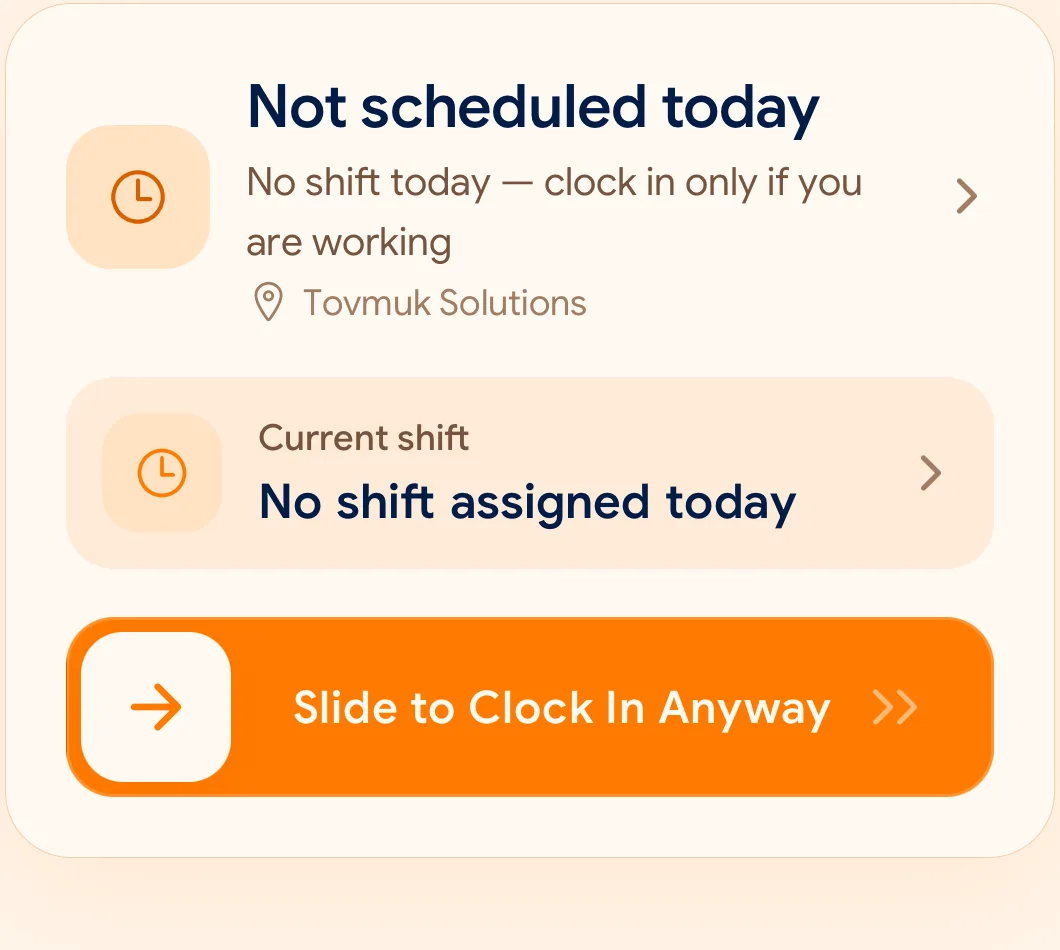
From the SlidesClock app. Workplace details shown for illustration.
One action, at the start and end of a shift
Employees clock in and out from the SlidesClock mobile app. There is no fingerprint reader, badge or wall terminal in the clock-in flow.
The employee sees their shift, their current status, and a single slide control. Everything else happens behind it.
Slide to clock in when the working day starts
Slide to clock out when it ends
See today’s status without asking a manager
Review a personal attendance history at any time
The record, not just the moment
The time on an attendance record is generated by the server, not read from the phone. Changing the clock on a handset does not change when a shift is recorded as starting.
Original attendance events are preserved. When a correction is needed, it is recorded alongside the original rather than overwriting it, so the history stays reviewable.
Overnight and rotating shifts
A shift that starts at 22:00 and ends at 06:00 belongs to one working day, not two. Schedules carry their own start and end times and grace periods, and attendance is attributed to the working day the shift belongs to.
常见问题
Do employees need a separate device to clock in?
No. They use the SlidesClock app on their own phone.
Can an employee change the recorded time?
No. The time comes from the server. An employee can request a correction, which a manager reviews; the original event stays in the record.
 SlidesClock